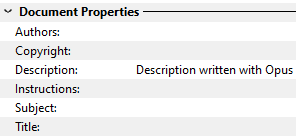
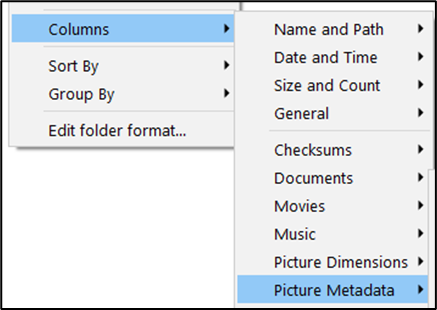
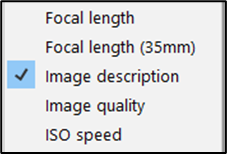
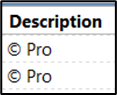
This is the field I am referring to:
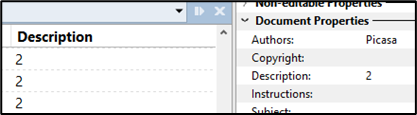
The Image Description Column display identical content:
I find this to be confusing and inconsistent. I think Opus may be treating 2 different fields as one.
This fields reads content in the XMP:Description field and the IPTC:Caption-Abstract field (most of the time) but does not write to those fields - as shown in this screenshot from ExifToolGUI:
The metadata is written only to the Exif:ImageDescription column.
Some applications do display content of the Exif ImageDescription column only if there is no content in the XMP:Description field and the IPTC:Caption-Abstract field.
Please have any description entered in Opus written to the XMP:Description field and the IPTC:Caption-Abstract field.
Another Description problem:
Opus does not recognize that an XMP:Description and/or an IPTC:Caption-Abstract are present if spaces or unrecognized characters have been entered. In ExifTool, dots are displayed:
In the duplicate removal application I use, if I filter to photos that have a description, the IPTC field would be displayed as empty.
Why is that a problem for me? There are a few reasons. One reason is that when I use duplicate removal software to remove duplicate photos from a client’s collection, I look at many different metadata fields.
Before I begin duplicate removal, I remove ‘useless’ metadata that I think has probably been entered by mistake, like these numbers or metadata that should be in a different metadata field:
I do that to ensure that when I scan for duplicates with the same Description (or an empty description field) the results are accurate.
I am removing duplicates from a client's photo collection and noticed that my duplicate removal software found 353 photos with an IPTC description, while Opus found only 310.
Please make the Description / Image Description field(s) consistent with how other applications read and write to it / them.
I would love to hear a response to whether or not this will be changed in Directory Opus and how soon. I have tested the scenario MegMac indicated above and found the same results. I agree that Opus needs to be able to write to the XMP and IPTC description field and not just read it. Thank you in advance!
My mistake. It is not fixed. The file I tested had pre-existing metadata in the XMP and IPTC description field.
Description / Image Description metadata should be added to industry-standard fields!
There is no single industry standard with photo metadata. There are multiple overlapping standards, and multiple conventions for using each standard on top of that. It's a complete mess, and cleaning it up would require an industry-wide effort.
I used the term 'Industry Standard' instead of writing this:
Widely-used, popular, mainstream application for consumers and professional photographers write Description (also called Caption) to the IPTC and/or XMP Description (also called Caption) field.
The applications I am referring to include - but are not limited to:
Adobe Lightroom Classic
Adobe Bridge
Photo Mechanic
ACDSee Photo Studio
Mylio
On1
Apple Photos (if one chooses to add metadata on export).
I think that qualifies as 'Industry Standard'.
So, I hope you will make a change to how Opus writes the Description so that people who work with photos and add metadata to photos are not surprised and disappointed when they can't see the Description entered in Opus in other photo software - and it's even more unexpected that Opus reads the IPTC and/or XMP Description and so displays it, but does not write to those fields.
There is also an issue with showing the JPEG compression (for example 90%). Only Image Quality available. And that does not show JPEG compression rates.
Hey, and why do we miss EXIF tag 270 when we talk about descriptions? And don't forget NTFS file properties Description as well.
BTW, ACDSee writes tags where you tell it to (with really minimal, specifically enumerated "overinterpretations") - you don't set a "description" which magically writes itself everywhere.
There are 2 (or even 3) ideas that are mixed up here: compression ratio, "quality level" and "compression quality" you mention (ie. how good encoder is at producing quality result with given quality level).
Only compression ratio might have some some use and can be easily interpreted (calculate dimensions x image depth and compare to size of SOS marker), but I think I've never seen it used in practice. The rest are meaningless voodoo interesting to few people and pointless in a file manager imo.
IMO if you really need this for whatever - idk, like benchmarking DO converter - just add the quality value to file name/tags/file properties. Simple and you have it now.
Is there any update on whether DOpus would be able to write and read the same Descriptions fields as other photo software? That would be a welcome addition for those of us working with thousands of photos on behalf of our customers.