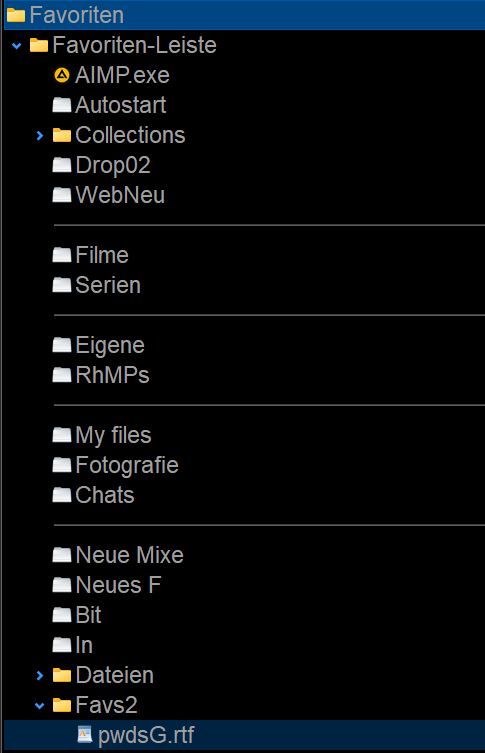
As in this image, i have that many favorites already, that it goes over the central separator between the file displays. (AIMP.exe in this example)
I'd like to populate them on either side from left to right, just for esthetical purposes.
Looks good, but hard to figure out without some further in depth research. Thanks, i will try that.
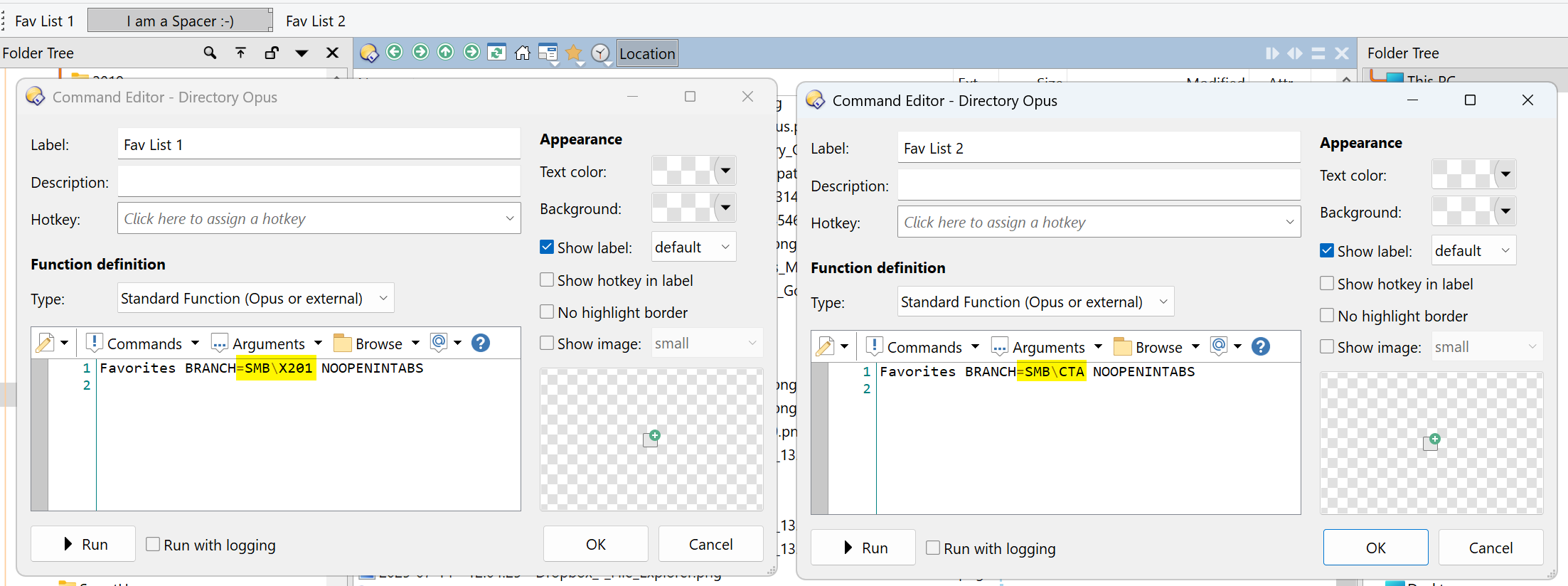
No luck. I made some branch, it's in the preferences, ok. When i go back into normal mode, there's a new yellow folder. The branch, i suppose. But where do you get that toolbar from, in your second image? How is that related to the yellow folder? I don't want to use this, i consider it a bad design, sorry. Maybe someone cares to make a step-by step video, how to get actually two fav bars side by side? I think this feature should be much more intuitive, and no big science. The simplest thing would have been, that we can simply make a second favorites bar, which starts up empty, ready to be filled with items, similar to the common tool bars we have, noch fiddling with branches and definitions.
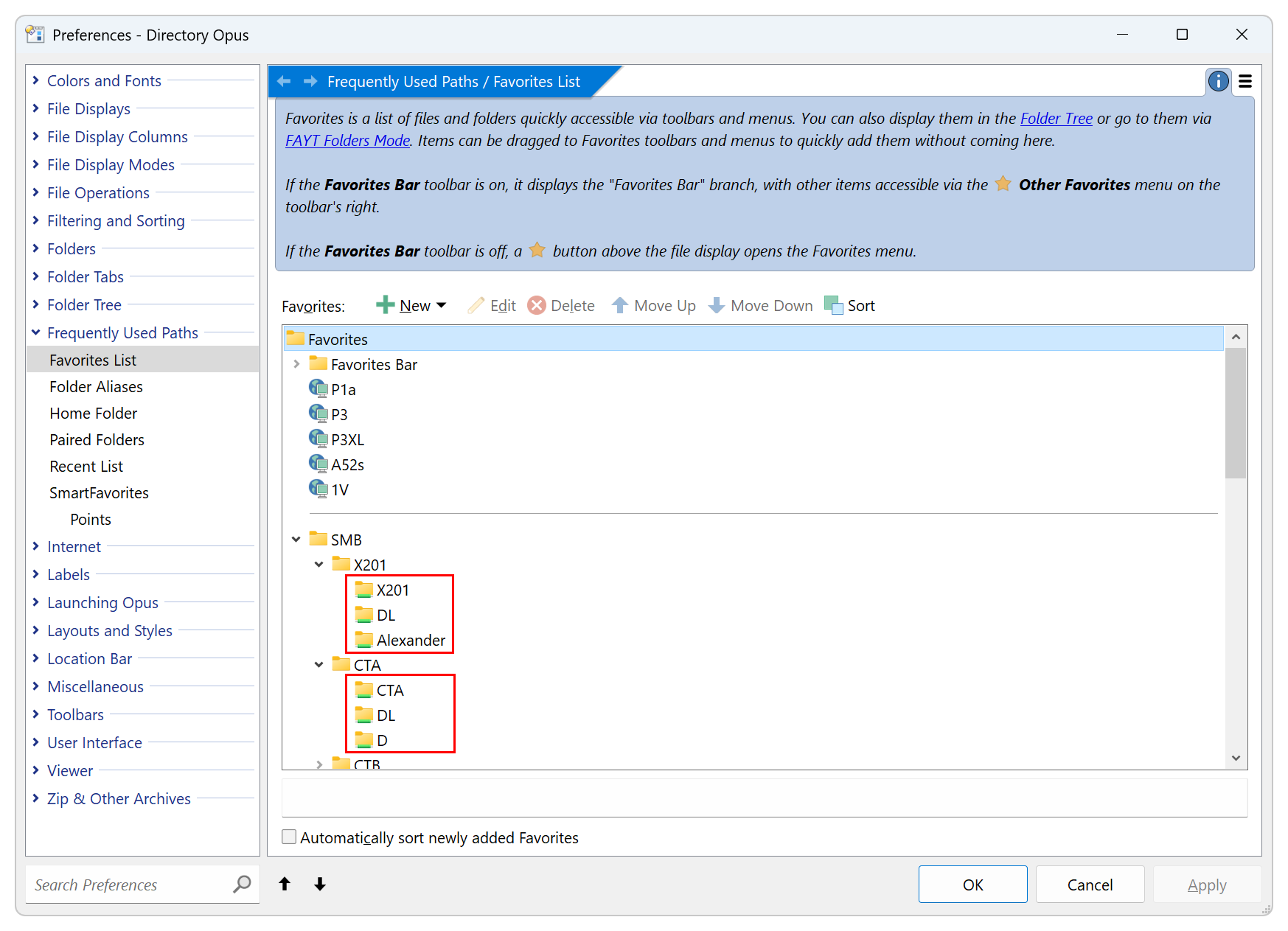
Please make screenshot of your favorite settings page and upload it.
That folder at the bottom is the new branch, i suppose. Going out of customize mode it's not an item which gives anything resembling lxp's second screenshot. When i right click that yellow folder, i don't get those options, because, yes, it's not a common tool bar.
I would have expected a new menu option in customize mode > New > Favorites Bar.
That would have made morre sense (imo).
Favs2 should have been the new, the second favs bar, and the RTF file its first element, being displayed on the top level. One of the problems i have is to have lxp's example windows at the left side for guidance, and having my Opus editor on the other side (Windows split screen mode). But clicking on the Opus edit window will immediately cover the browser window, with the other Opus window coming up, so it's quite messy to keep track of things.
Try this code for the second favs bar button.
Favorites SHOWICONS USEQUALKEYS NOOPENINTABS BRANCH="Favoriten-Leiste/Favs2""Yes, i did that. Now i do have that second favs bar item displayed, a lone item in the middle of that row, but my first favorites bar has completely vanished. Right clicking shows Favoriten-Leiste2 being checked, but no trace of the first, the original one, anywhere.
Dann mach das was ich dir gestern gezeigt habe...
Sorry, i can't because i don't even have two of those fav bars in that menu to start with. My head is spinning, i have to shut this down. I hope, that future features aren't going in this direction. Sorry to say, but i don't think it's very user friendly. Too many pictures, diagrams, parameters, i leave it like that, just going over the middle separator, and otherwise stick to the good old menu system, which is managable for me. Thanks anyway to everyone who tried to give me the hints, but i keep messing up my setup rather than having any progress here.