Is there i chance we could have more than one instance of the favorites bar, making separate contents possible? My goal is to get a better look, when the favs bar goes over the middle separator between the file displays. Another advantage would be to be able to have a second row of favorites. At the moment doubling the favorites produces an exact copy of the first version, which cannot be edited separately.
You can have as many as you want. Just change the name of the Favorites branch that the bar shows, by editing it in Customize mode.
The default command will have something like this in it:
... BRANCH=""" + LanguageStr("FavoritesBar") + """
Change that part to:
... BRANCH="My Branch Name"
That's great. Thanks a lot, i will try that right away.
I literally did that, but it throws an error and doesn't display a second favs bar. What might be the error in the command line?
@ctx:="Favorites KEYARGS Multifunc Shift:NEWTAB SHOWICONS USEQUALKEYS NOOPENINTABS AUTOCREATE BRANCH="Branch 01"" + LanguageStr("FavoritesBar") + """
(Edit, this is the version at the moment)
Change it to:
Favorites KEYARGS Multifunc Shift:NEWTAB SHOWICONS USEQUALKEYS NOOPENINTABS AUTOCREATE BRANCH="Branch 01"
For other people, if you want something similar but with the same behavior as the default Favorites Bar, the command would be slightly different. You would use this instead:
Favorites SHOWICONS USEQUALKEYS NOOPENINTABS AUTOCREATE BRANCH="Branch 01"
(In other words, KEYARGS Multifunc Shift:NEWTAB isn't normally there. Normally, middle-click normally opens folders in new tabs instead of shift-click. Change Branch 01 to the branch name you want that bar to use.)
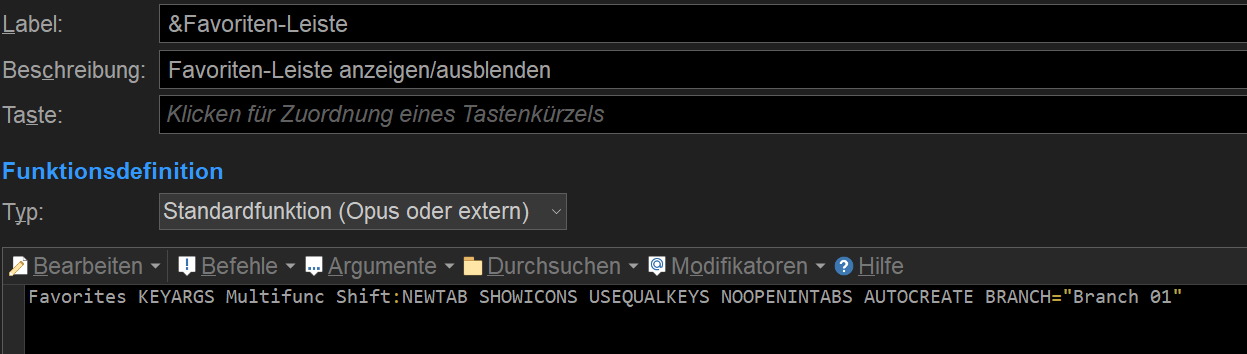

It works here, with just what was in my last post, added to a toolbar.
The error message in your screenshot has a " at the start of the command which doesn't match the command in your screenshot just before that. Are they both from the same button?
None of the @ctx stuff should be needed. That's only there in the default command so that the branch name can be translated for different languages, which you don't need when specifying your own custom branch.
If i literally use your command, i get following button, which doesn't react to clicks (except for going into full screen mode and back to normal), and that error message. Whatever i use as a name, is labelled as a syntax error. Very strange. 

The "Hier abgelegte..." part looks suspicious to me. Maybe there's an error in the translation string? Where does that come from?
That message is displayed if the branch the bar is showing is empty. You've probably mistyped the name of the branch.
The message should say " - Drop favorites here to add them" or something similar.
Drop a folder on it and the message will go away. It's there so you don't have a completely blank toolbar if there are no favorites in that branch yet.
I didn't type anything, only copy and pasted Leo's example.
I can't drop anything there. Maybe the problem is, that i made a copy of the other favs bar, that works, and try to work with that. And i don't see another way to create an empty favorites bar. If i choose "new", i have fove options, but none of them offers the favs bar.
You can't drop on to the message itself, or just after it?
Where did "Branch 01" come from if you didn't type anything? That wasn't in Leo's example.
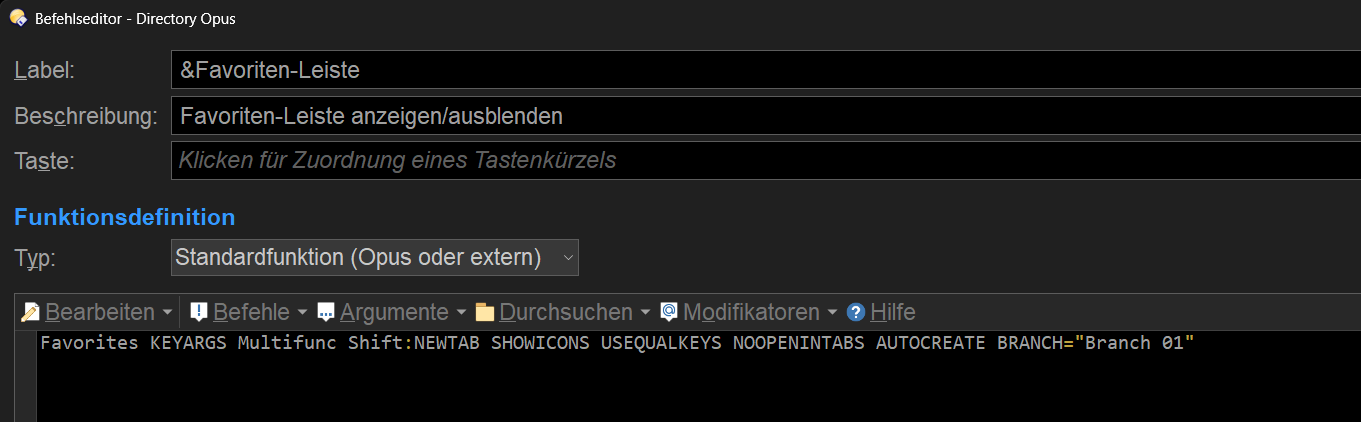
Ok, that's what you meant. Well, i have also tried literally Leo's example, assuming the branch need some kind of name. But whatever name i use, the first part of it will be quoted as a syntax error.
E.g., i name it "my second favs bar", the error message will show
Syntaxfehler (5): my
It would only do that if you'd left the @ctx stuff in. Are you sure you haven't created two buttons instead of one?
Jon, yes, there are two buttons. I don't see how i can have two separate instances of the favorites bar in just one button. But that's the next thing i will try.

This is what i'd like to have
Favs Bar 1: Items A B C D E
Favs Bar 2: Items F G H I J