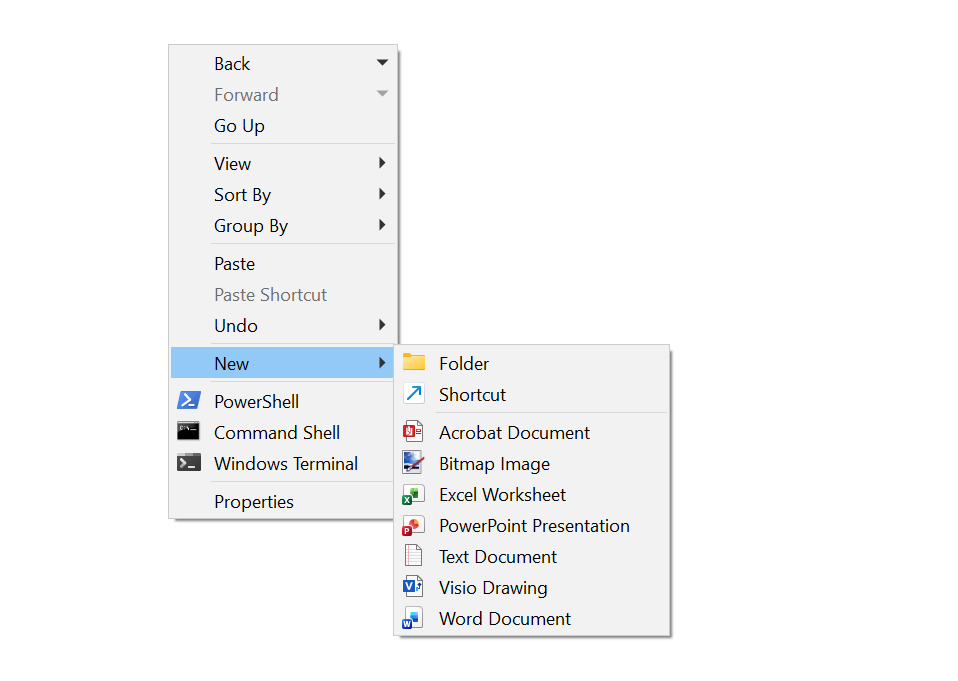
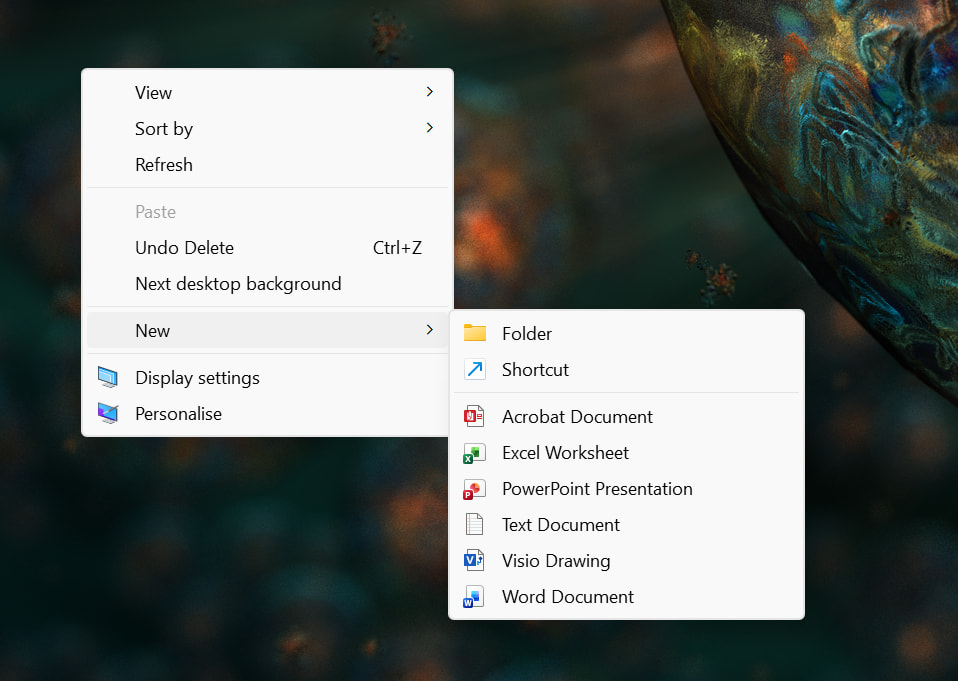
Hello, I have tried all sorts to remove the "Bitmap Image" item under the Directory Opus "New" context menu (right click on folder background) because I do not wish it to be there. It is not present in Explorer when I right click so do not understand why it is different and whether I can change this??
Maybe we were mistaken but it seemed to use that File Explorer had that as a hardcoded item now, since it's no longer in the registry, so we did the same in response to a bug report.
FWIW, if you want full control over what's in the New menus in Opus, you can remove them entirely and replace them with commands that create the file types you want, without any you don't want. On the default toolbars, the New Folder button-menu has an example that creates a text file.
I found those in my registry under the MrtCache area, which looks like it's built from Microsoft Store / UWP apps (probably based on an XML files in the WindowsApps direcotry that you can't easily look in).
My guess is that removing the entry that way from File Explorer won't be permanent. When the cache is rebuild it'll put those things back in the registry. I may be wrong.
I have not had the Bitmap Image entry for more than a year in either Explorer or Opus, that is why I was surprised (and annoyed) to see it back. It only creates a null file that none of my apps can open.
So whatever I did seems pretty permanent - maybe a factor but I don’t have MS Paint installed and use Paint.NET, ACDSee and Photoshop instead.
I also think it is wrong that Dopus “hard codes” the Bitmap Image item - it should simply reflect explorer’s context menu.
If it was missing from Dopus it is easy to add for those that want it, there is a tool on GITHUB or you can add the ShellNew item but also in Windows 11 now you have to add the friendly name entry as well, that is what has really changed, it is not “hard coded” in explorer, but indeed if you have Microsoft Paint UWP app installed it will always be there (I don’t have this app). Stupid thing is that it only creates a nullfile that paint can’t open!
I have now created my own custom "New" menu to reflect exactly what explorer does and remove the lister menu item, this works fine, but in my view it is only a workaround...