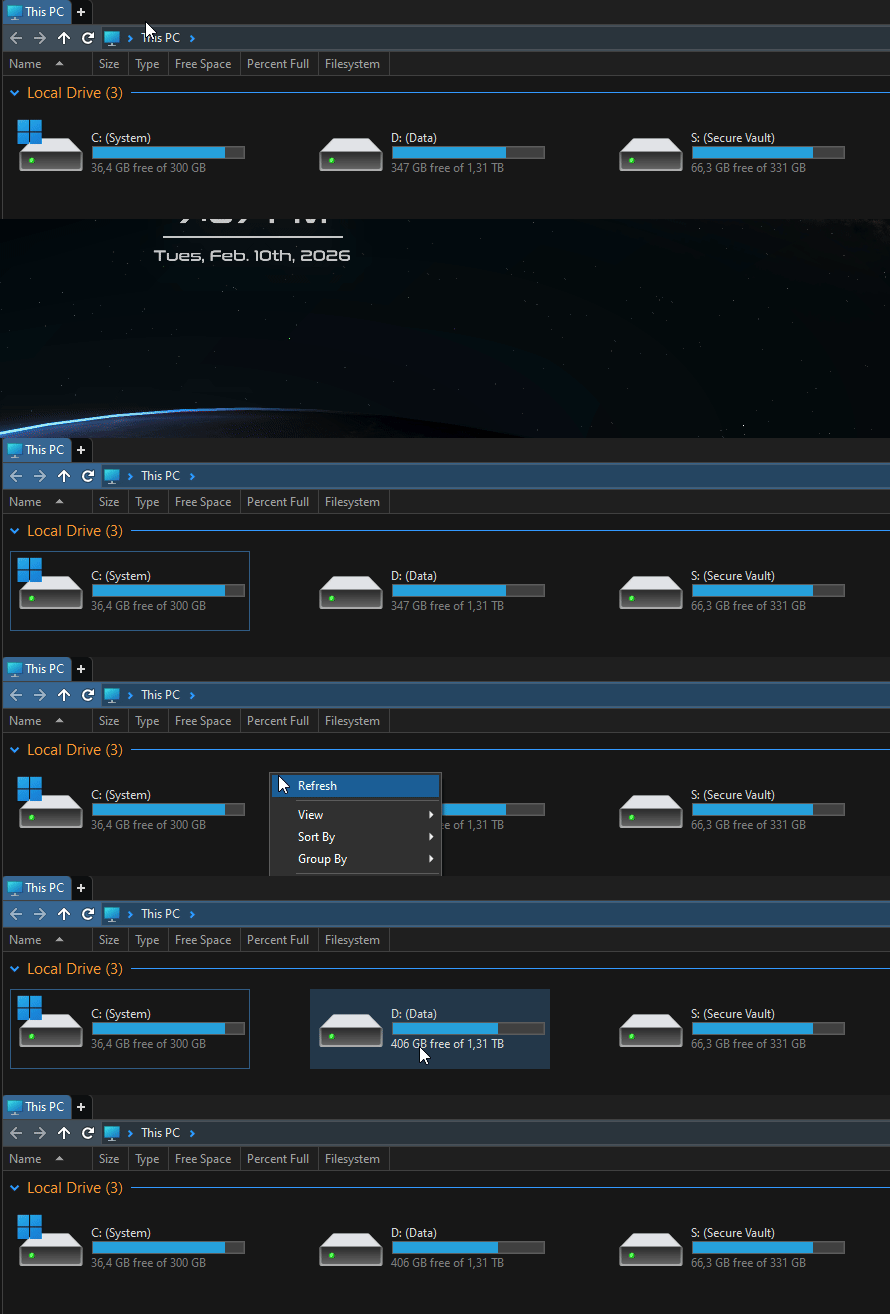
I noticed that when i view This PC screen in directory opus, the space available on my storage devices is always the same even if i add or delete data
I have had to refresh the screen to get the latest space information.
Even after the transfer is complete, when i open the This pc screen, i see the same old values and the new value is only displayed after a screen refresh
Which type(s) of storage device are you seeing that with?
When I test on my local C:\ drive, the free space amount in Opus's This PC folder updates by itself.
(I can reproduce what you describe, but only in File Explorer, not in Opus. :))
Are you sure the files aren't still in the Recycle Bin? Or on a volume that has snapshots and may not release the space immediately? (E.g. many NAS have that as an option.)
Happens for me too at least with a system drive (NVMe SSD, VeraCrypted), the free size in This PC sometimes updates only after a refresh. Not a big deal for me though, as I refresh often anyways.
It would be great if the free space updated whenever we opened the page
I rarely ever refresh and do a bunch of file transfers so it gets a little annoying for me. I'm used to seeing the current space availability at a glance without the need to refresh my screen
What do you mean by "opened the page" exactly? How are you opening the This PC folder?
When you navigate to This PC from another folder, the space will be recalculated there and then.
(If you leave This PC visible in a window, it also updates, at least for me. But that depends on the drive properly generating notifications about free space changes, which it may not do, or which some tools may block from reaching some software.)
So, in windows explorer, i set "This PC" as my homepage, so whenever i press Win+E i get the this pc page with all the disk space information
But when i use directory opus, i face a couple of issues.
Even after setting the home page to "This PC" , i never get the screen when i press Win+E
if i have "This PC" opened and close the directory opus window and open it again , i get the same space information there was before i closed the window and it only updates when i refresh the screen manually
I also noticed that if i have the "This PC" screen open and connect an external hard disk, the page doesnt refresh automatically instantly
I also recently noticed issues with the Network drive connection option as well, it looks really weird when i open it through directory opus
What Win+E does is configured under Preferences / Launching Opus / From the Win + E hotkey.
Those both point to an issue outside of Opus, where notifications about drive changes are either not being sent or being blocked for some reason.
If (some of) it is happening to internal drives and not just network ones, the only things I can think of are bugs in drivers / firmware or the filesystem code being used (which would be rare for things like C:\ but have been seen with things like USB external drives), or security tools (antivirus etc.) blocking the change notifications from reaching software (which could affect all drive types, and have been seen with some antivirus in the past).
Does the free space for drives update correctly in any software on your system?
@alex: Does File Explorer show the correct values for you, or does it have similar issues?
We could add some debugging to work out what's happening, but if File Explorer also shows the wrong values some of the time then the problem may be what the drive is reporting.