I'm really glad I don't have to download entire files to view their thumbnails.
Would it also be possible to display photo or video metadata in columns within folders and in the Metadata Pane without downloading the entire file (which is especially drastic for very large video files)?
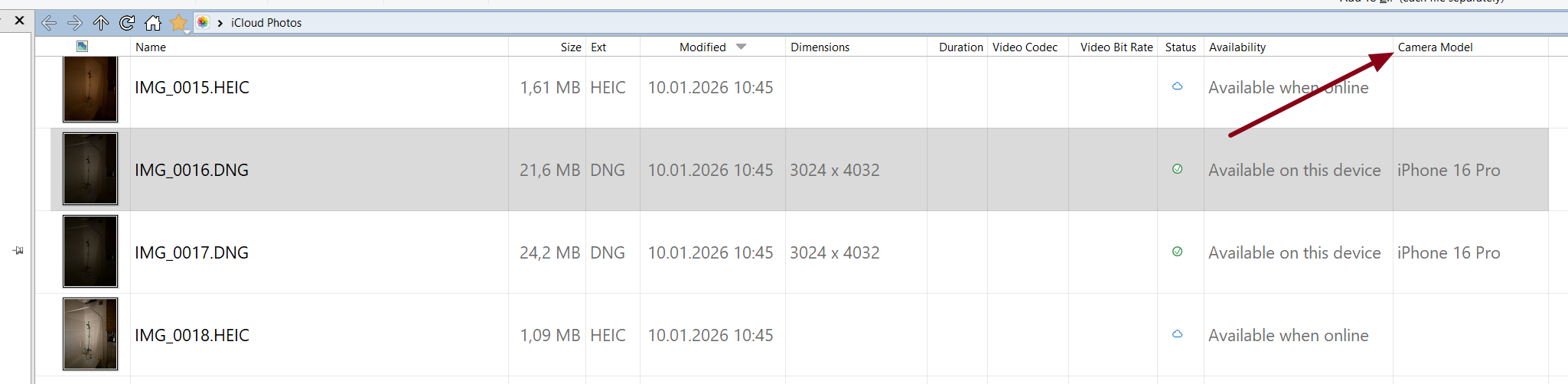
As you can see, only files marked "Available on this device" display information about the camera used in the Camera Model. These files automatically downloaded to my hard drive when I selected them and opened the Metadata Pane.
Does File Explorer have the desired metadata for offline files?
If not, the data probably isn't available (it would need to be provided by the cloud server, in a format the Windows cloud storage APIs understand).
But if Explorer does have it, you should be able enable the same columns in Opus via Preferences / File Display Columns / Shell Properties, and then turn them on like the regular built-in columns.
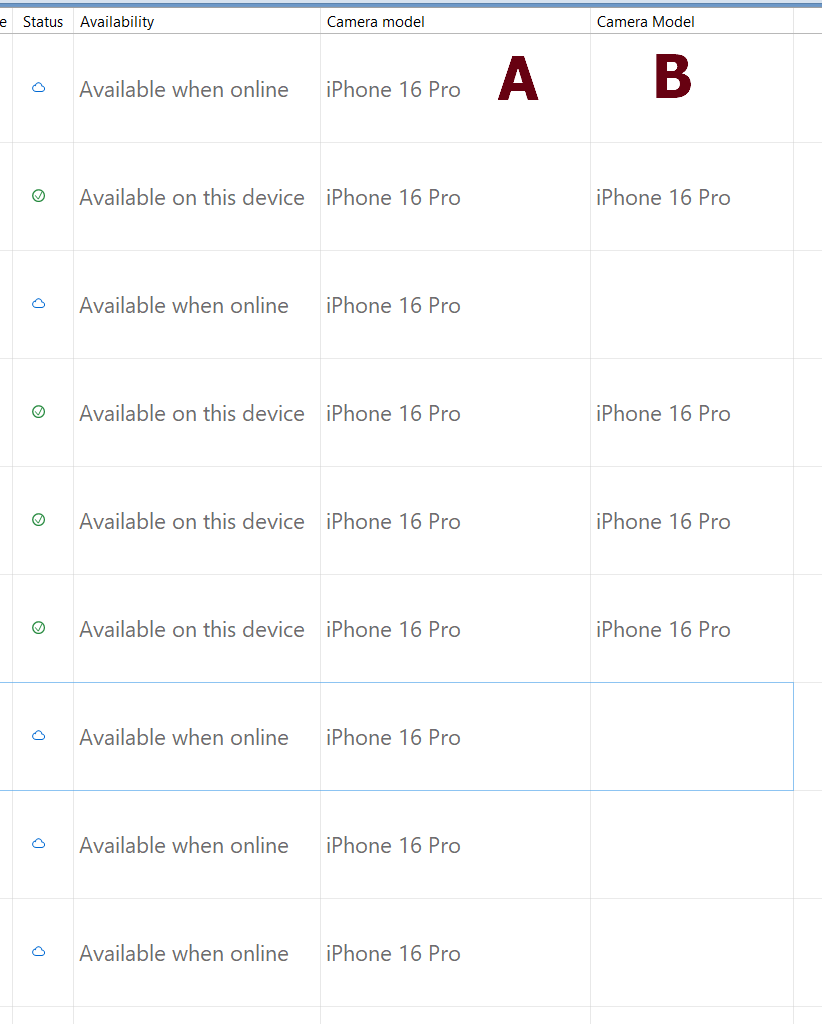
Ah, ok. This one worked, I hope it will also work with different metadata too. It was a bit confusing, because right now I can have two columns of the same name, but inside they are not the same.
Thank you.
Column A is Shell -> Camera Model (works with the offline files)
Column B is Picture Metadata -> Camera Model (doesn't work with the offline files)