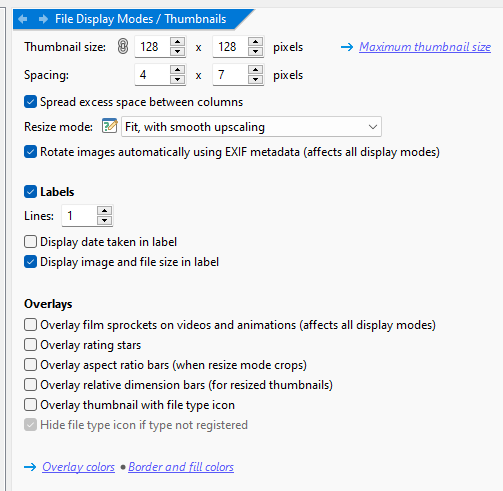
Is there a way to make it so that in Thumbnails mode, when selecting a file/folder with a very long name, it doesn't display the entire name, but to limit it to one line? This on DOpus 13. (i have the lines set to 1 in the thumbnails section on settings)
Alright, got it. For instance, in a scenario where a directory contains files and every single one of them has lenghty names, the name would cover part of the thumbnail of the file immediately below with no way of hide it. It might be useful to have an option where selecting a file displays its full name, but once deselected, it reverts to showing the name in the # of lines is set to. Any way, thank you for the response.
This is when opening new Lister window, with focus frame, or when changing folder, without focus frame. No selection made.
The overwrite gets worse with longer names.
Opus 12 remains on Windows 7 32-bit system and it has consistent display:
The solution could be to (a) expand the filename ONLY in selection case (NOT already in focus because focus seems always there), or (b) provide an option in settings to disable filename expansion as it was in Opus 12.
I went so far to declare TestFailure for this quirk.
I don't care what other programs or Windows Explorer do, because Opus has been the reference for thumbnail display for me.
I am glad to hear that a fix is considered when things have settled...
Nothing's broken here. We had a lot of requests over the years for the new behavior. (Which is actually the very old behavior Opus had originally, it was just never carried over to rendering with visual styles until now.)
An option for it would make sense though, certainly.