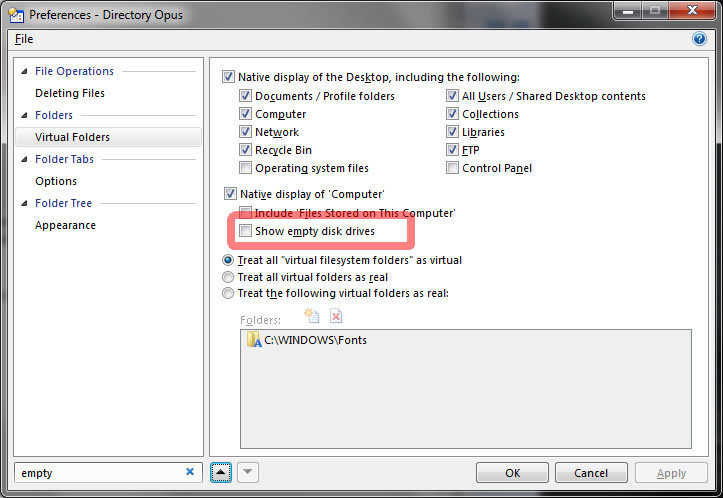
Going under Preferences and typing something into the filter field (I used "empty" to find "Show empty disk drives"). The down arrow works to go to the next found item but the up arrow is greyed out. If I click on one of the found results (left side), It will then work for a while. No, I'm not at the bottom or top of the list when an arrow greys outs.
If you select the very top find, you'll get a working down arrow. click it and you go down but the up arrow does not become active. Same as if you click on the bottom found item, click the up arrow, the down arrow does not become active.
In the attached screenshot, I clicked on "Appearance" under Folder Tree (after I filtered by "empty"). Then clicked the Up arrow twice. As you can see, the down arrow is un-clickable.
I also kind of missing the little filter/search button/icon. I know it's not needed but it just feels like hitting "Enter" means I'll close Preferences with the OK button. That's just me though.
Otherwise, I love the new preferences look and feel! Nice job again. I'm glad I upgraded