I don't know if there is something about some apps, but sometimes when I try to 'Pin to Start' it doesn't work. Nothing is added to Stardock's Start11 Menu, or even the normal Windows Start menu.. I know that Steam apps won't pin that way, but normal .exe should..
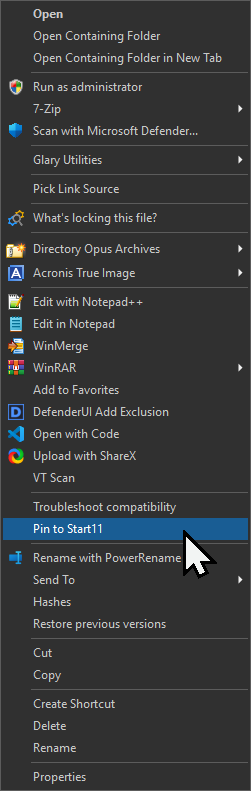
Does it work for the same file in other places, e.g. File Explorer? (Or, a better test, the File Open dialog within Notepad. Some things only work within explorer.exe and get blocked from any other process.)
That menu item is not put there or handled by us, so unless we aren't passing it the selected files correctly or something, it's probably not something we are doing on our side.
This is working for me (appearing in Start11 menu).
@Leo
I just tested it from both DOpus & Windows Explorer. DOpus failed, but Explorer worked, and put it in the Start11 menu.
@PassThePeas , It works for me usually, but on some .exes it doesn't.
I have attached the portable app with the exes if you want to try them? This is an app that tracks registry changes by app.
Registry Changes by App x64.7z (82.2 KB)
This button works fine for me in dopus, copy the explorer command from the context menu.
.
Anclar Archivo ejecutable a Start11.dcf (531 Bytes)
I installed your button, but I'm not sure where to find it. Is it on the file context menu by default, because I don't see it there, or in the Custom User commands panel either.
In customize toolbar mode, drag it to any toolbar.

Just a followup.. I put that button on the .exe context menu in file types, and it didn't work on that .exe either. I tested several exes.
Has anyone tested the reg changes.zip I posted? I would be curious to know if just doesn't work for me.
Are there any settings that would block this action in DOpus??
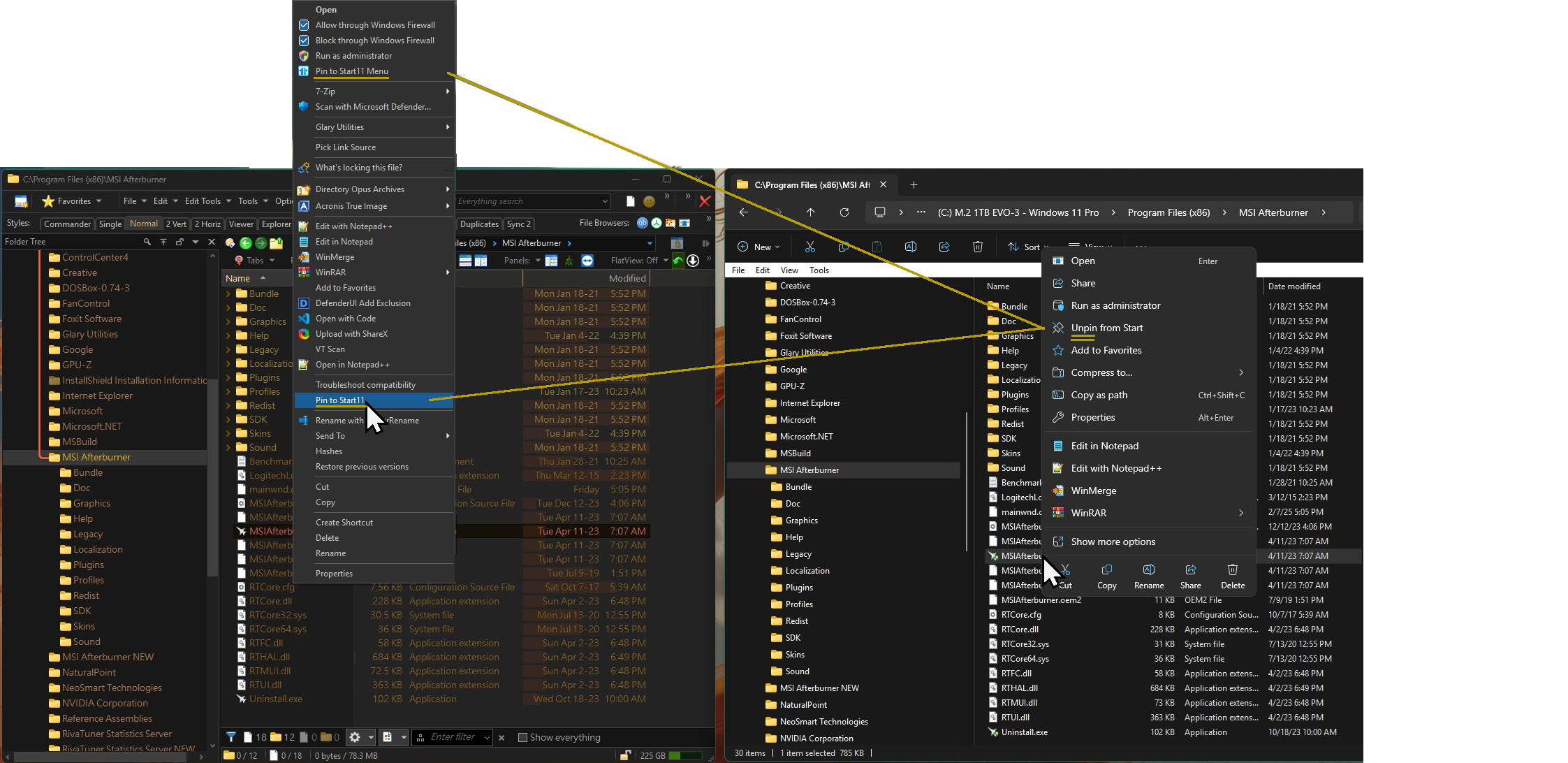
Here's a pic showing that Explorer.exe sees that MSIAfterburner.exe is already Pinned to the Start Menu. But the DOpus and sscom's button code don't see that it's alread pinned. So in DO they are not pinned and also there status of being pinned is unknown...
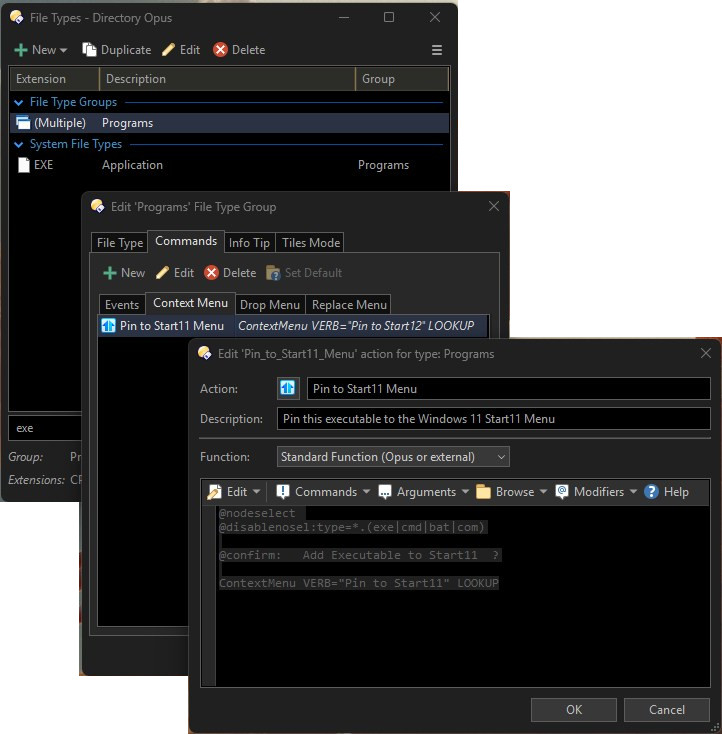
And below, Is a pic of the button code to see if I did that correctly??
Please advise..
The button I sent you is taking the command from explorer, some options in the explorer context menu are not "shared" by explorer with other applications and even less the one in the first menu of Windows 11, this has nothing to do with dopus. In Start11 the entries are duplicated for these programs, but this is a problem with Start11 itself because until now it does not have a mechanism that detects a repeated entry, we have to live with this for now.
In my experience, "Pin to Start" doesn't work reliably even in File Explorer. I'm not sure if it has worked since Vista. Microsoft broke it when they re-wrote the taskbar and start menu yet again in Windows 7-10 (I forget exactly which version changed what), and didn't seem to fix it when they re-wrote them yet again in Windows 11 (the worst taskbar/start re-write yet).
In Windows 10 at least, you could only pin something to the top of the start menu if there was already a shortcut pointing to it somewhere else in the start menu. (In Vista, it just worked.)
Microsoft also tend to go out of their way to break such things outside of explorer.exe, sometimes due to incompetence and sometimes malice (or they would say "stopping other people modifying your start menu, which only the user should do", but that's nonsense; people should be able to use the tools they choose, and Microsoft are the biggest offender in the entire world when it comes to pinning things to the start menu and taskbar without even asking the user, so they clearly do not really care about stopping that from happening).
Well, thanks for the help and all that info. I agree with you about MS.. But knowing your experience with these things comforts me to just drop this and work around it. I am a perfectionist with ADD, so I at least feel better understanding it's just messed up. I can workaround this.