second post in a day sry , just resolving some DO issues.
How do i remove these favorites that appear but are not in the edit favorites.
for context i have been upgrading DO since at least ver9 including backup/restore settings on my new PC as i retire my old PC so this may have been the root cause.
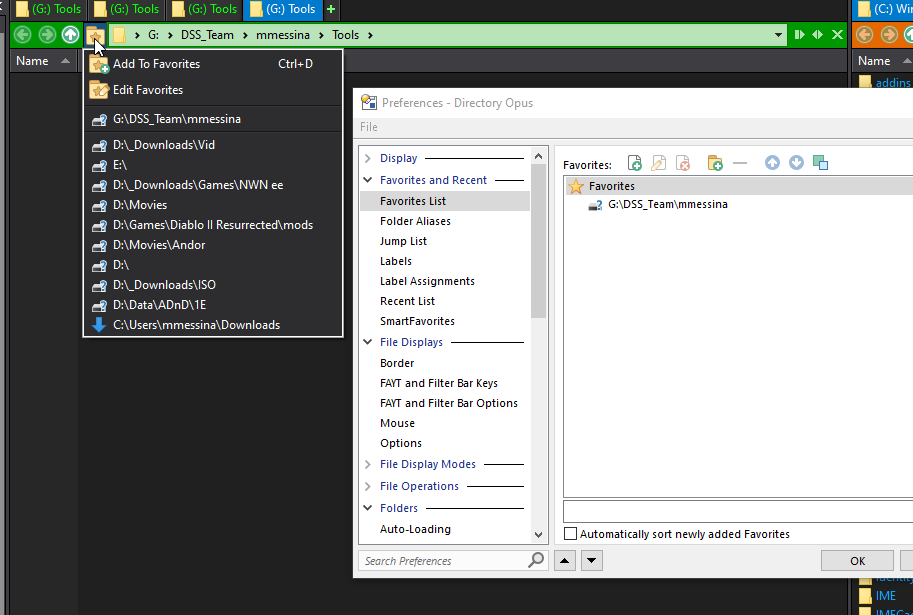
Those are SmartFavorites. You're in the right area in Preferences, just need to go a few pages down from there and you can clear or turn them off there.
Sorry, i found that these are "Smart Favorites" of recently visited location under "smart favorites"