Hello,
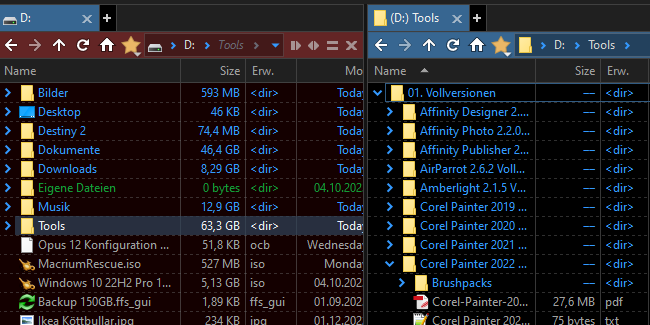
excluding folders from automatic size calculation seems to be inconsistent.
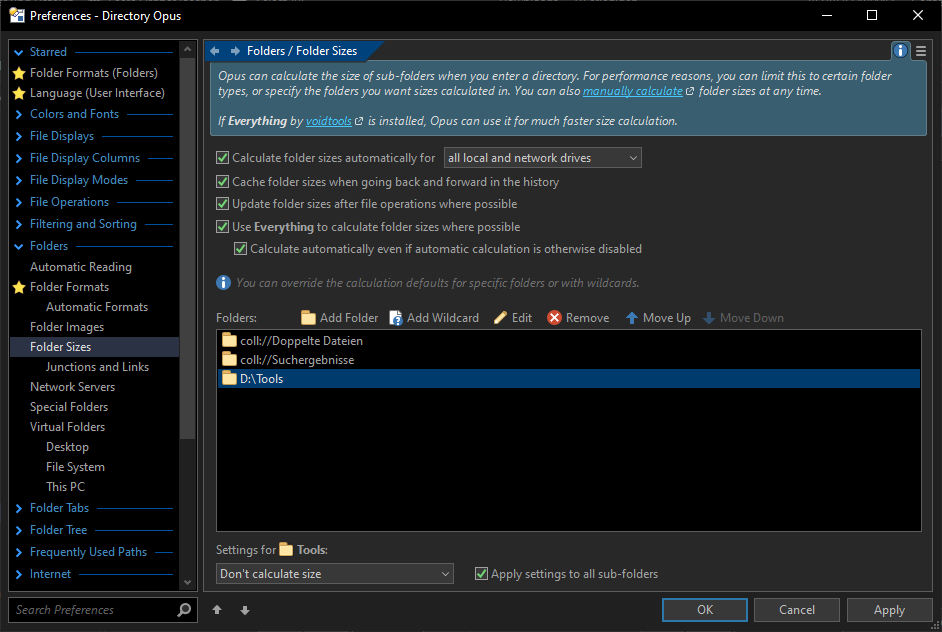
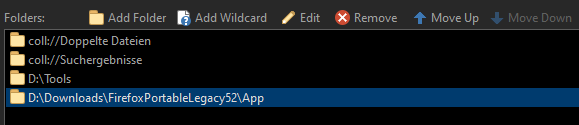
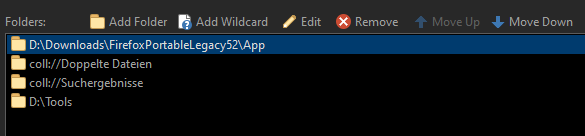
And the reordering of folders is not saved.
Hello,
excluding folders from automatic size calculation seems to be inconsistent.
And the reordering of folders is not saved.
You're in D:\ on the left and D:\Tools on the right. The setting for D:\Tools will only apply to the right.
The settings specifies whether sub-folder calculation will happen in a given location. It doesn't affect calculation of the folder itself when in a parent folder.
Thanks for clearifying.
And the second part? Closing and reopenening preferences resets to the order from the second image.
Haven't looked at the 2nd yet.
Reordering has been fixed for the next beta. Thanks for reporting it!
I think this should be changed so that when I exclude D:/Tools from folder calculation, DOpus shouldn’t just disable calculation when inside D:/Tools/, but also for Tools itself when in D:/.
Background: I have D:/Tools excluded from Everything so I excluded D:/Tools from folder calculation, but when I’m in D:/, DOpus starts to “manually” do the folder calculation (without using Everything), which is of course very slow and unintended.
If you only want folder sizes to come from Everything with no manual calculation you should turn off the Calculate folder sizes automatically option on the Folders / Folder Sizes Preferences page, and turn on the Calculate automatically even if automatic calculation is otherwise disabled option below the Everything option on the same page.
Thanks @Jon, that’s an interesting combination of settings I haven’t tried before.
However, DOpus still starts to manually calculate the folder size for D:/Tools (when navigated to D:/). All folders in D:/ display the folder size instantly (= via Everything), only for D:/Tools the size column increases very slowly over time, indicating manual calculation.
I think this a bit of an edge-case: I haveD:/ (network share) indexed with Everything, but exclude D:/Tools. Could it be that DOpus sees that D:/ is indexed and thus, assumes D:/Tools is indexed as well, and then falls back to manual calculation as the Everything query fails?
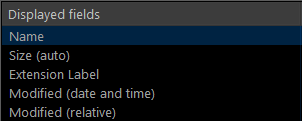
Which file display columns are turned on? Some of them will force folder sizes to be calculated (ones where that’s the only way they can display anything), which could be what’s happening.
Besides the built-in Size (auto), there’s no column that should need any reference to sizes, yet alone recursive size calculations:
In the next beta we've made folder size calculation respect Everything's exclusion list, so it won't try to calculate the size of an excluded folder unless manual calculation is allowed.