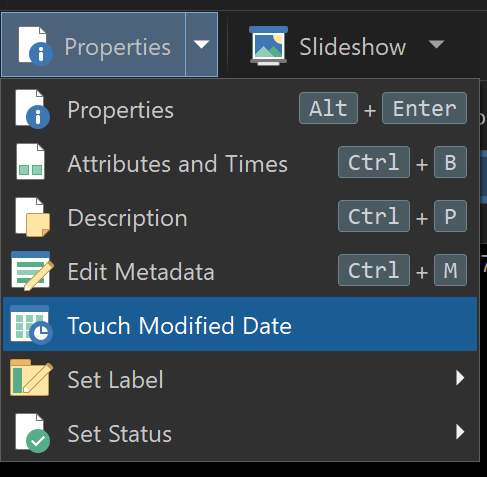
The Change Attributes and Time Stamps tool was recently changed, by adding feature that makes it cumbersome when used repeatedly to change time stamps. And I do use it often.
Problem: For setting the creation time or modified time, to the right of the date and time fields there is a box to activate a drop down menu (which has two choices). Previously, there was only one choice which could be made by ticking a box (Set date/time to Now). If changing both the creation and modified time stamps to Now, that took only two clicks. Now it takes four clicks and looking at a menu.
Fix: Provide tick boxes for both of the present choices (Set to Current Time, or Set from File), eliminating the need for a menu. Fast, intuitive, no messing around.
I can't figure out how to get what you are showing me there.
What I have couldn't be simpler (if only there were easily accessed tick boxes for "Now," like before).
I have a File Attributes button on my tool bar, which is active when a file is selection. I used to just click that, then click the the two Now boxes. And then I can adjust the time setting if I want to be sure the file will appear in a particular sequence among other files of the same date.
Very simple, and with that added flexibility that is beyond what the menu you showed can easily do. I do that routine frequently in archival work I am involved in, for precise chronological sequencing within a folder.
I don't see any need to change the dialog. It's already plenty fast if you click, drag down slightly, then release to select the first item in the menu:
If it's something you do so often that even that isn't fast enough, you'd probably want to set up a button or hotkey to do it without opening the dialog at all, which you can do.