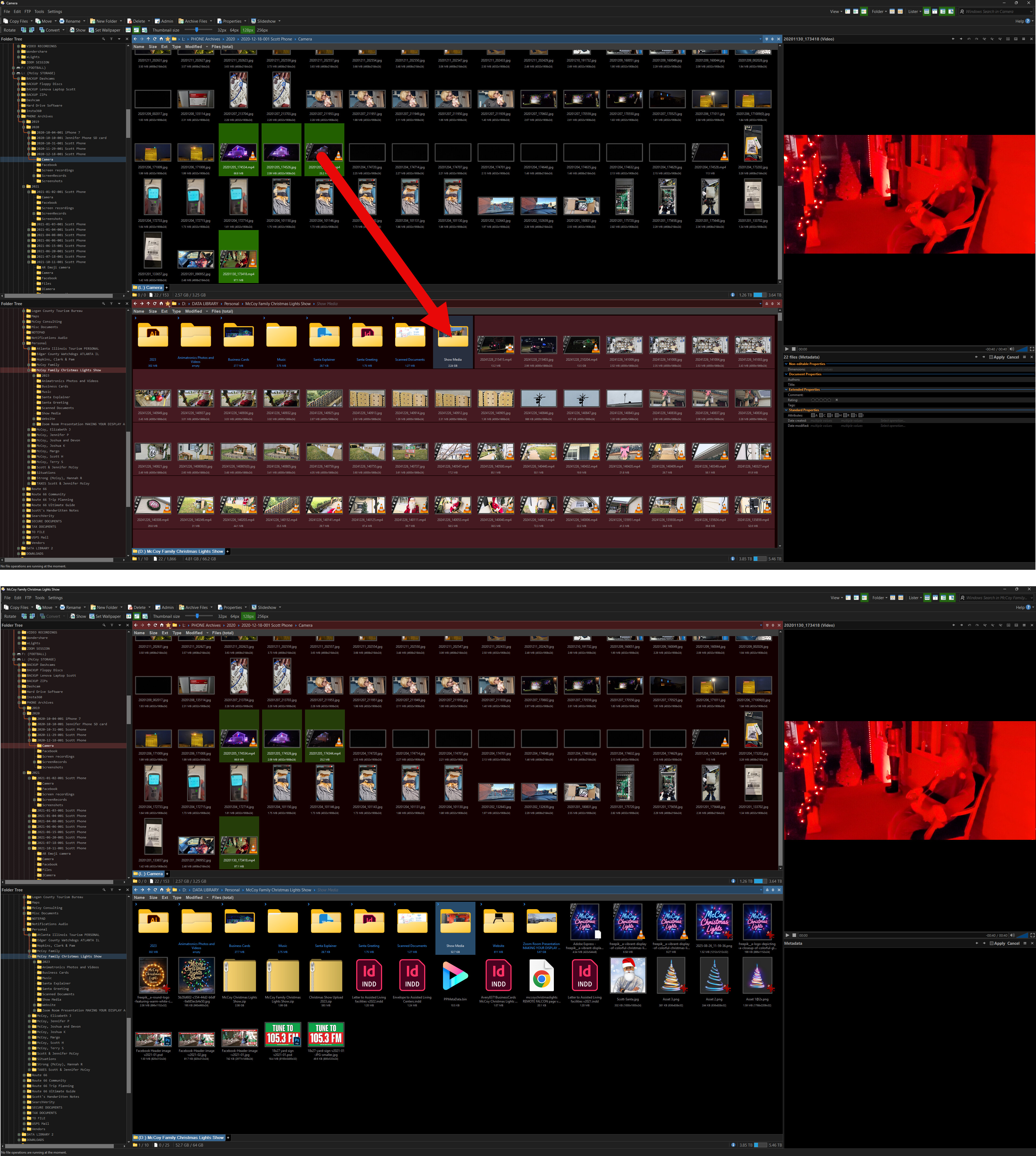
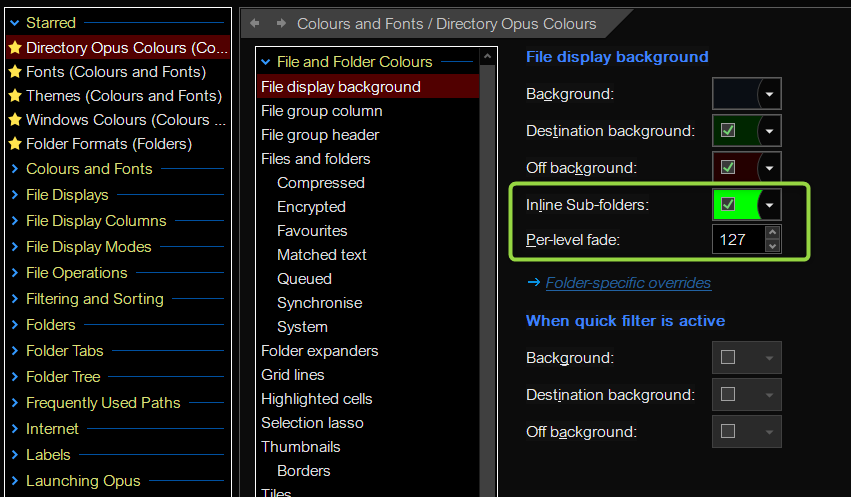
I'm copying files from one folder to another. I'm selecting several files, then a drag them to the folder in another lister. This works fine 90% of the time. But once in a while, the files all show in the parent folder that I dug them to, and they all show red backgrounds? If I click to another folder then back, they do longer show in the wrong folder and are actually in the folder I selected. So the copy worked, but the display is having an issue? Again, this doesn't happen every time, but it does happen once very half-dozen times or so.
Not sure if it's related, but as this happens by DOpus gets slower and slower with displaying directories (using thumbnails) and finally freezes completely. I have to use Task Manager to end it.
The freeze while thumbnailing video files is probably a bug in a video codec that's installed on the system and being used to generate the thumbnails, rather than Opus itself going wrong. If you want, you can send us process snapshots and we can confirm that's what's happening.
Expandable folders explains the rest, as Hardkorn says above.
I don't know why? Once I close DO and restart it, it's fine. Only after using it for a while does it slow down then freeze. Restart and it's fine for a while again. Same folders/files.
Because you're probably not doing exactly the same thing twice.
Main mis understanding with expanded folders is the following: you drop files in the middle of other files in an expanded folder and expect them to end up in that folder.
Since you're actually dropping "in the lister" and not "on a folder": files end up in the main folder that the lister is displaying, not in the expanded (sub)folder.
If you drop on the subfolder itself, then it goes into it.
I open a folder that is full of other folders all the time. Then I drag-and-drop files to one of the folders. I'm basically sorting files.
I've had no issues with this for years using DO. I've probably moved/copied files this way over a thousand times. It wasn't until today that I've ever had this issue.
Are you saying draging a file to a folder within a lister is wrong?
I'm sorry if I confused you while trying to explain what changed with expanded folders in the behavior of the lister.
To be clear, no it's not wrong to drop files in a lister.
I'm going to try and explain in some other way what I meant.
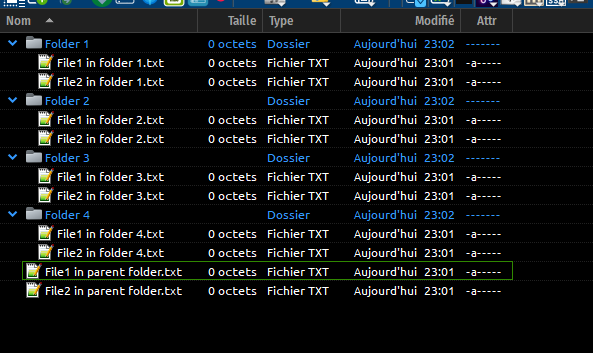
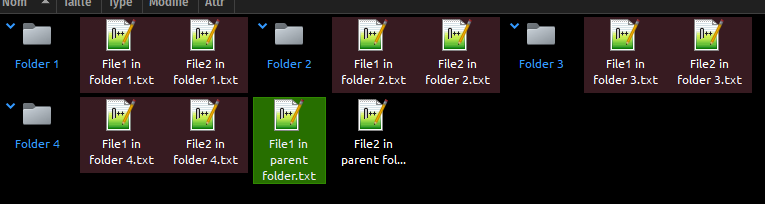
Let's say you have a folder (we'll call it parent folder) displayed in a lister, which has 4 subfolders, each containing files, and which is also containing files of its own, like so:
The red background is here to show you the files are not in the main/parent folder but are belonging to each of the expanded subfolders of that parent.
That's the reason the coloring was added because in Icons View, it was very difficult to distinguish files in expanded folders from files in the current/main/parent folder.
So when you drag to a folder, files are copied or moved to that folder, and appear under red background. It means they're in the expanded subfolder.
If you drag them anywhere on the lister but on a folder, they will be added to the parent folder.
Does it make more sense like that?
EDIT: As errante said, when dropping, if you stay a certain time over the folder icon before releasing the mouse button, this will expand it, leading to its file to appear on red background.
When this first happened today, I thought I didn't drag onto the folder where I wanted to place the files. When it happened again, I knew the red background meant an error or something. So this makes sense.
However, why doesn't this happen every time? I move a handful of files from one directory to the folder/directory (lister to lister) and it works. Another handful of files from and to the same locations, fine. After a dozen or more of this same process, I get the files showing up in the parent (open) folder with red backgrounds. I click to another folder and then back, to clear it. Then I can do this same process for 20 times, then 21st is red files in the parent. This is what I don't understand? What makes this happen only sometimes and not all the time?
If you hover for long enough over a folder while dragging it causes it to expand to reveal the contents. The idea is to let you drop files in a sub-folder.
You can disable that via the option suggested by others earlier in the thread.
I don't want to disable this, but it's not opening the folder anyway. And I'm not trying to open the drop folder and I'm not hovering over it for any extended period of time.
It's not opening the folder. And I'm not trying to open it by hovering during the drop. It's showing the dropped files in the open folder (parent folder of the sub-folder I dropped to.) However, the files did actually go to the intended folder. But they originally display in the parent/open folder.
I agree with Jon : this is the only explanation. If folders were to expand by themselves, there would be many complaints on this forum, and I've seen none so far.
You can try to increase the delay before it expands (it's a setting below the one pointed to by errante : Preferences / File Displays / Folder Expansion > Expand folders when dragging over them, and is set by default to 1 000 milliseconds). You can try and adjust that to 2 500 ms or even higher.
No it's not opening, it's expanding it. You remain in the parent folder, but you also display the content of the folder.
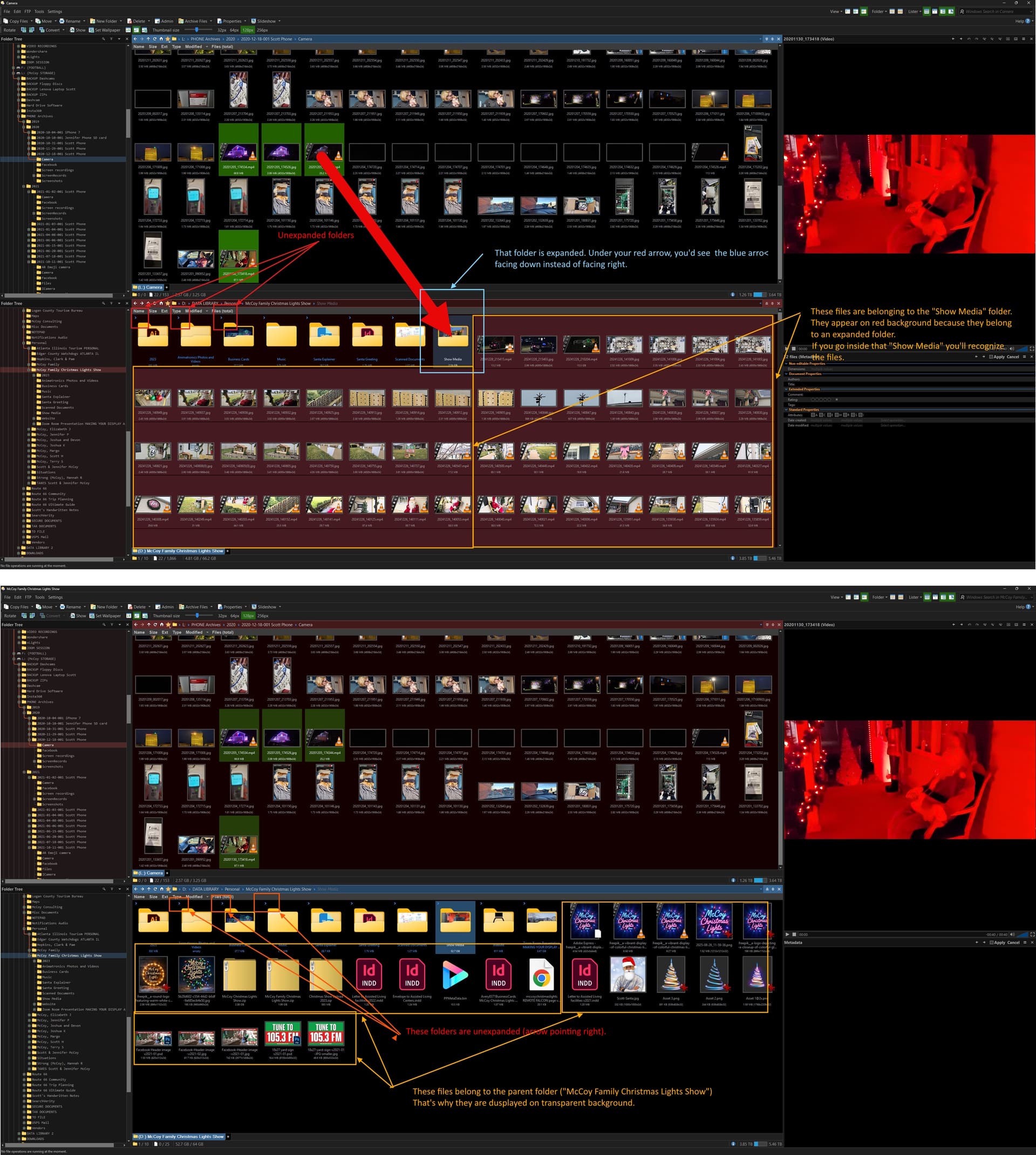
It is expanded. That's why the things inside the expanded folder are on a red background. And why the arrows, at the top-left of the expanded folders' thumbnails, are pointing a different way to those of the unexpanded folders.
Not sure how else we can explain this that hasn't been said already.
Just turn off the option Errante suggested you turn off 17 hours ago and the expansion won't happen. If you don't understand expandable folders, the option won't be helping you and there's no reason to leave it on.
@ScottHMcCoy : This is your screenshot annotated. Hope you can see the difference between an expanded folder and an opened folder.
Folder expansion can be accessed either by clicking the blue arrows on each folder, are by staying on a folder long enough (as set up in Preferences) when performing a drag and drop.