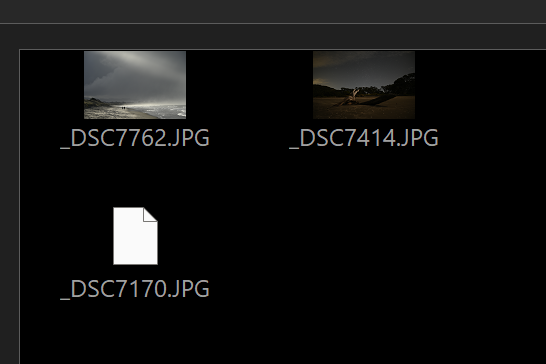
The following code gets called from the message loop (precisely my msgloophandler class sitting on top of the msgloop).sample.txt (4.3 KB) Dopus v13.20
function OnSelectionChanged(dlg, dlgMsg, loopContext)
{
	var tab = loopContext.sourceTab;
	tab.Update();
	var listview = dlg.Control("listview");
	listview.RemoveItem(-1);//clear listview

	var selected = tab.selected;
	ForEach(selected, function(item)
	{
		var lvItem = AddListviewItem(listview, item);
	});
}

function AddListviewItem(listView, item)
{
    var addedIndex = listView.AddItem(item.name);
    if (addedIndex > -1)
{
        var lvItem = listView.GetItemAt(addedIndex);
	lvItem.icon = Script.LoadImage(item);

        return lvItem;
    }
    return null;
}

function ForEach(enumerable, delegate)
{
    for (var enumerator = new Enumerator(enumerable); !enumerator.atEnd(); enumerator.moveNext())
    {
        delegate(enumerator.item());
    }
}
Have you tried to execute .redraw=true on the listview after adding your item (while you're in the message loop)?
Thanks but sadly that does not help.
Leo
December 23, 2025, 3:30pm
4
Can't run the sample code because it needs an include file.
If you can give us a minimal, self-contained script that demonstrates the problem we can investigate.
Sorry forgot about that. I rewrote it as a button. Select 1-x images and click the dialog's button.Listview bug.dcf (5.0 KB)
<?xml version="1.0"?>
<button backcol="none" display="both" label_pos="right" textcol="none">
<label>Listview bug</label>
<icon1>#newcommand</icon1>
<function type="script">
<instruction>@script JScript</instruction>
<instruction>function Populate(dlg, tab)</instruction>
<instruction>{</instruction>
<instruction> tab.Update();</instruction>
<instruction> var listview = dlg.Control("listview");</instruction>
<instruction> listview.RemoveItem(-1);</instruction>
<instruction />
<instruction> var selected = tab.selected;</instruction>
<instruction> ForEach(selected, function(item)</instruction>
<instruction> {</instruction>
<instruction> var lvItem = AddListviewItem(listview, item);</instruction>
<instruction> });</instruction>
<instruction>}</instruction>
<instruction />
<instruction>function AddListviewItem(listView, item)</instruction>
<instruction>{</instruction>
<instruction> var addedIndex = listView.AddItem(item.name); </instruction>
<instruction> if (addedIndex > -1)</instruction>
<instruction> {</instruction>
<instruction> var lvItem = listView.GetItemAt(addedIndex);</instruction>
<instruction> //Here comes the issue</instruction>
<instruction> //lvItem.icon = Script.LoadImage(item); //this code i use in my script</instruction>
<instruction> lvItem.icon = DOpus.LoadImage(item);</instruction>
<instruction />
<instruction> return lvItem;</instruction>
<instruction> }</instruction>
<instruction> return null;</instruction>
<instruction>}</instruction>
<instruction />
<instruction>function ForEach(enumerable, delegate)</instruction>
<instruction>{</instruction>
<instruction> for (var enumerator = new Enumerator(enumerable); !enumerator.atEnd(); enumerator.moveNext())</instruction>
<instruction> {</instruction>
<instruction> delegate(enumerator.item());</instruction>
<instruction> }</instruction>
<instruction>}</instruction>
<instruction />
<instruction />
<instruction />
<instruction>function OnClick(clickData)</instruction>
<instruction>{</instruction>
<instruction> var source = clickData.func.sourcetab;</instruction>
<instruction> var dest = clickData.func.desttab;</instruction>
<instruction> var cmd = clickData.func.command;</instruction>
<instruction> var dlg = clickData.func.Dlg();</instruction>
<instruction />
<instruction> dlg.detach = true;</instruction>
<instruction> dlg.template = "dialog1";</instruction>
<instruction> dlg.title = "Listview bug";</instruction>
<instruction> dlg.icon = "info";</instruction>
<instruction> dlg.create();</instruction>
<instruction />
<instruction> var msg;</instruction>
<instruction> do </instruction>
<instruction> {</instruction>
<instruction> msg = dlg.GetMsg();</instruction>
<instruction> if (!msg.result)</instruction>
<instruction> return;</instruction>
<instruction> </instruction>
<instruction> var evnt = msg.event || "no event";</instruction>
<instruction> var val = String(msg.value || "no value");</instruction>
<instruction> var ctrl = msg.control || "no control";</instruction>
<instruction> var logMsg = "Msgloop: Event = '" + evnt + "'\tValue = '" + val + "'\tControl = '" + ctrl + "'";</instruction>
<instruction> Log(logMsg);</instruction>
<instruction />
<instruction> if(evnt == "click" && ctrl == "button1")</instruction>
<instruction> {</instruction>
<instruction> Populate(dlg, source);</instruction>
<instruction> }</instruction>
<instruction> }</instruction>
<instruction> while (msg);</instruction>
<instruction>}</instruction>
<instruction />
<instruction />
<instruction />
<instruction>function Log(msg, e)</instruction>
<instruction>{</instruction>
<instruction> DOpus.Output(String(msg), e || false);</instruction>
<instruction>}</instruction>
<instruction>==SCRIPT RESOURCES</instruction>
<instruction><resources></instruction>
<instruction> <resource name="dialog1" type="dialog"></instruction>
<instruction> <dialog height="138" lang="english" width="270"></instruction>
<instruction> <control height="14" name="button1" title="Populate listview" type="button" width="78" x="90" y="124" /></instruction>
<instruction> <control height="120" name="listview" type="listview" viewmode="largeicon" width="270" x="0" y="0" /></instruction>
<instruction> </dialog></instruction>
<instruction> </resource></instruction>
<instruction></resources></instruction>
</function>
</button>
Are there any news on this topic? Thanks.
Leo
January 11, 2026, 6:49pm
7
Will be a little while as we're working through all the reports over the holiday period.
But I can confirm the bug, and also offer a workaround. This will also improve performance:
function Populate(dlg, tab)
{
	tab.Update();
	var listview = dlg.Control("listview");
	listview.RemoveItem(-1);

	var selected = tab.selected;
	listview.redraw = false; // <--- ADD THIS
	ForEach(selected, function(item)
	{
		var lvItem = AddListviewItem(listview, item);
	});
	listview.redraw = true; // <-- AND THIS
}
Thanks that fixes the issue. Sorry if i was too impatient.
Leo
January 12, 2026, 1:13am
9
No problem. We've now fixed this for the next beta.