hello
when listing file in a folder is there any way of fixing the width of the filename column rather than the column auto sizing to the length of the filename
thanks in advance
regards Stephen
Folder > Folder Format, then change the Width to whatever you want instead of Auto. The current width will be in the drop-down for easy selection.
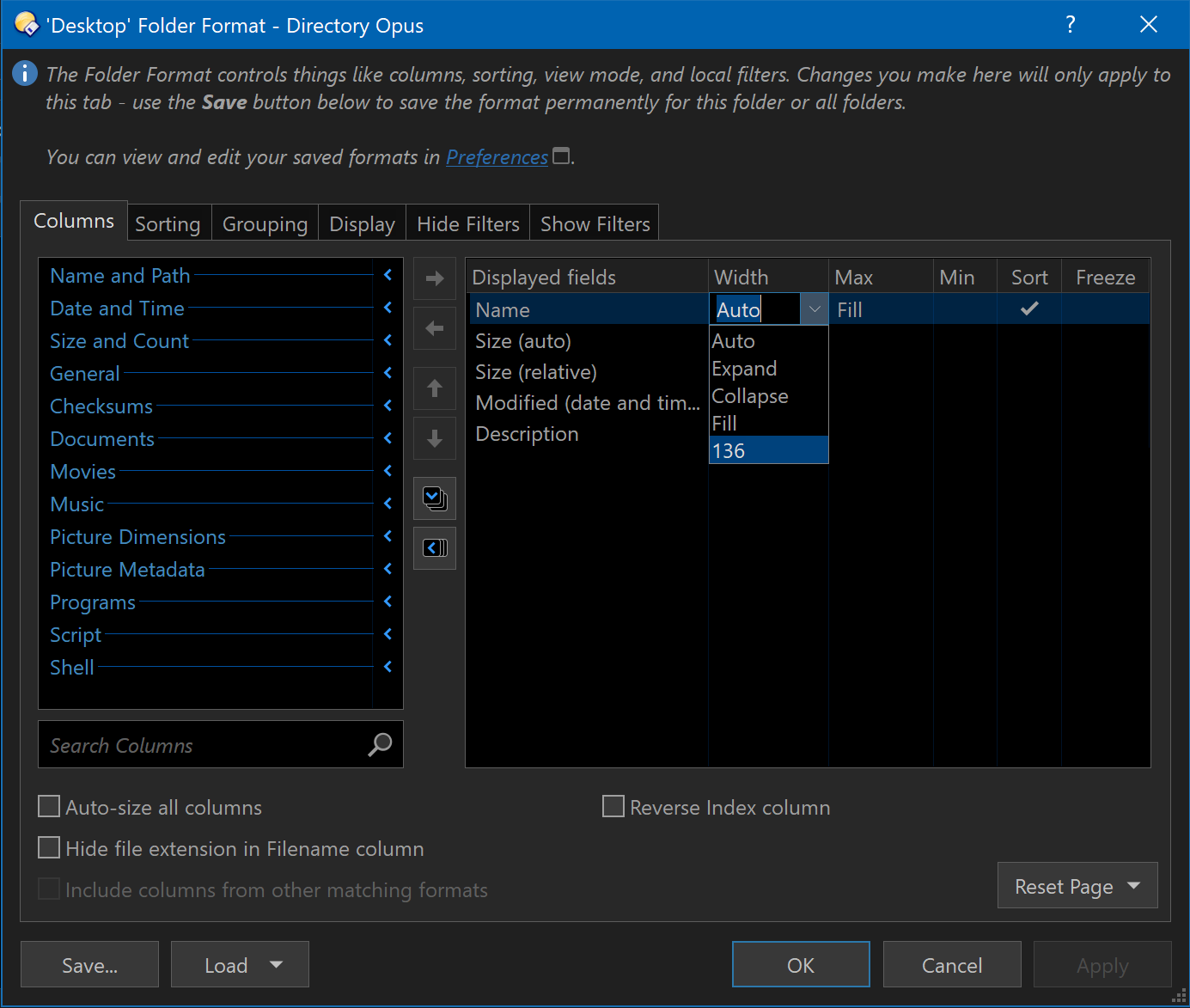
Use the Save button if you want to save it as the default for some or all folders.
1 Like
Sorry, but I can't follow this. When I go to folder, the option I have is folder formats, plural, and the dialog looks nothing like this. It also tells me that it's easier to got to Set Lister Defaults, which gives me the option of saving the default lister or the default foldler format. In that dialog, I turned off save the default lister, which had been turned on, and turned save the default folder format instead. This made no difference. New windows within that session were as I wanted, but as soon as I re-executed Opus, it went back to what it had been, both the settings in that dialog and the width of the columns.
This is confusing in part because there are numerous places in the settings menu that appear relevant. Perhaps it would be possible to create a list saying what all of the relevant settings should be. this is a very common question, I think, so it would be a help. In any case, I can't now get my column widths to persist to a new session.
-
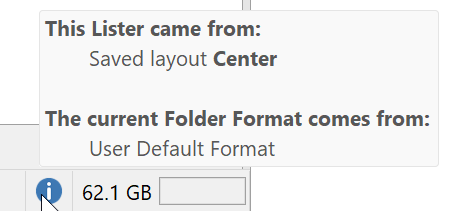
Hover over the white-on-blue i to determine the format you want to change
-
Go to Preferences / Folders / Folder Formats and open this format
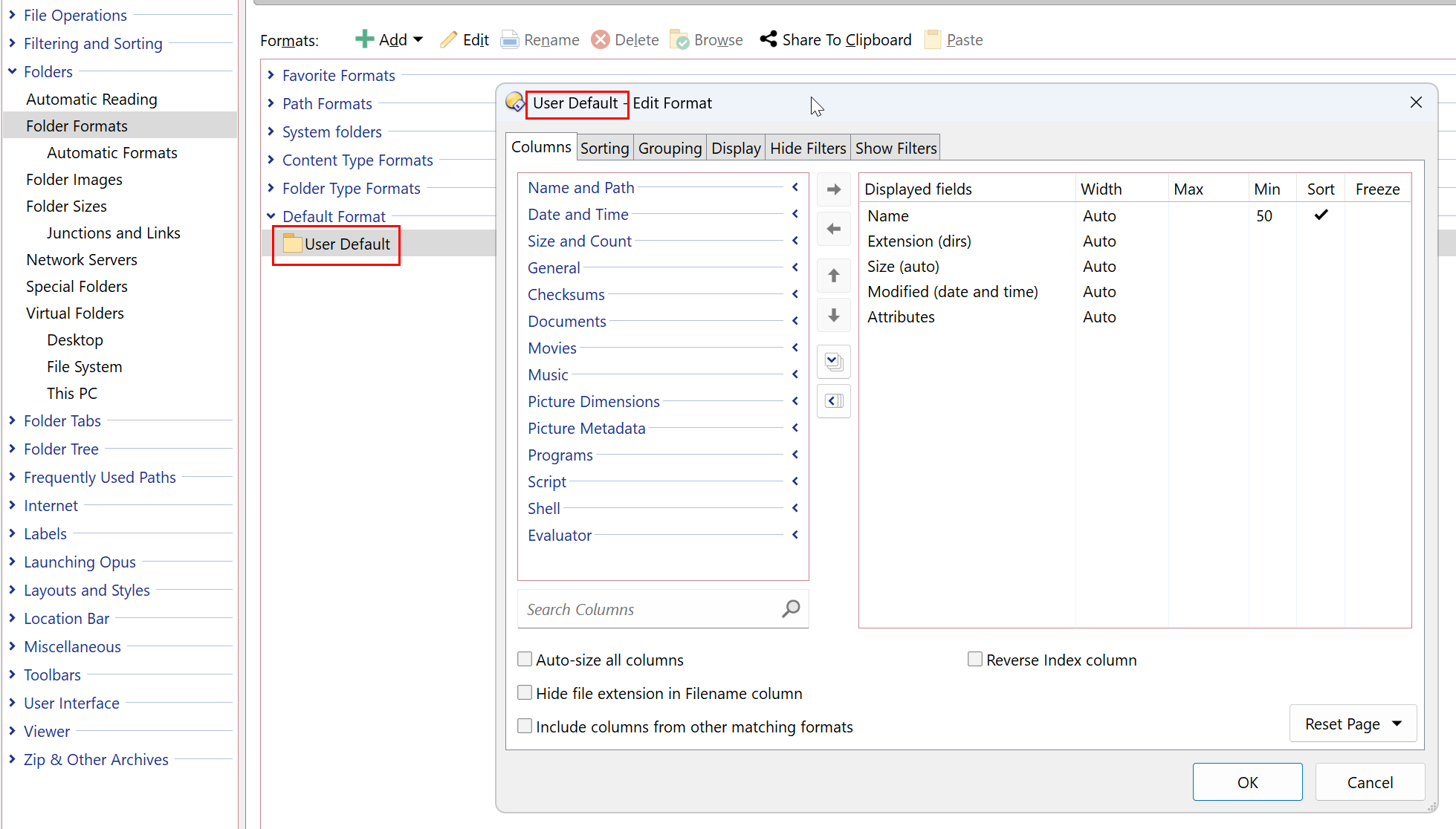
- Make all the necessary changes, save, and you are done!
Sounds like you're in Preferences. The menu I mentioned is from the main window, although you can also make the same changes via Preferences in the way Lxp describes.
The FAQs on folder formats go into more detail if you need it.
Thank you both. I finally got it to work. The last step was checking "clear any saved folder formats" and "replace the folder format in layouts...." Without that last step, it was reverting to "auto size..."