I want to change individual folder color from the stadard yellow to other colors based on my preference for what it contains, and I want it to stay that color untill I change it back
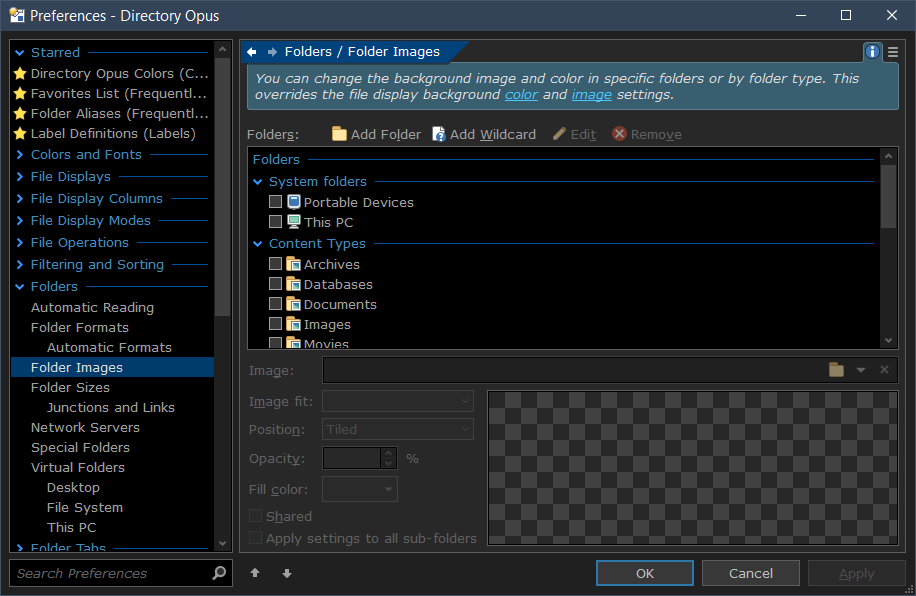
OK opened that, thanks, and added the folder I wanted to change, then selected a fill color under the image section but the folder is still standard yellow
OH it changed the color of the content, I wanted to change the color of the folder as it appears in the file tree
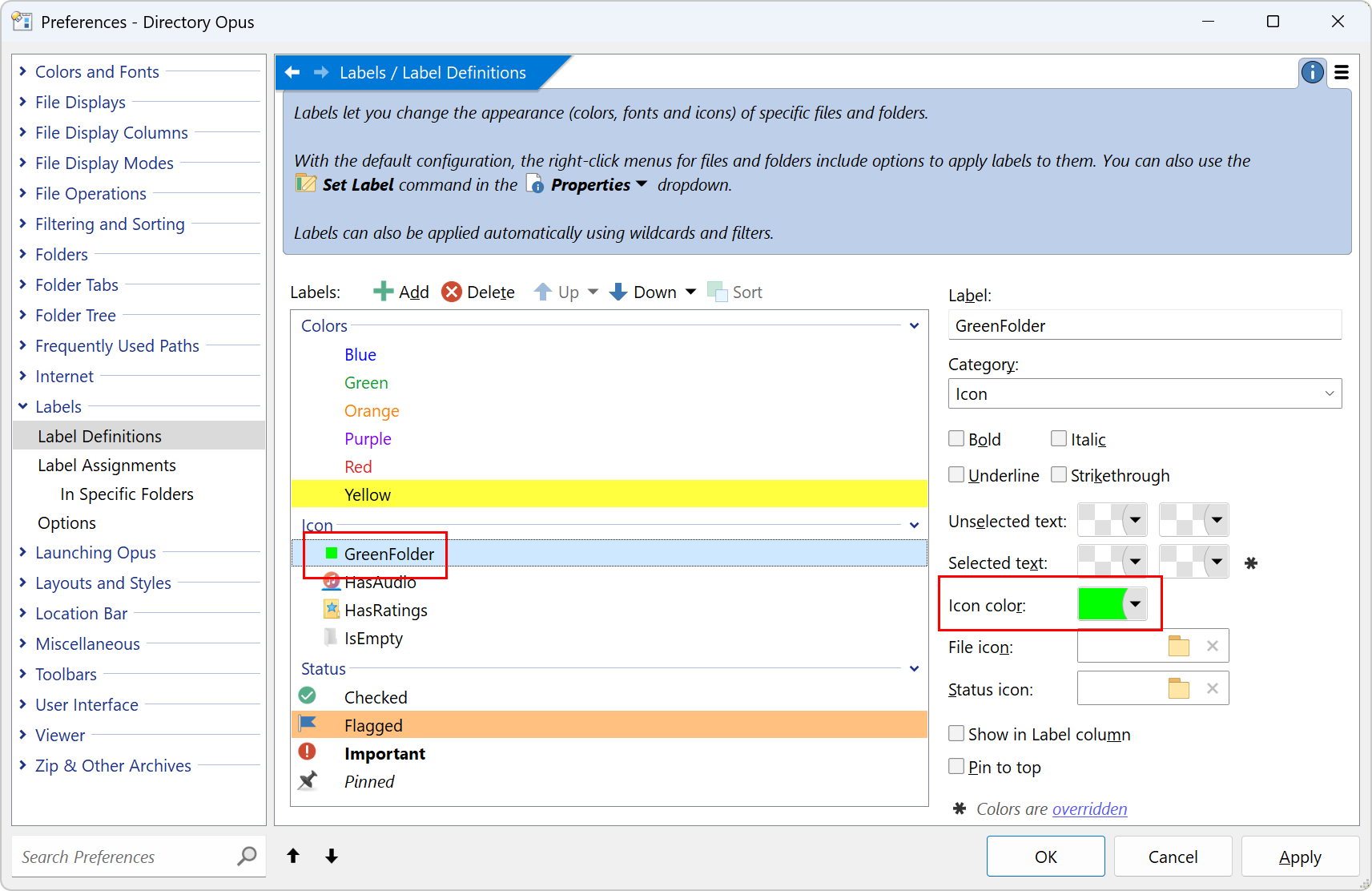
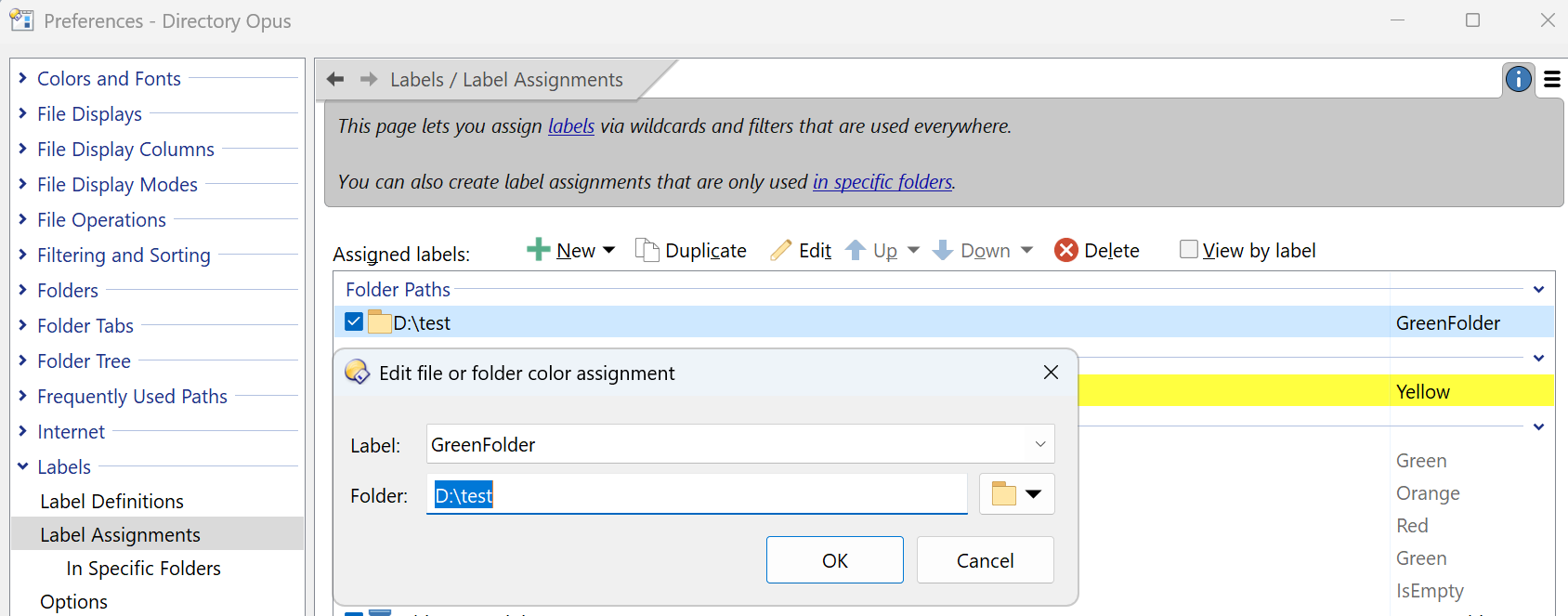
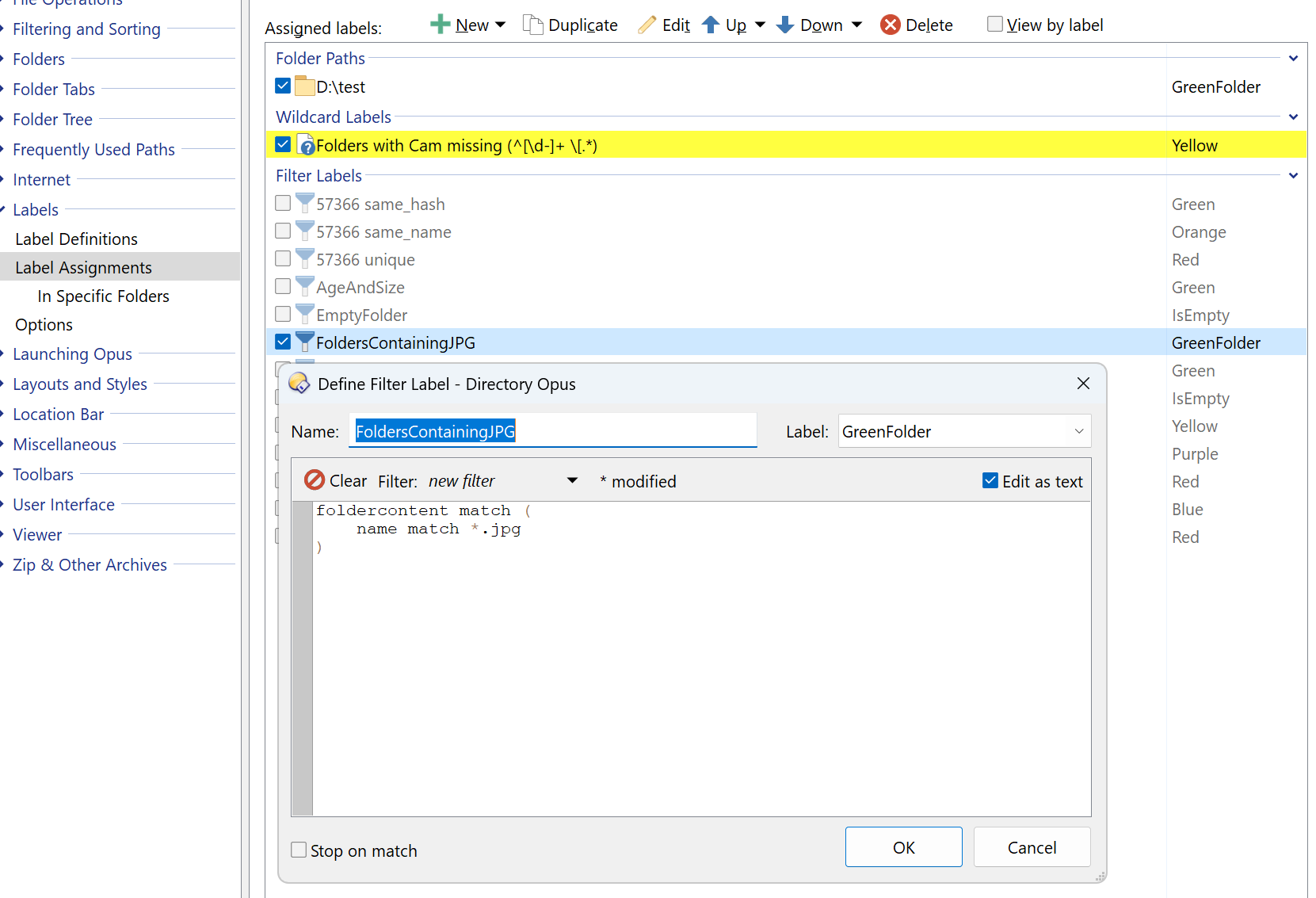
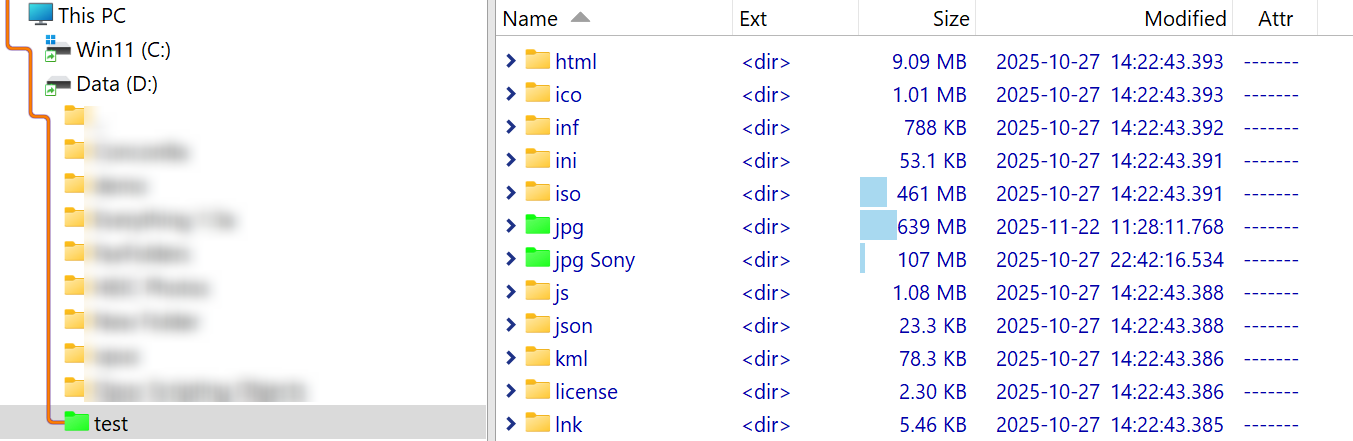
Great!! complicated but works!!