Do you see the same thing if you open an Explorer window showing My Computer?
Windows in general has problems noticing that CD labels/icons have changed, though there are ways to fix it I think. (Something to do with autorun/autoplay settings, if I remember correctly.)
Explorer correctly updates the CD label in My Computer. I tried a couple of CDs, each one was correctly updated in My Computer and the ones that had Autoplay on them fired off the Autoplay in Windows.
Hitting F5 in DOpus has has no effect. The contents of the lister are correctly updated when the CD changes, however, the tab label not is whatever the bar that shows the current drive and folder name is called. The DOpus Title bar is not updated either.
I've checked the Settings for 'cd', but couldn't find anything that might effect this.
C:\Doc & Settings\Administrator\Application sttings\Mozilla\default....
etc., etc.
You now can click on the icon for drive C:, then it only shows C:, but as sooon as you expand it you get again all subdirectories that you expanded half an hour ago. Theoretically tou now can click on all expanded directories to collapse them individually, which is tedious and you'd be probably better off to open a new lister.
If you use the "Go ROOT=collapse" command once you click on C:\ again, you will only see the fist level directories, and no longer all the sun-directories you have lost interest in long ago.
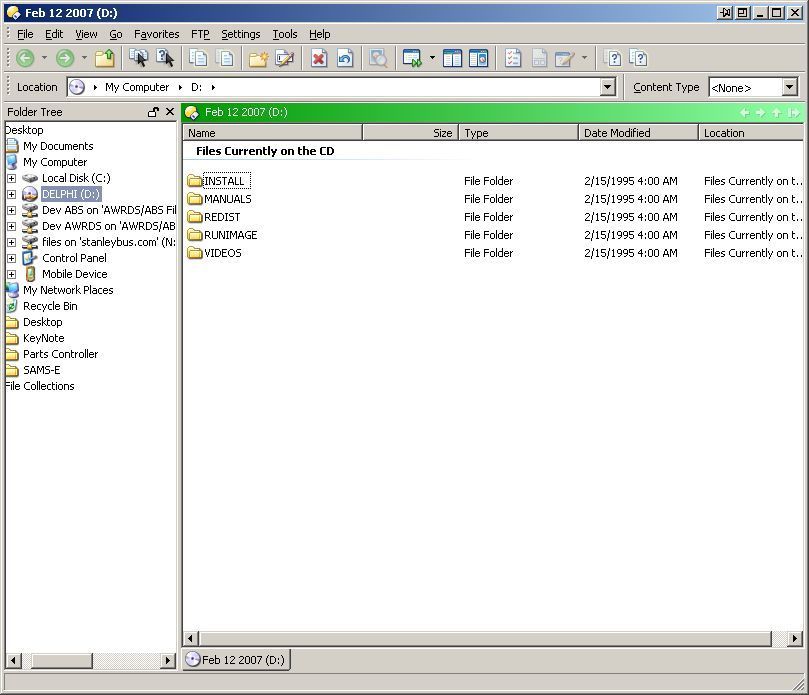
I don't see any problem with CD icons on tabs, as you can see in the video below. I do see the icon in the breadcrumbs Location field not changing, though. Maybe the two things are connected. I've reported that to GPSoftware.
There is a nasty habit with DOpus which was already the case w. V. 8.x. If you replace the CD/DVD the treepane retains the folders of the old CD, only the filepane refreshes. F5-ing does not help much either. If you click on the obsolete folder on the left you gety an error message, but no resolution of the issue. All old folders are retained.
If you drive-collapse, that sorts it out. Then the drivebar also does no longer use the old autorun.inf determined CD/DVD icon - but it does not replace it with a new one either after media have been replaced..
The Go collapse method is a workable workaround. The drive-icon on the drivebar is cute, but not mission-critical.
Where should I make the CD label visible? Are you talking about the Folder Tabs or something else?
I don't see that problem at all. If the folder tree is unlocked (the icon next to the tree's close button) then when I eject the CD the subdirectories vanish from the tree and I end up in the drive letter. If the folder tree is locked the same thing happens but I end up in Computer instead. In both cases, inserting a new CD refreshes the tree correctly.
What's your F5 key set to run? (Settings -> Customize -> Keys.) If it doesn't have something like REFRESH=tree or REFRESH=all then I think it will only cause the file display to be refreshed.
I don't have that problem either. People who have had that problem in the past have turned out to have general problems with their machine not detecting when CDs change, which sounds like what you are seeing.
If you open both Opus and Explorer and point them both to Computer (or My Computer if you're on Win2k or XP), then insert/eject CDs, do the drive labels and icons update in both programs?
 Which version of Windows are you using?