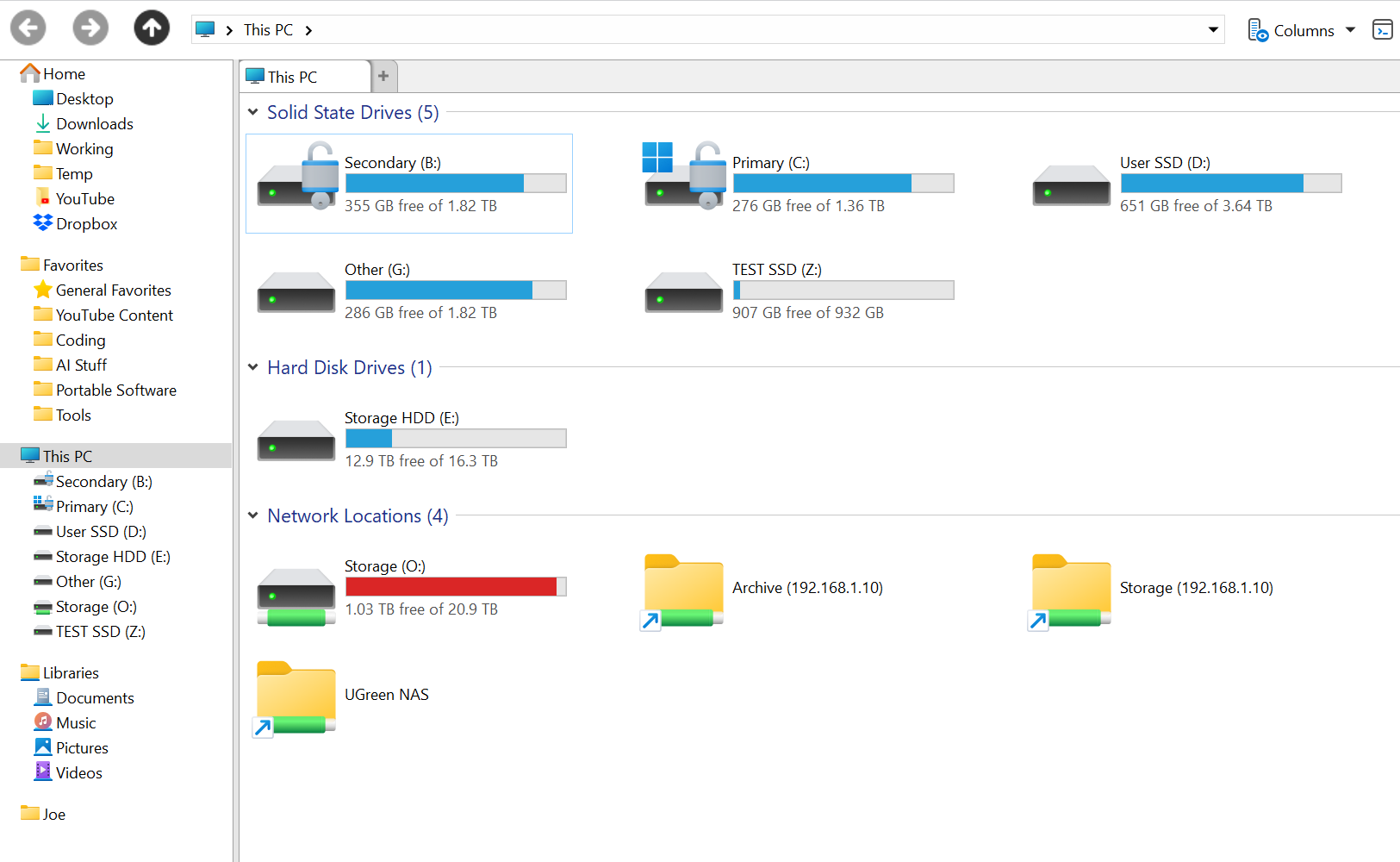
For drives you don't want to run the risk working on by accident, don't need access to often, or just don't want to see in the Folder tree, hiding them from the Folder tree makes sense to me.
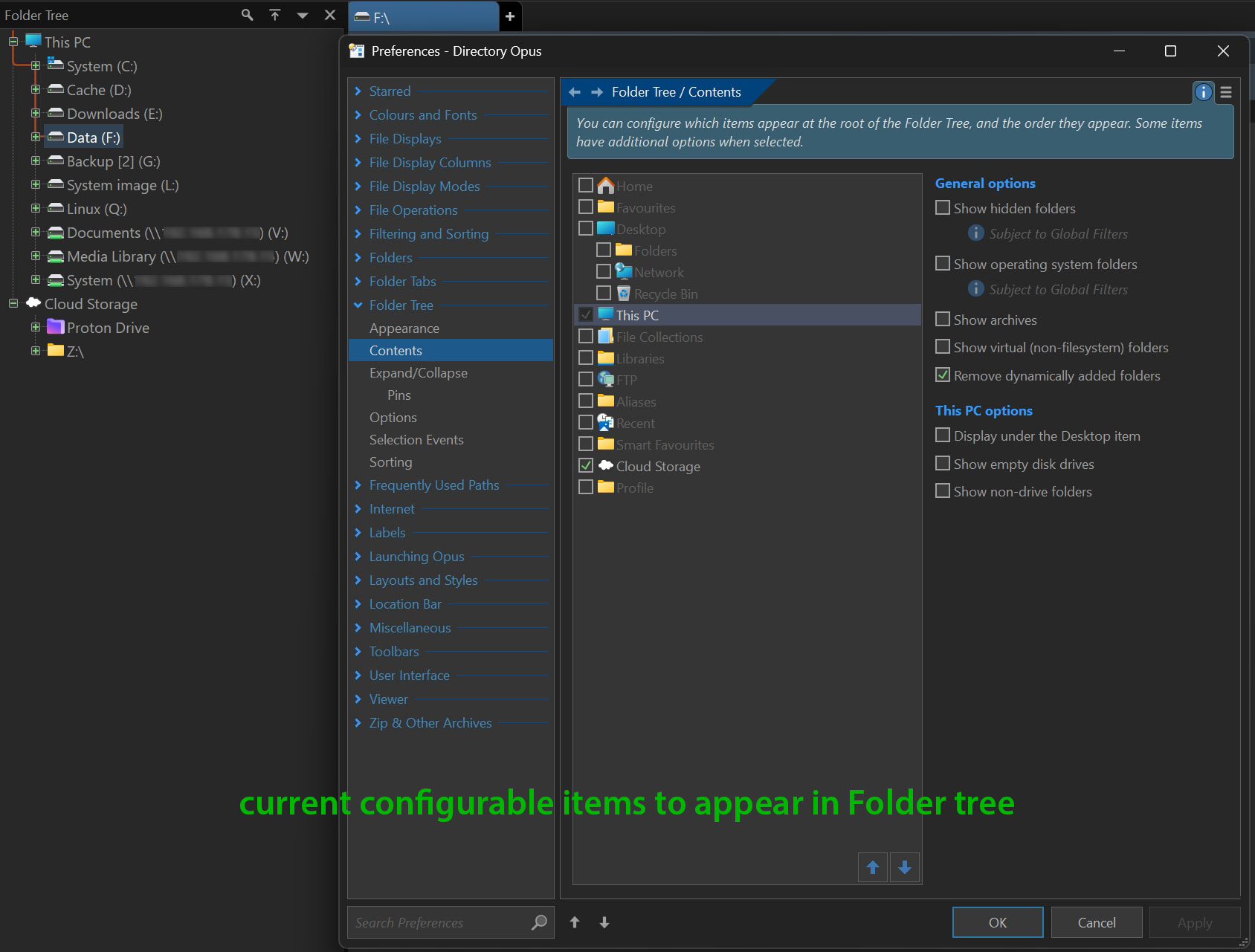
Looking at the current Preferences options for the Folder tree I currently miss having the ability to choose with the checkboxes which (mapped) drive(s) to appear/hide in the tree. I think this would be a great feature to have that adds flexibility. Potentially this could also add a way to prevent unwanted accidental modifications/messups in backup drives instead of work drives (which happend to me recently ).
In don't know how difficult it would be to implement this, but if I may kindly request the DO team to consider this for a future DO update I would be very pleased with that
In my latest wildest DOpus dream I even saw a button in my toolbar that toggles the visibility of hidden specified drives on/off from the Folder tree. No idea if that would even be possible, and I would have to ask for magic from the code wizards on the forum.
Thank you Leo, that did the trick. I do think if this could be done within DO it would be more straight forward and convenient for (some) users, hence my request/suggestion
Thank you for your suggestion jinsight. I had a quick look but decided to continue with Leo's suggestion when I saw that the Drive Hider 4.0 is in ad-supported which I try to avoid as much as possible.
I was going to make a thread about this myself actually.
I have some drives I use less frequently that I don't want to hide completely, just only hide them from the tree view on the left.
I have quite a few drives, and several I'd want to hide like the test ssd and some mapped network drives. I prefer to map network locations to a letter so I can see the size. But not wanting to further clutter my tree is the only reason I haven't mapped my Archive directory for example.
 ).
).
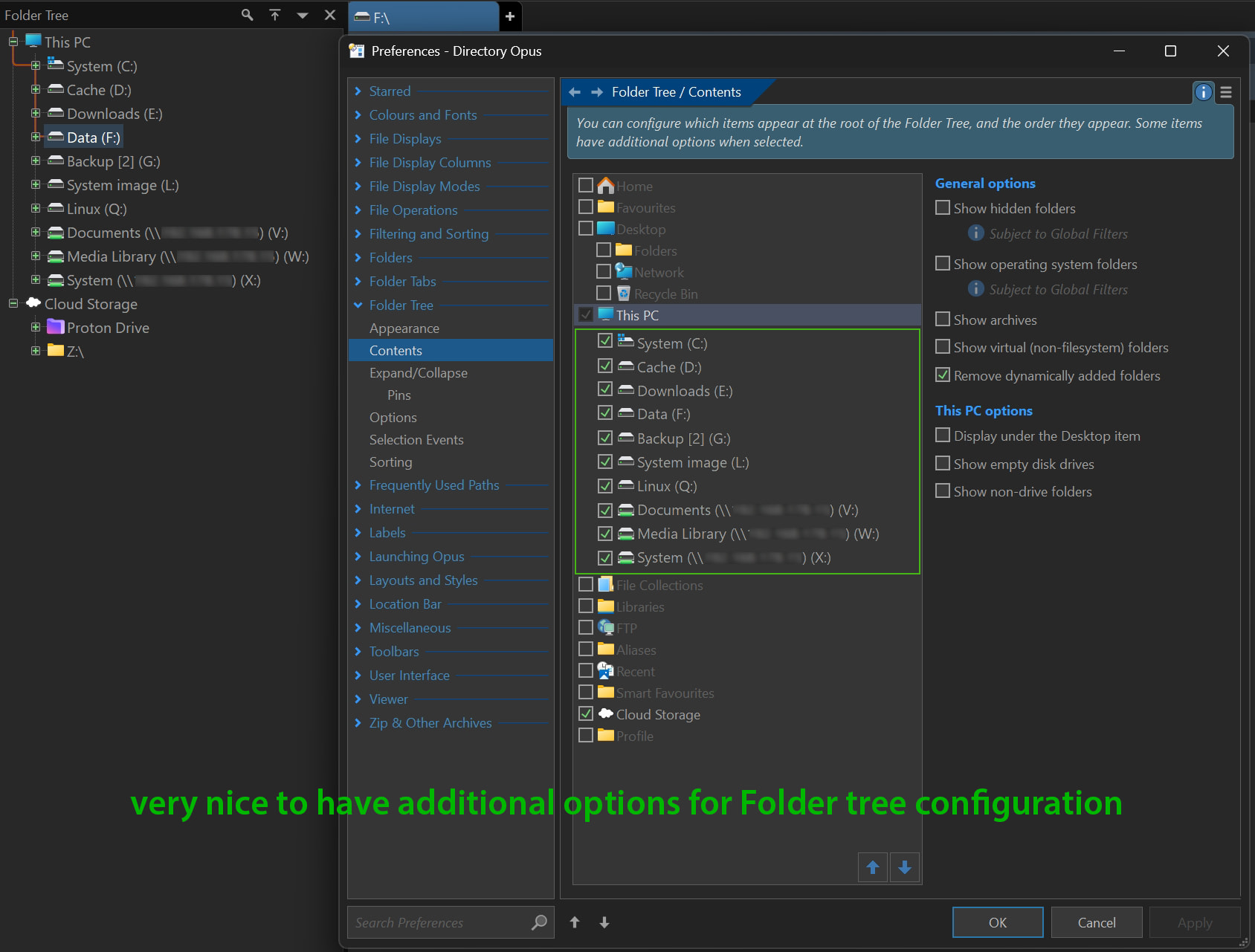
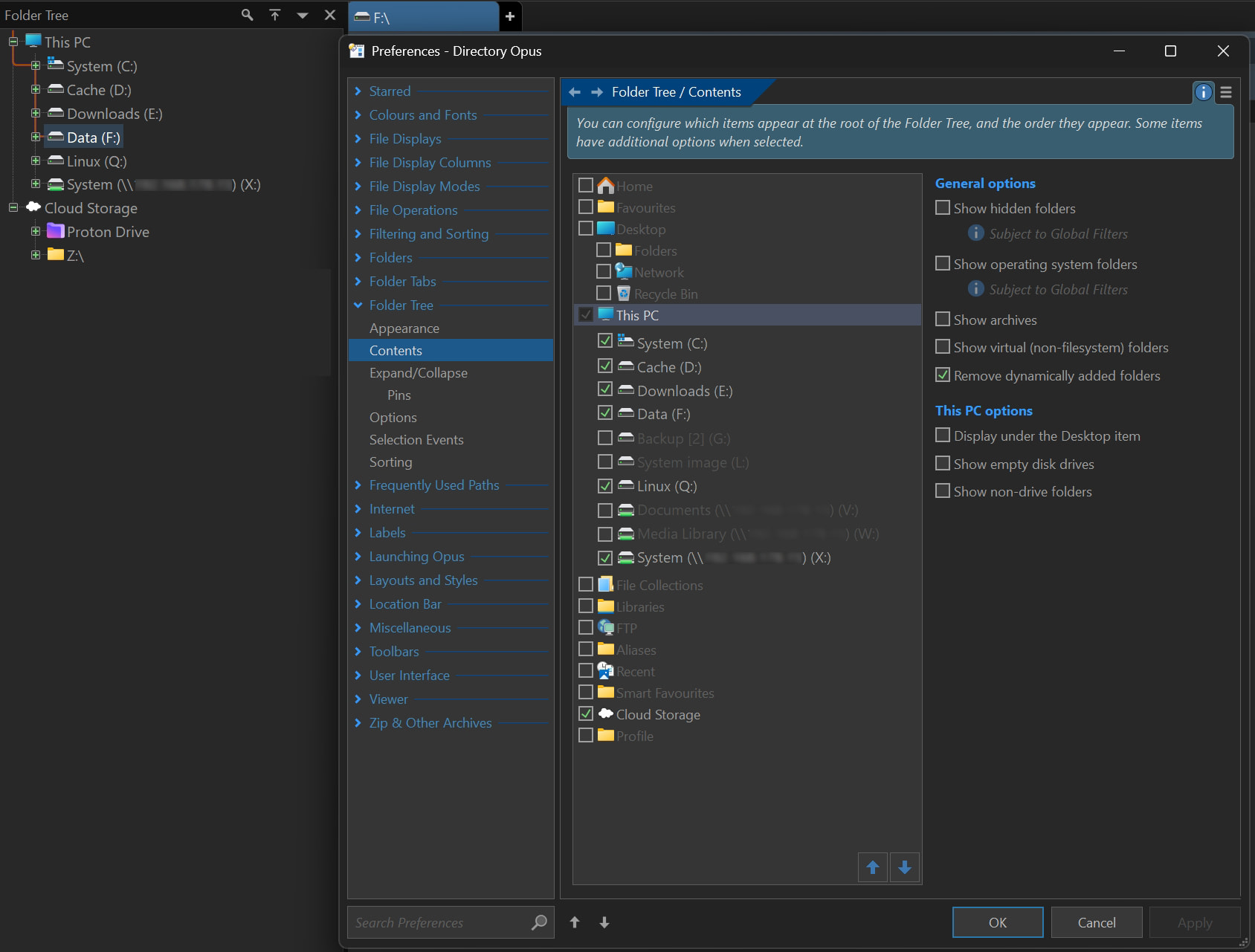

 from the code wizards
  on the forum.