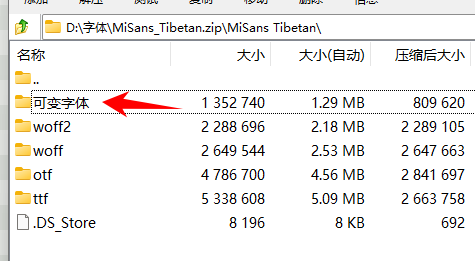
Download this zip file:
https://hyperos.mi.com/font-download/MiSans_Tibetan.zip
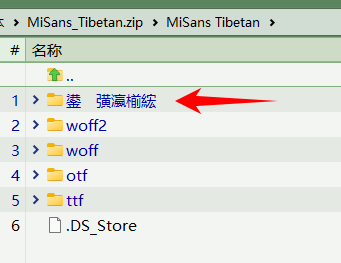
double-click to go into folder in the zip, you will see Garbled text:
using 7z, the text can be displayed normally:
Download this zip file:
https://hyperos.mi.com/font-download/MiSans_Tibetan.zip
double-click to go into folder in the zip, you will see Garbled text:
using 7z, the text can be displayed normally:
File Explorer shows the same as Opus, FWIW.
This is probably a zip using an unusual way of encoding the filename and storing it as a separate metadata item that not all tools look for, instead of using the normal method of Unicode support in zip files.
I'm surprised the contents are so new as it means there must still be a tool out there which is doing things in this nonstandard way. Presumably one of the OS X archivers, based on the content.
Making Opus handle it is on our list, but you can also extract it with 7zip and recompress it to get it working properly.
Another option for now is to turn off the built-in Zip support in Opus and turn on the plugin Zip support instead, which works via 7z.dll and should handle that archive the same as the 7zip application.