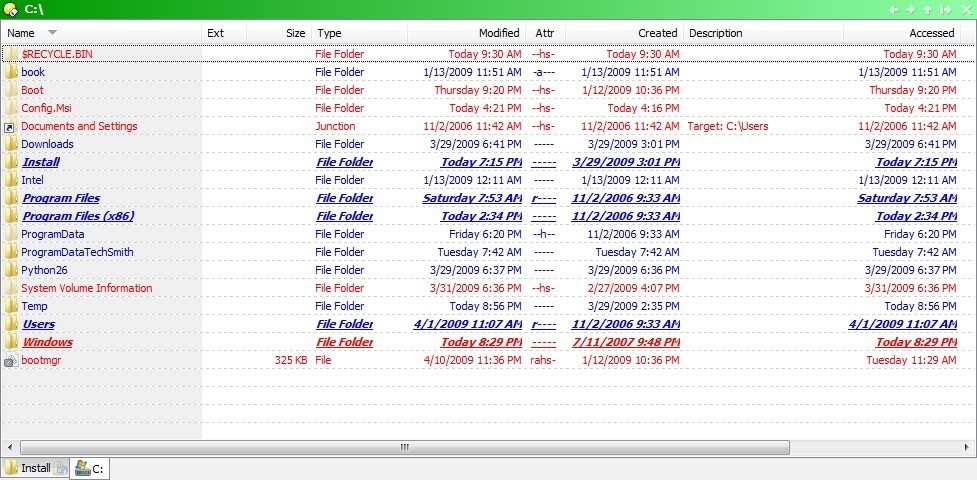
Just a small glitch really but I'm mentioning it just in case it's connected to something bigger.
I always have the "Auto-size columns" turned on and it's a real life-enhancer, but it doesn't work if I go to a directory that contains a folder whose appearance is specifically defined under "Prefs -> Favs & recent -> Folder colours" as bold, namely it gets cut if it's too long and Auto-size treats it as if it were written plain (non-bold).
Am I the only one getting this glitch or is there an extra setting somewhere that needs to be tweaked?