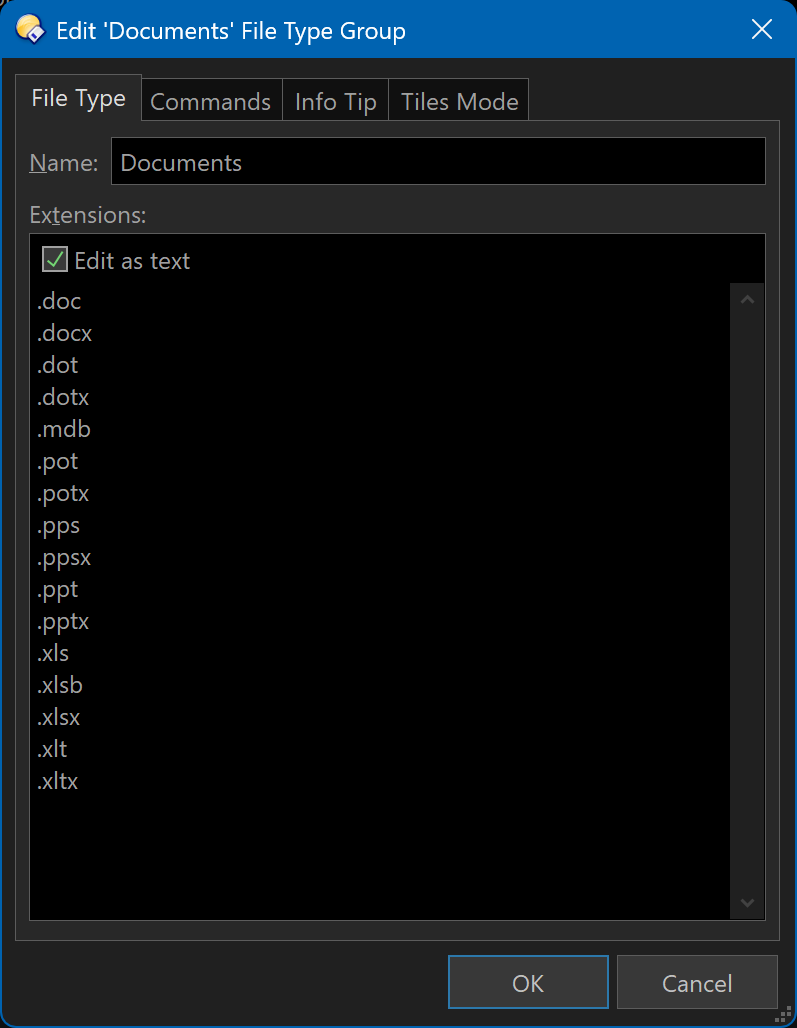
I have Directory Opus 12 Pro and have a group of extensions in Settings, File Types, and File Type Groups.
Each File Type Group has a specified list of extensions that are included in that group.
e.g. Movies have .mp4, .avi, .mpg, etc. Similar groups exist for Documents (.doc, .docx, .ppt, .pptx, etc.), Audio (.mp3, .wav, etc.)
How do I
Group by File Type Group and then by file extension within the File Type Group.
i.e. Group by Movies, Audio, etc. and show total files, total size of all Movie files, all Audio files, etc..
When I expand Movies, it should show each movie extension and the total number of files for that specific extension, the total size for that specific extension. When I click or expand a specific extension, it should show individual files for that extension with other file-level details and so on.
I need to do this at the entire my computer level (e.g. if I have four drives, internal and external included, the above should include all four drives and show Movies at the computer level instead of a C:\ or D:\ or a folder level).
If I need to display the above groups for selected drives and/or folders, how do I do that?
Not possible with the regular filesystem. You'd need to use a (static) collection. Loading an entire drive into a file display can already be a substantial task.
You could perhaps create a collection for each of the broad categories (e.g. movies) and then create file type groups for the sub categories (file type extensions)
Or create the collections and then use the filter bar to filter by filtype as needed.
While you can only group by one thing, you could sort by extension within each group.
Groups will display a count of items in them, but if you want things like the total size of a group you'll need to select everything in it, which can be done by clicking the group's header. (If you don't see any group headers because the "Group" column is turned on instead, just remove the Group column and the headers will appear.)
I was looking for the File Type Group column, and it was nowhere to be found until I added the "Kind" script columns to Directory Opus.
Now, I have a related question.
I know I can add new filetypes and extensions to Directory Opus one by one manually, I want to know if there is any way I can do it via a file. When I exported the existing File Type Groups, it created a .dft file.
I want to know how to add the File Type Groups from the attached XML file through a DFT file. In other words, how can I convert the XML file attached to a DFT file, which I can then import into
Directory Opus 12?