when I move files using the Move menu item, why does the whole program hangs where I am supposed to select the destination? The only way I can get out of this is to use Windows 11's Task Manager End Task. If I then repeat I get the same results. I will have to reboot. No other programs except the browser is running. I get this around 3 times out of 10 times when moving files. The failure happens always on the first move after the computer was powered on. If the move is fine and I do not shut off the machine, it works all the time (as long as I do not exit the program totally).
Are large directories a factor or does it happen with any directory?
If you're moving out of a single-display window and there's a delay when it asks where you want to move to (before selecting a destination), the most likely cause is a mapped network drive pointing to a server that is not reachable. If that's what's happening, the freeze/delay should stop after 30 seconds or so, once Windows determines the server isn't there.
It's best to avoid mapping drive letters to servers that won't always be available. Using UNC paths like \\server\share\... instead of mapped letters is often enough to avoid the problem.
No, both drives on local computers. It seems to happen with large or small directories. Just experienced it right now. Restarted the app 4x via End Task and still the same. It hangs exactly a that screen where you are supposed to select the destination. I tried walking away and coming back in a few hours but it's still there.
The only way I can fix this is to close all my tabs, go to the directory and move the file from there. From then on, everything seems to work during that session.
I'm unclear what "that screen where you are supposed to select the destination" means.
Could you post a screenshot?
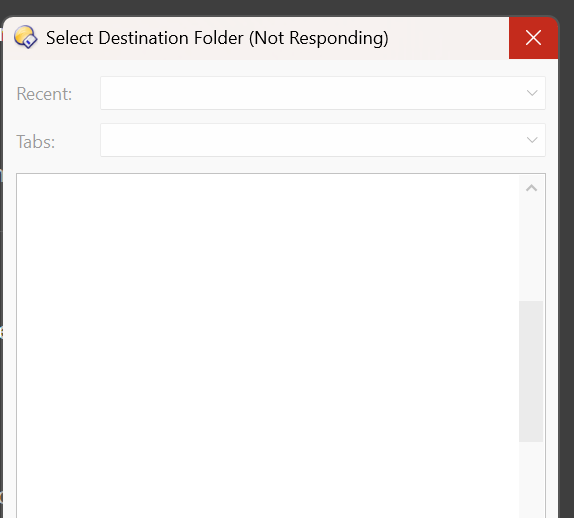
This just happened again. Did a restart, selected a different directory, went back to the same directory, did a move file, move completed, went to another directory, select another file, click on move...then this again. This is on a directory with about 200+ sub-folder and around 150 files in the root. Each sub-folder may have 1 to 10 files.
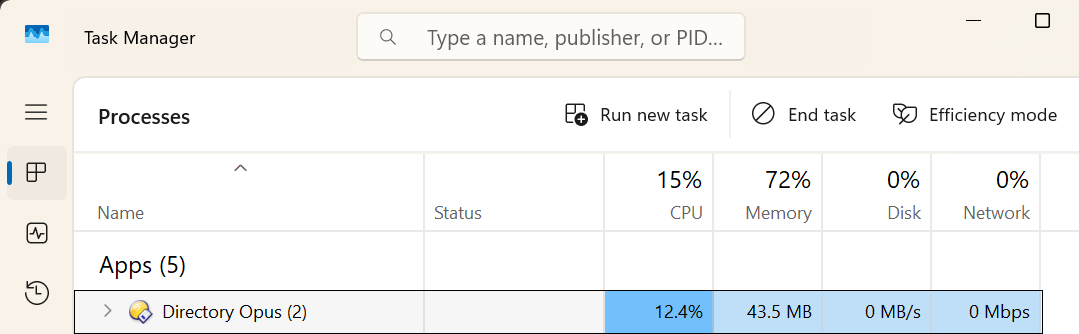
Thanks for that, I understand now.
Would you be able to make a process snapshot when it's hung like that and send it to us?
We should be able to tell what's going on.
How do I do that?
By the way, everything worked perfectly for the first week. No errors at all with lots of file moves. It was only during the last week and a half. I find this strange as the Windows 11 machine has not be updated and there were absolutely no setting change at all.
Thanks!
Thanks, did the memory dump and just email with the Google Drive link.
Thank you for sending the memory dumps. They revealed a few things:
- The hang is happening while building the folder tree for the "Select destination" dialog
- It's happening inside the Windows shell, while querying a folder for its attributes. The thread that appears hung seems to be in the middle of reading data from the registry.
- It might not actually be hung but in some sort of loop; the multiple dumps you sent are all very similar but all subtly different which suggests looping over lots of data entries.
- The path Opus is in the middle of expanding in the dialog is
F:\Qtbittorrent- if F: is a network drive that could be related (and if it's an offline network drive it definitely could be related).
I can't exactly tell what's causing this but one suggestion I have is to try deleting the registry key that it seems to be reading from. It may be that that key has just become unusually big or corrupt in some way. The key is only used to cache information so deleting it shouldn't cause any problems and may possibly resolve the issue.
If you'd like to try that, the key I would try deleting first is:
HKEY_CURRENT_USER\
  Software\
    Classes\
      Local Settings\
        Software\
          Microsoft\
            Windows\
              Shell\
                BagMRU\
                  1\
                    2
If that doesn't help, you could try deleting the 1 key, and if that fails you could try deleting the whole BagMRU key itself.
I had to delete a few times as it keeps on coming back. Eventually that fixed it. However, after a few days of copy and move, I experience the freeze again. I just go back and do the delete again and it fix it. Will there every be a permanent fix for this?
Thanks!