I cant find how to display hidden system folders like AppData. The 'Hide protected operating system files' is un-checked and I can see them fine on Windows Explorer.
this should work:
Set FILTERS=Toggle HIDEFILTERATTR h
Set FILTERS=off
Sounds like your folder options in Opus are set to hide hidden files?
[quote="steje"]Sounds like your folder options in Opus are set to hide hidden files?[/quote]The attached screen grab shows how I have it set.
Is this the correct setting?
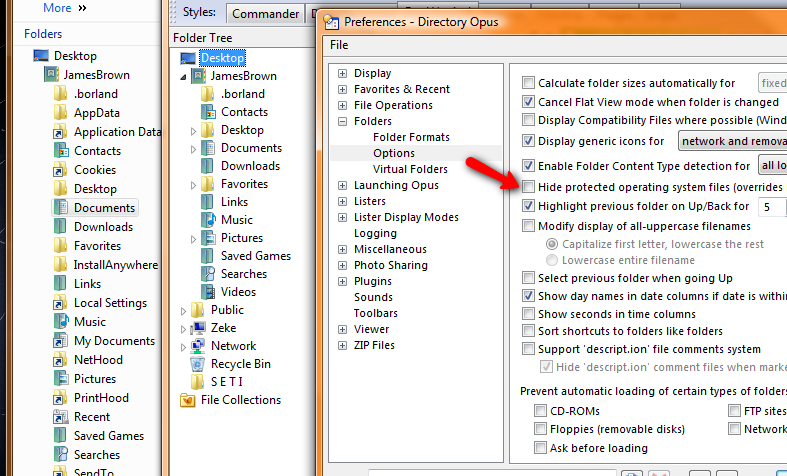
I did get it to work but I think there is a problem in the filters. My new install comes up with all filters unchecked but Sys files are not displayed. I had to set filters and then unset then and save to All for it to work.
If you're talking about the folder tree, there's a separate option for that under Listers / Folder Tree.
Ah yes - That works better now. Thanks
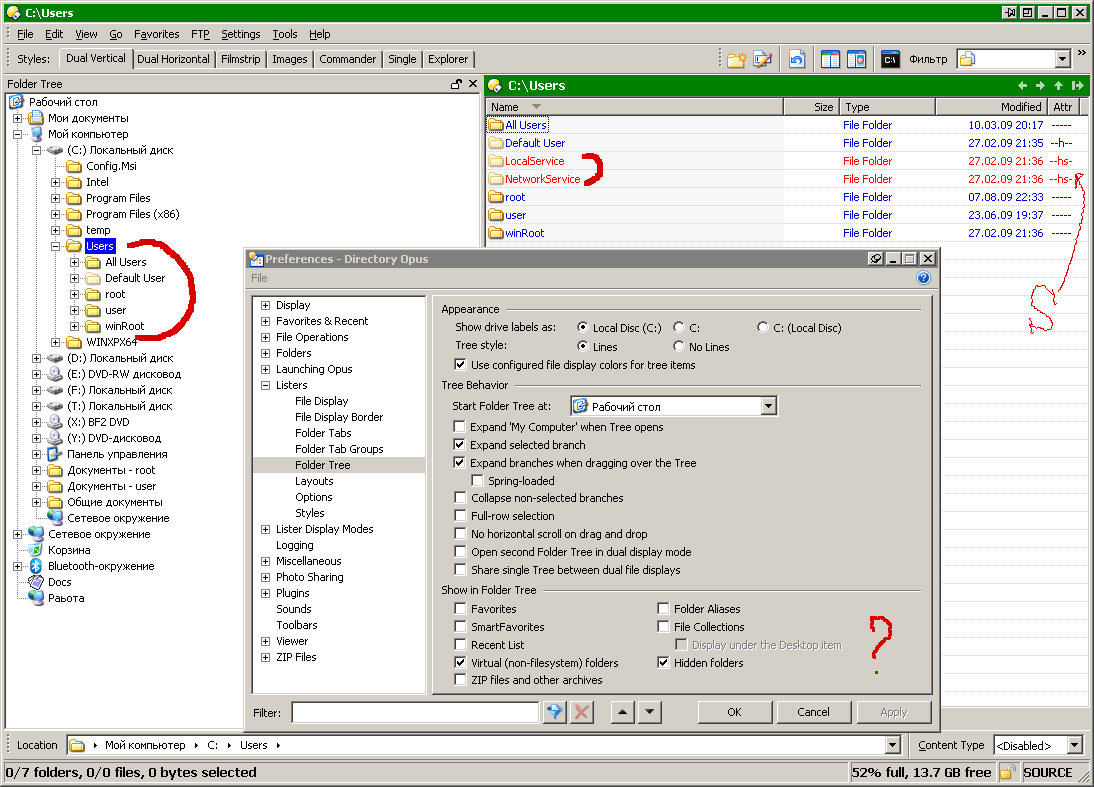
For the folder tree only (the file display doesn't care), you need to enable hidden-system files in both Opus and Explorer for them to appear in the Opus folder tree.
So open an Explorer window and go to Tools -> Folder Options -> View, then turn off "hide protected operating system files" in there. (If you're on Vista/Win7, push alt first to make the menu appear.)