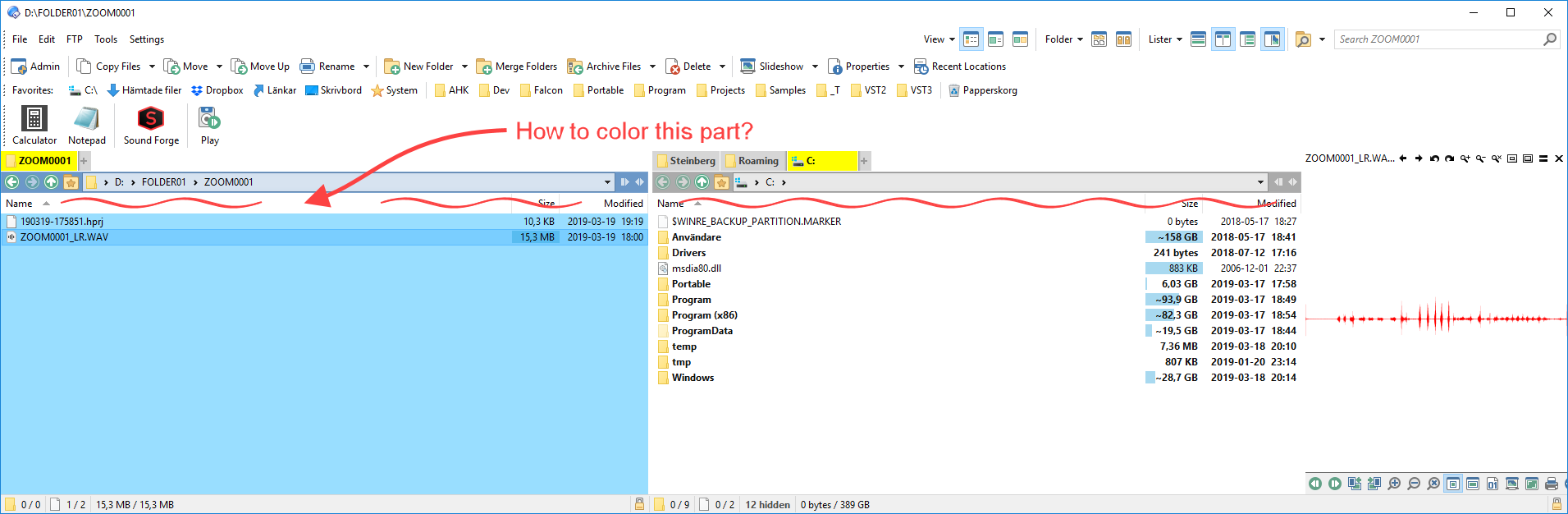
As shown in my screenshot, I wish to colorize background of file lister column headers. Is there a way?
Preferences / Display / Colors and Fonts / Pane borders, and turn on Use for lister column headers there.
(It changes more than just that color.)
Amazing response time, Leo (1 minute!! Holy cow.) ...
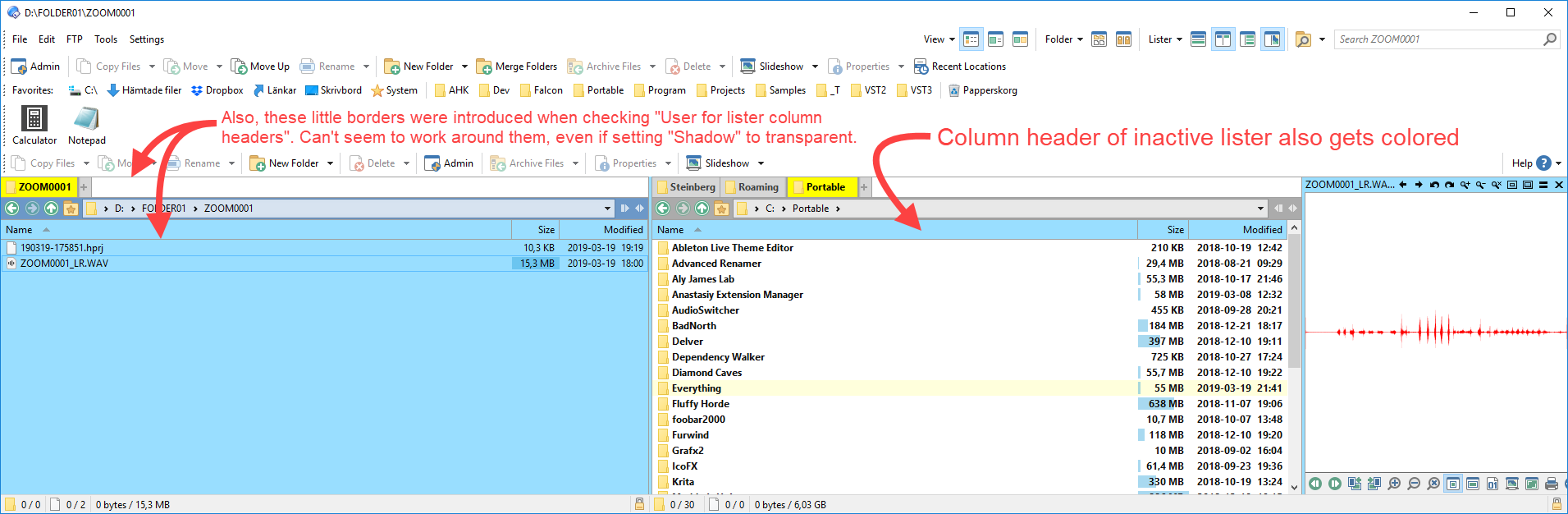
Ok, your solution works, but I have two niggles that I'd like to elaborate on (see screenshot; the right one being most pressing).
I wish there was a "Pane borders (source)" and "Pane borders (destination)" separation for those theming nerds among us. My goal here is to color the active lister blue, including said column header. Alas, the column header of destination pane gets blue as well ...
Also, if possible, I'd like to get rid of that introduced border around tabs pane and column header shown in the screenie.
I worship your talents and dedication with this marvel of an application!
Hi, this option seems to no longer exist. How can the column header colors be changed be changed now?
Here I think this will help you:
The way colors are configured was completely overhauled in Opus 13.
It's now in Preferences / Colors and Fonts / Windows Colors / [Visual Styles] Headers.
Thanks, that's a very helpful post! And thanks Leo for directing me straight to the option. Idk how I missed it when I filtered for 'header' before.