Guys, you really did make a great product. Seriously. I was very close to buying a license.
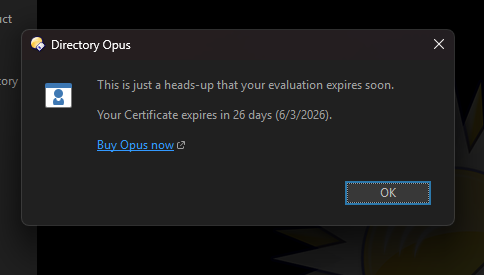
But then, with 30 days of trial still remaining, every PC startup suddenly started coming with this clingy little reminder about the trial eventually ending. And that is exactly the kind of thing that kills purchase mood dead.
I assume nobody needs an explanation in 2026 that aggressive irritation marketing does not magically convert people into buyers. It mostly creates one very simple reaction - get rid of the thing that keeps pestering you.
So could you please tell me how to disable this daily nag popup before it finishes turning genuine goodwill into disgust?
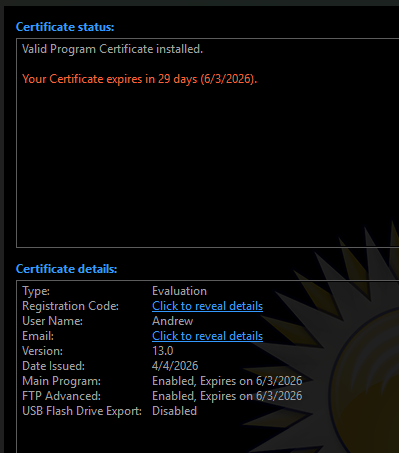
Thank you for your quick response. However, I’m afraid I clearly see the number “29” in your reminder, indicating the number of days remaining until the trial expires. And yet your pop-up keeps appearing and repeating every day.
Let me repeat: it’s not 7, but 29.
How can we resolve this issue?
Could you PM me your registration code (click the "Click to reveal details" link shown in your screenshot)? I'll arrange a new evaluation for you that shouldn't show the reminder until 7 days before the end.
Today I received an email from you with a new certificate, extending the trial period by one month. That’s a good decision; I appreciate it.
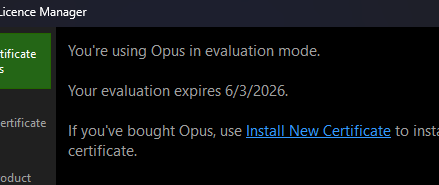
However, no matter what I do to apply this certificate, the expiration date remains the same: 6/3/26.
I’ve reapplied the certificate many times, restarted the app (including closing it from the system tray), and performed a full reset. Nothing helps. What should I do next?
The certificate shows an old date. And, oddly enough, just a few posts above in this very thread, I explained in detail that there is no way to replace the old certificate with a new one. There was no reply.
If you're always going to be this unnecessarily sarcastic and unhelpful I would advise against proceeding any further with your trial, since you'll only end up getting banned from the forum.