How to change Opus' navigation behaviour with MTP devices?

Hello!

I have noticed that Opus passes an MTP device onto Windows Explorer when double left-clicking one, to open an MTP device in Opus I need to right click -> Open in Directory opus

I also have to right click on a MTP device's folder to then open it in Opus instead of being able to open it by double left-clicking one

How to change Opus' behaviour with MTP devices in a similar way to how you can customize Opus' behaviour with certain file types in a file type's "Command" tab?

Thanks

Do you mean double-clicking within Opus, or from outside of Opus?

Which folder are you viewing when you double-click?

Double clicking within Opus. When I double click within Opus it's Windows Explorer that opens the MTP device instead of Opus opening it.

When I open the MTP device in Opus with Right Click -> Open in Directory Opus, nothing happens when double clicking any of the device's folders.

I have to open each folder with the Right Click -> Open in Directory Opus method instead of just double clicking them

Does it make a difference changing Preferences / Miscellaneous / Advanced: [Troubleshooting] mtp_enable and restarting (File > Exit Directory Opus; don't just close the windows as that won't restart)?

No, set mtp_enable to false, restarted Opus (Exit Directory Opus), same behaviour.

Then set mtp_enable back to true, restarted again, same behaviour.

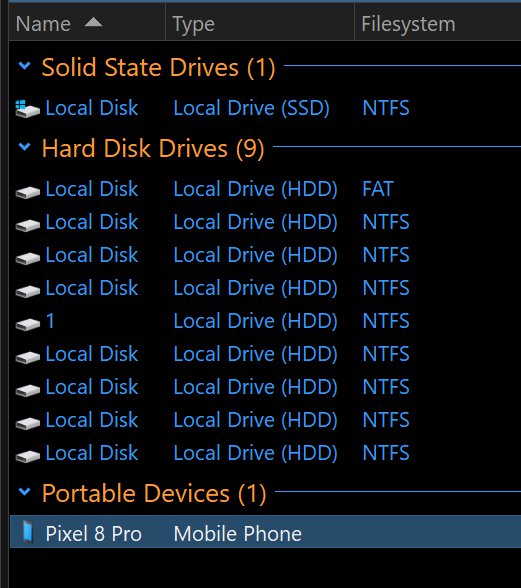
Where are you double-clicking the device? If it's in the This PC folder, are you using the Opus implementation or the Explorer one?

I'm double clicking it in the This PC folder where all drives are listed.

I'm using the Opus implemention of This PC.

Could you post a screenshot showing the folder?

Unticked Use the Opus implementation for the This PC folder, Opus opens the phone MTP on double click, but still doesn't do anything when double clicking its internal storage or any of the folders on it.

Enabling Use the Opus implementation for the This PC folder again and restarting Opus makes Windows Explorer open the phone on double-click again.
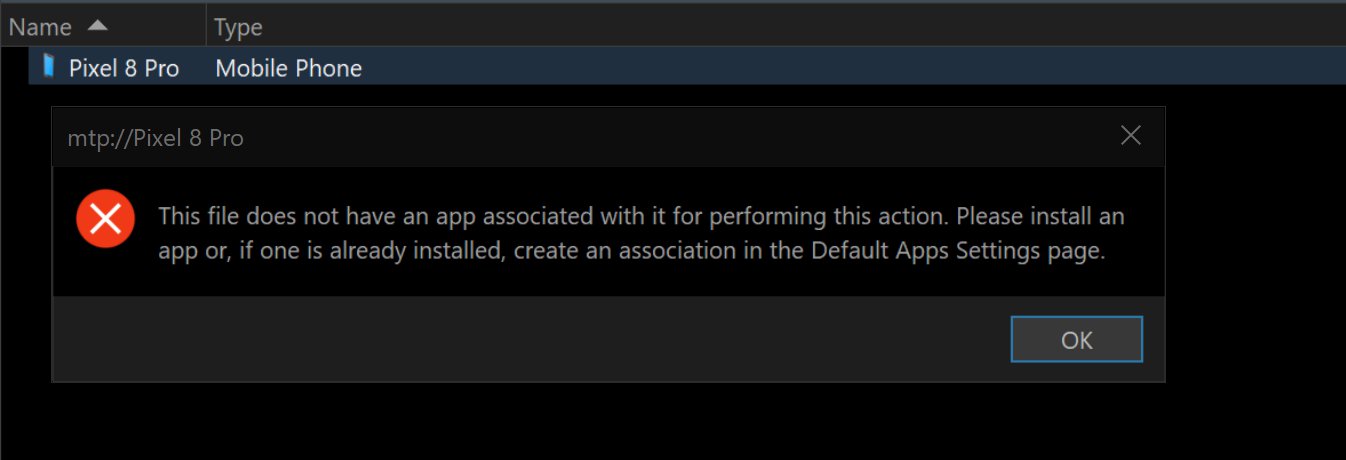
What happens if you type in mtp:// to the address bar and press return?

Opens the Portable Devices folder, when I double click on the phone this pops up

Do you have any scripts installed that might change what happens on double-click?

Maybe try disabling all scripts (Settings > Scripts > File > Disable all scripts) temporarily and see if it makes a difference.

Maybe try disabling all scripts (Settings > Scripts > File > Disable all scripts) temporarily and see if it makes a difference.

Tried this and restarted, unfortunately exact same behaviour, no difference.

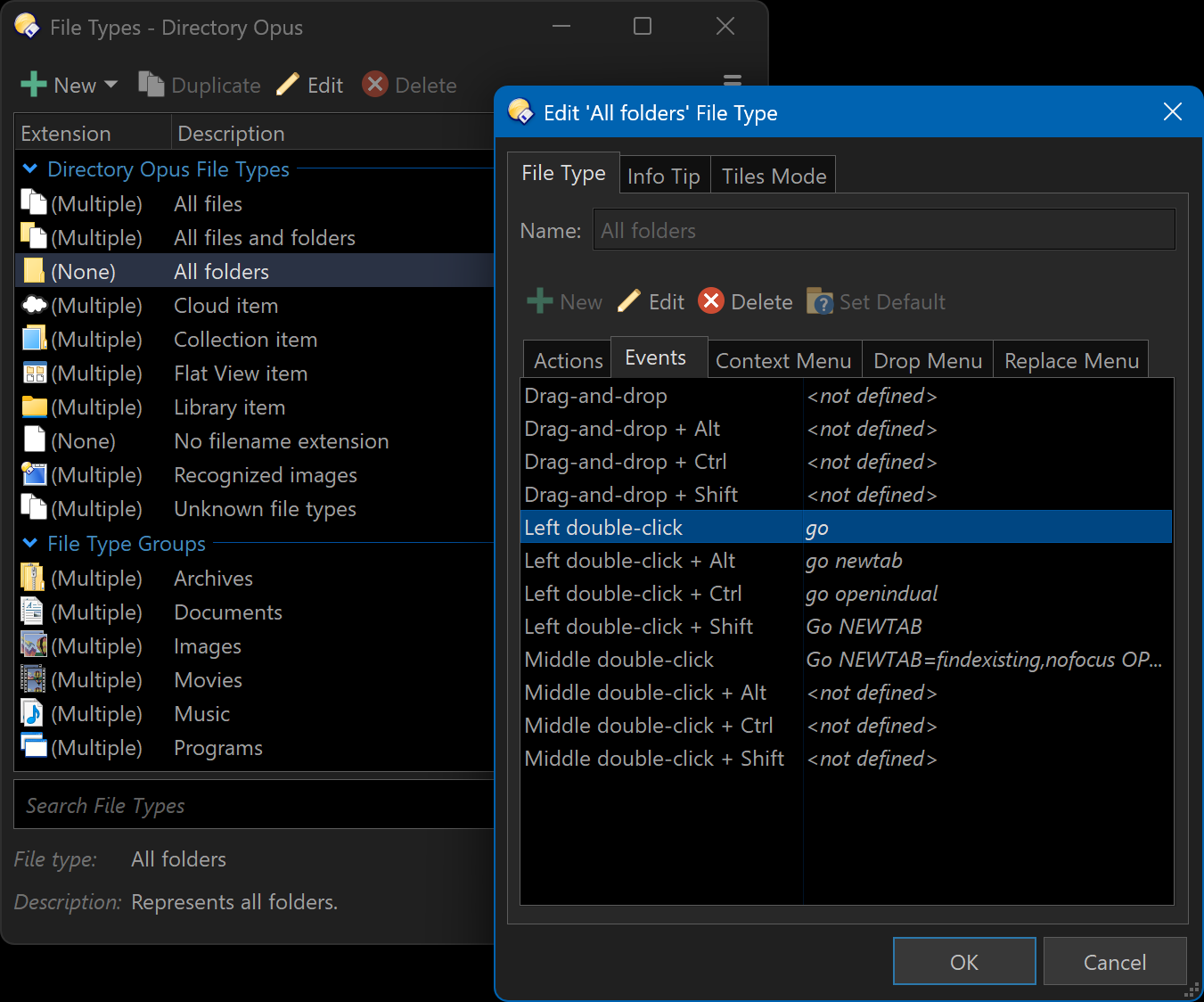
Under Settings > File Types, is the All Folders, Left double-click event set to the normal go command?

It was set to not defined. Set it to go, and now Opus opens the phone and all sub-folders on left-click! Thank you so much.