Is there a way to change the hand mouse cursor used in the image viewer to the default pointer or something else? (crosshair, etc.)
Can't currently be changed.
FWIW, a crosshair cursor is already used when selecting things. The hand is only used when dragging things around.
Thanks, @Leo
In my case, the hand is visible all the time when I open an image.
Too bad it's not possible. It gets in the way when I use Power Toys' color picker, it's hard to tell what area of the image I'm analyzing.
Hopefully, it is something that will be considered for a next release.
You could try Stardock's CursorFX .
It is inexpensive ( < $4 USD ) , you can create your own custom cursors from png images, and there are thousands of premade custom cursors available for download, most of them free.
That would happen if you have left-mouse configured to drag the image around.
That's Power Toys' problem, not Opus's. They should be changing the cursor when the picker is active, which is very easy to do. We do the same thing with our own color picker.
Ask the Power Toys developers to fix their program instead. Then it will work with all windows of all software, which is better than making changes to Opus to make Power Toys work better only in a single window.
I'm not quite sure to understand, @Leo
Power Toys' cursor doesn't override Windows' default one, not sure what I'm supposed to ask them.
Probably the issue I'm having is more related to the left-mouse configuration, as you pointed out?
How can I check that in Directory Opus?
It should, as not all cursors will be suited to picking a color from a single pixel. Some programs may even show a completely blank cursor when the mouse is over them (e.g. games, full-screen viewers).
Look at the Opus color picker and how it behaves when you drag the eye-dropper out of it. The cursor turns into the eye-dropper, and the pixel at the very tip of the dropper is the one it gets the color of. It doesn't matter what cursor(s) the programs you grab the color from use, because their cursors are overridden. (It also shows a zoomed in view with crosshairs to help further.)
Hey @Leo
After a little absence, now that my trial has ended, I went ahead and purchased the license, so I'm back.
Let's forget for a moment about Power Toys, and let's see if there's a way to change the cursor in Directory Opus.
Right now, it looks like this:
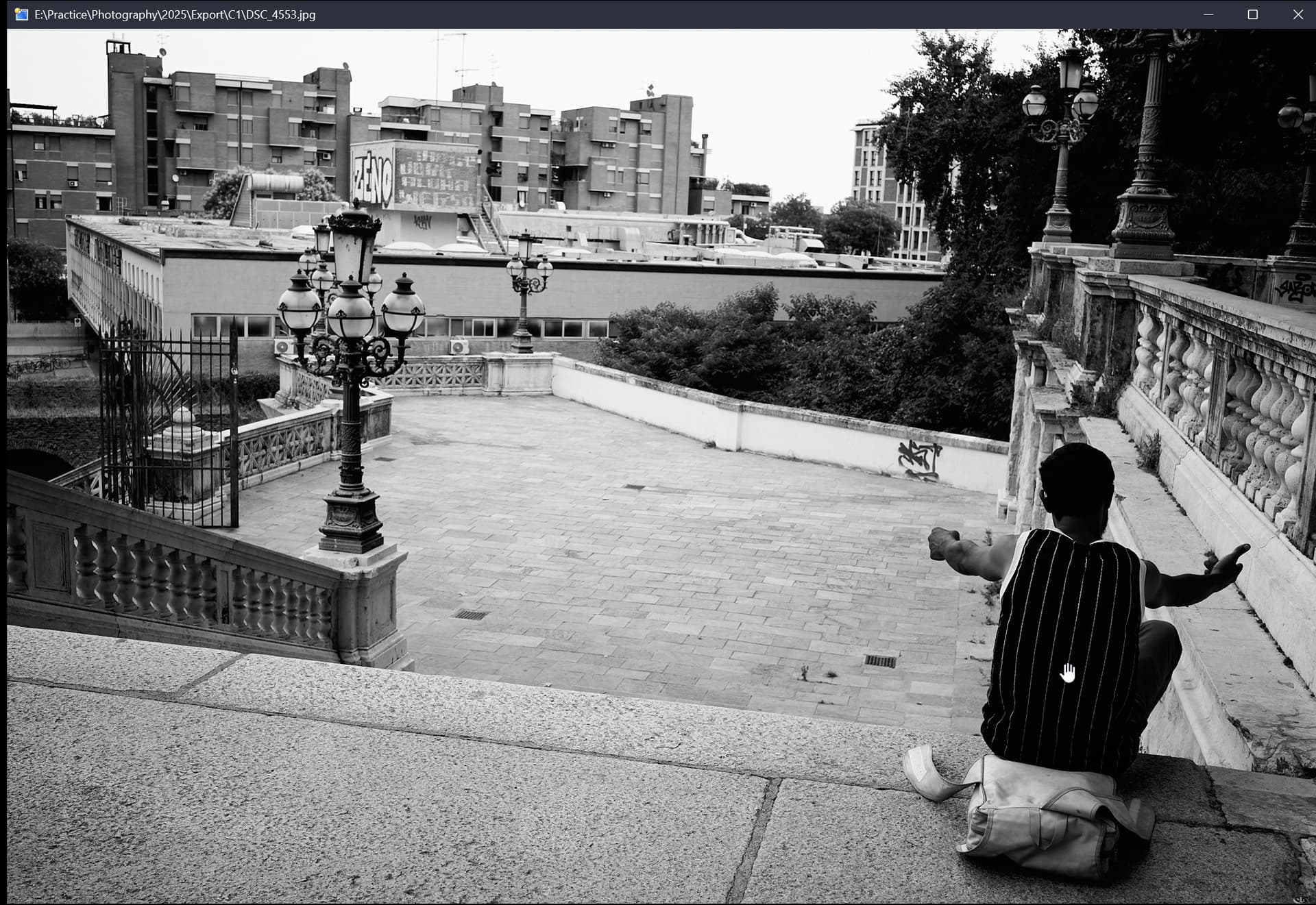
Also, the hand cursor in the screenshot appears half the size of how it actually looks on my screen. When I capture the screen, the cursor appears twice as small, not sure why.
Anyway, is there a way to change the hand cursor to a regular pointer?
Hi!, so, as Leo said, the hand cursor is present when you have the mouse left button function to scroll the image, you can change that on Preferences - Viewer - Mouse Buttons and change the first dropdown menu to something else.
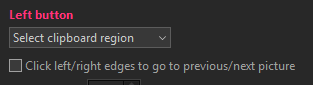
This will have the crosshair appear.

Or you could set it to Run a command and leave the textbox empty to make the regular ponter to be visible.
For what is worth, when using the color picker on powertoys, you can scroll with the middle wheel to enter on a "zoom mode", I find that quite useful, and turns the pointer to a regular poninter when on that mode.
That's great, thanks so much @joer for your thorough response.
I couldn't find the option for the mouse button, thanks for pointing that out. I also noticed that it's possible to browse previous/next images on click activation, which is handy.
And nice tip about Power Toys!