Right now, I need to remove the association I currently have in windows 11 if I want OD to open a file with the internal viewer. Is there any other way?
However, trying to use the internal viewer to open text files has not been possible and I have to associate an external program with it. The question therefore is: how can I associate a file directly to the internal OD viewer? can I edit a text file with OD?
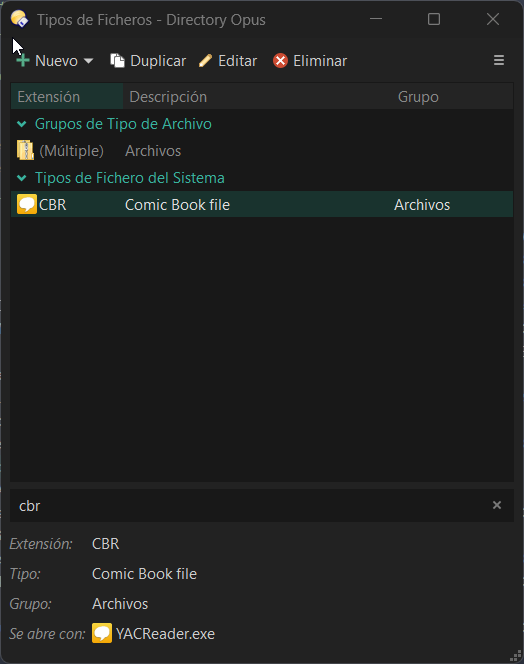
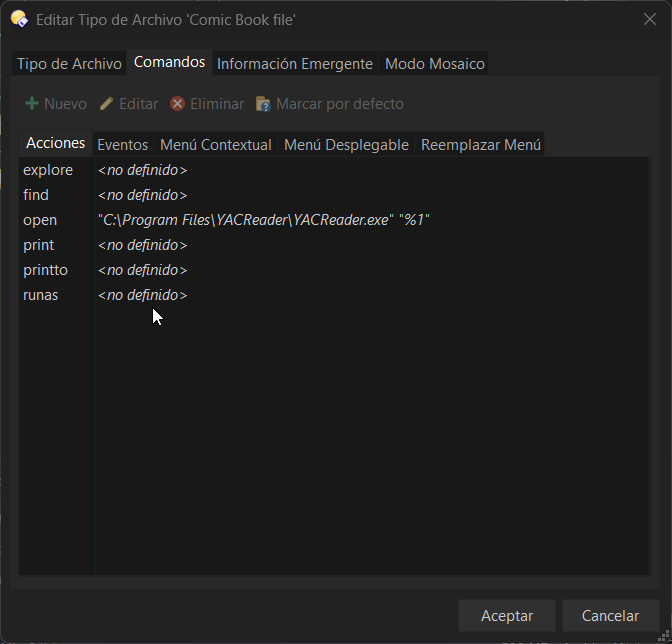
and how I do the opposite? I have CBR files that I want to open with a specific program (Yacreader), but OD treats them as RAR files and tries to open it.
Ok, and how I do the opposite? I have CBR files that I want to open with a specific program (Yacreader), but OD treats them as RAR files and tries to open it.