Firstly, I am grateful that Opus 13 has finally addressed the slower network transfer performance issue for past few years between PC & NAS.
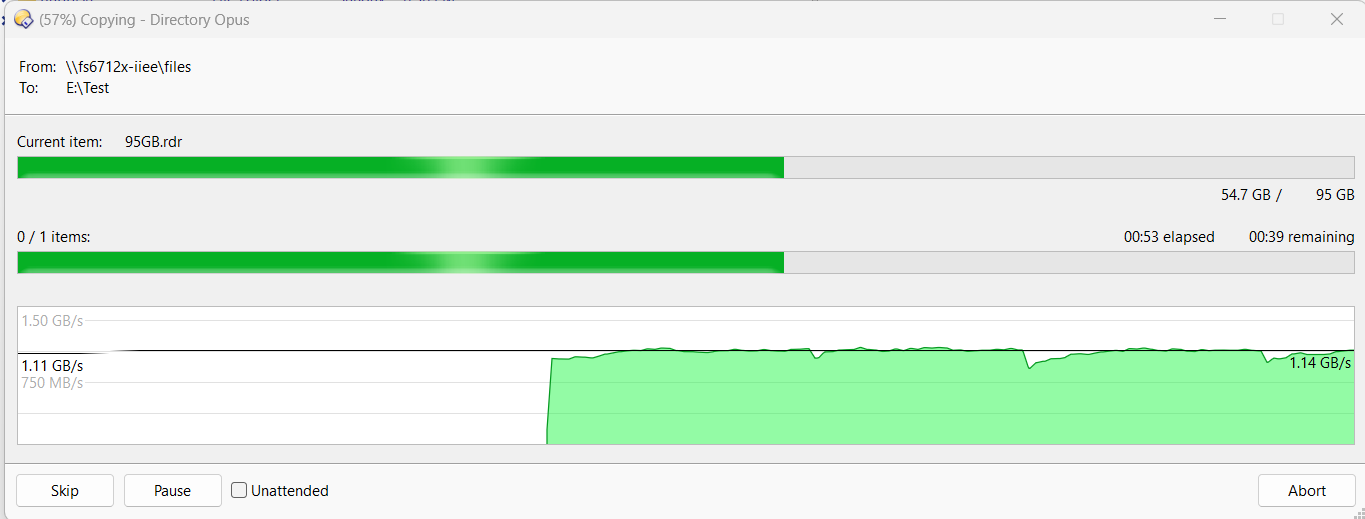
I have reformat the ssd with fresh Win11 running Opus 13 and happy with the network transfer speed. After installing some programs, i observed the file transfer speed dropped between laptop & NAS by 20%. At that juncture IDM was just installed. With IDM shutdown, the transfer speed is restored back to normal. I repeated this for a few times and was getting the same results. I decided to restart the laptop to test again.
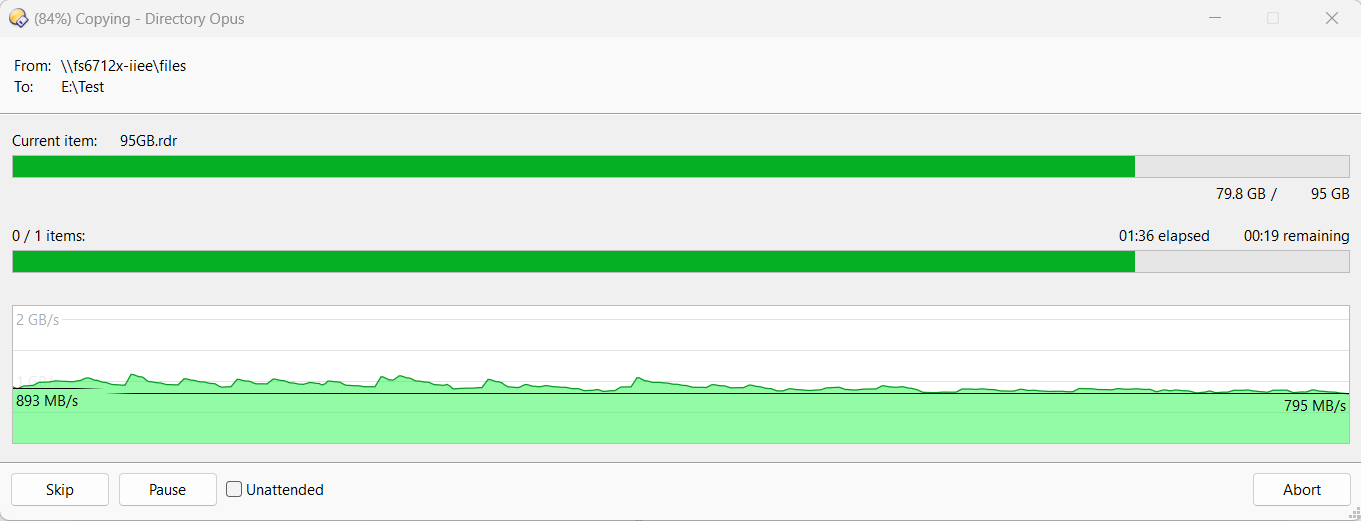
Windows is restarted with IDM auto run. There is nothing being downloaded in the background. Copy file from the NAS is again slower to below 900MB/s as the graph below.
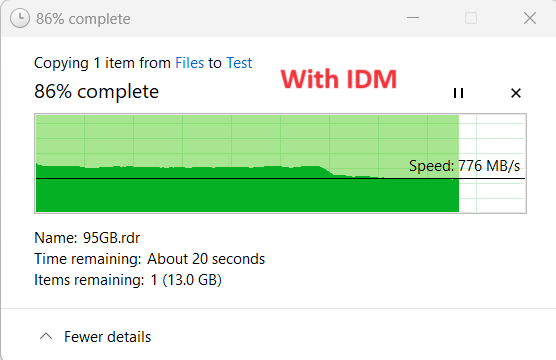
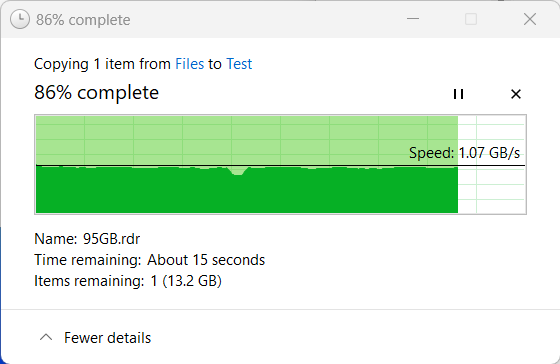
Another test was done using File explorer, the result showed same type of speed drop with IDM. However when compared to Opus, explorer speed is good 1GB/s for at least 45sec before dropping to ~800MB/s. In Opus, the speed dropped from 1GB/s to ~800MB/s after 10-15sec. It is not shown on previous post because Opus graph is not per whole file transfer, earlier speed graph has gone missing along the transfer. File Explorer graph is showing from beginning until the end.
With IDM in File explorer, the graph looks as below. Notice the constant speed 1GB/s for half of the graph. After that speed dropped to ~800MB/s
Without IDM in File explorer, the speed is 1GB until the end.
The same SSD is used for the test. Could it be the way of using RAM in file transferring that Opus cannot sustain full speed long enough compared to File Explorer? The laptop has 96GB ram.
This actually isn’t as strange as it sounds. IDM installs a system-wide network filter/driver so it can intercept and accelerate downloads at the socket level. Even when it’s idle, that hook is still active, which means all network traffic (including SMB transfers to a NAS) can pass through its layer.
On high-throughput links, that extra interception can become a bottleneck or interfere with Windows’ own caching and buffering logic. That would explain why:
The slowdown appears even with no active downloads
The speed immediately recovers when IDM is shut down
Both Explorer and Opus are affected, just with slightly different buffering behavior
Opus likely pushes data more aggressively, so the impact becomes visible sooner, whereas Explorer sustains peak speed longer before dropping.
Some users have reported similar behavior depending on:
IDM’s “Use advanced browser integration” option
Low-level network acceleration features
Filter driver interactions with SMB and high-RAM systems
For anyone evaluating whether IDM is worth keeping enabled all the time (especially on systems doing large local or NAS transfers), this overview covers how IDM integrates into Windows networking and its known side effects:
Given the evidence, Jon’s suggestion is spot-on — this is something IDM would need to address at the driver level rather than an Opus or Explorer issue.