Yes, they can.
1 Like
Today the feature was suddenly enabled on the PC. This is my Delphi PC:
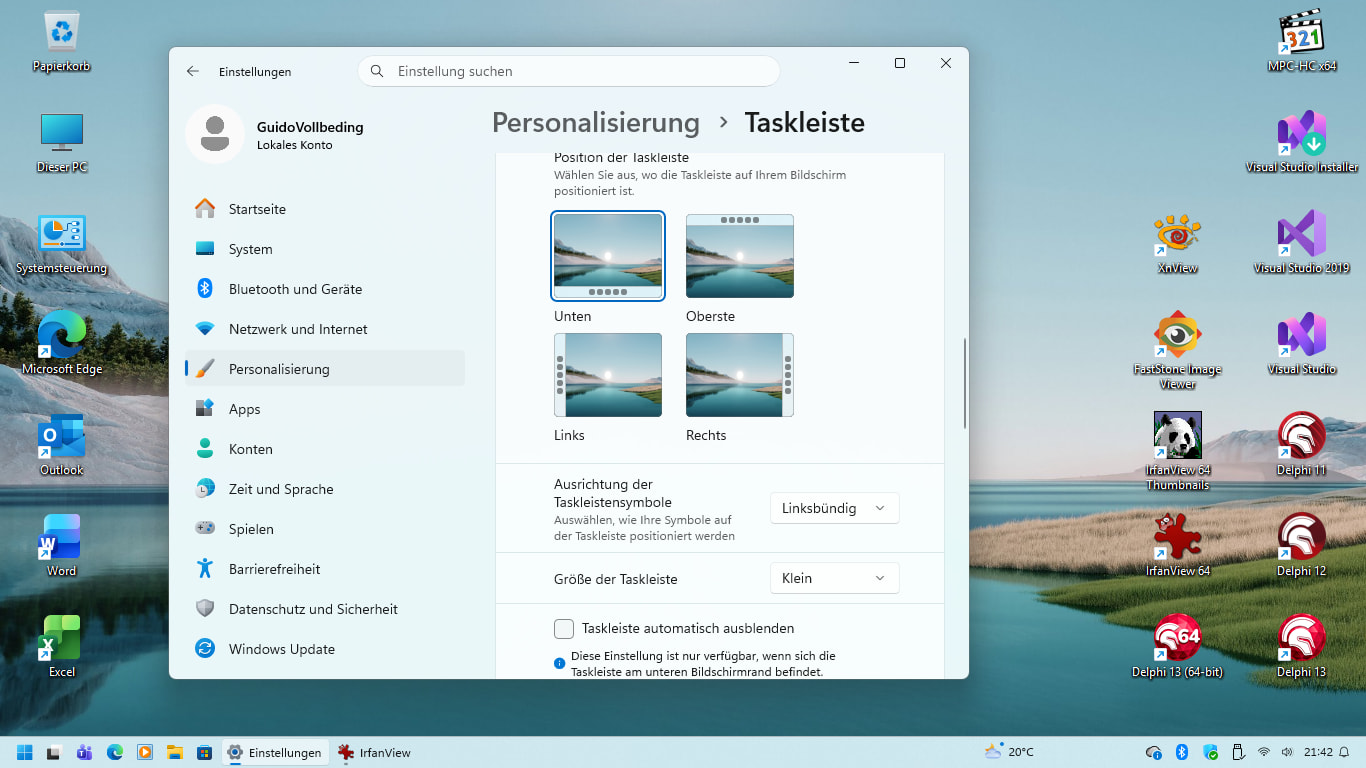
Bought the MacBook in June 2023 for Xcode, the "Eee Top" PC in July 2023 for Delphi.
Could also watch Windows 11 become usable, which is now the case.
MacBook also served as host for ARM-Windows later (Feb 2025).
Regards
Guido
Contrast of active application button still way to low, reordering multiple windows of a single application still not possible. No network IO widget either. The small task bar height is only a very small step on the long way to what we had before.
I can maybe remove some of the WindHawk mods which make adjustments to the task bar height possible, but WindHawk will still be required I guess (here at least).
Somebody needs to bring back the regular colourful window title bars as well. Can't stand these window title bars with lots of UI elements in them, but no colour to make them "pop" against other windows in the background. Sometimes there are so many UI elements in the title bar, that you don't know where to grab a window anymore (in Edge / Firefox / Notepad with lot's of tabs open e.g.).
I tested "AltDrag" this week, which allows to drag a window anywhere, if you press "Alt" and the left mouse button. It also allows to resize windows without hunting for window corners ("Alt" + right mouse by default). The "Alt" dragging and resizing is quite handy, very common on Linux desktops. You make use of it there more often, because dragging and resizing windows on a Linux desktop can be really annoying. Bad "hot spot" placement in the mouse cursor sprites is very common and the areas for resizing are very thin most of the time.
For some reason there is no editor to edit mouse cursors on Linux, we had that with the first Workbench if I remember correctly. It is kind of irritating how humanity is forgetting about the inventions it made. o)
Makes you wonder, what inventions might have been around, before we were around? o)
2 Likes
A small glitch is that they unnecessarily shrank some of the system tray icons, those around the clock (notification, speaker volume, network connection).
The system tray icons were already small anyway, no need to shrink them further.
I hope it will be corrected with some future update.
Regards
Guido
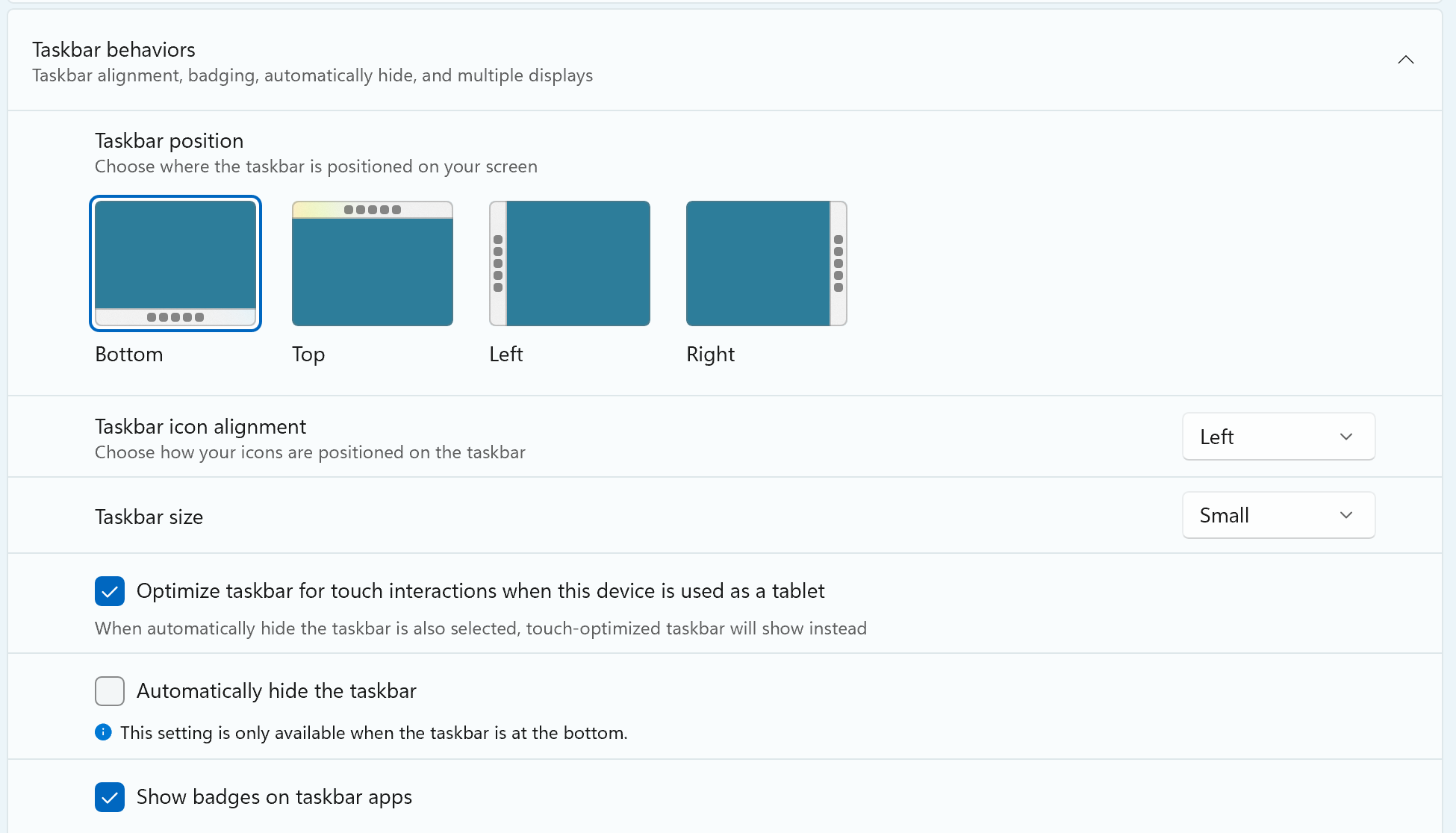
Finally have it on my main PC, and it only lets you change which side it's on, not which monitor it's on.
It's still stuck on the primary monitor (or all monitors at once), which is a regression of something you could do all the way back to Windows XP if not before.
I am disappointed but not surprised. The Windows team truly are the most useless people on earth these days.
I am disappointed but not surprised.
I recently saw a nice post describing the situation. Content:
Ex-Microsoft, but it's incredible how mismanaged this company has become.
Firstly, the level cronyism is just ridiculous, almost comical. You see Principals and Directors that can barely code at what I'd consider SDE 2 level, but are there purely because of favoritism. Then, you have multiple factions duking it out and releasing iterations of the same product over and over, just for the sake of empire building. All this while blocking or even sabotoging other teams from getting ahead.There's also the constant rotation of the same people speedrunning features and wrecking havoc on projects before getting promoted and rotating out. Then, whoever's left behind to clean the mess gets PIPed because "the project was running fine when we left it!"
And not only that, but executives and PMs shoving a barrage of pop-ups and notifications for the sake of improving key metrics because We'Re A DaTa DriVeN CoMPAnY. Yeah, no ■■■■ you get more engagement by adding popups, but who cares because the customer satisfaction metric is too abstract to be tied back to your team.
Finally, at the end of the day, everyone goes home and uses Macbooks and iPhones.
1 Like
Yesterday (Sep 29) was official launch of the Windows 11 26H2 "pseudo update" (see post above).
It didn't change anything on the updated system here.
I have a third Windows 11 system set up for a friend.
Wanted to set the Small Taskbar after the latest 25H2 update there, but it was not yet available.
For me, I'm only waiting for a fix of the systray icons issue mentioned above.
I need it to recognize the speaker mute status sufficiently.
MacBooks are top, but Windows is indispensable on the desktop, and can also be used via Parallels on the MacBook.
Regards
Guido
After update to 26H2, it is now available, so all three Win11 systems which I set up have it now.
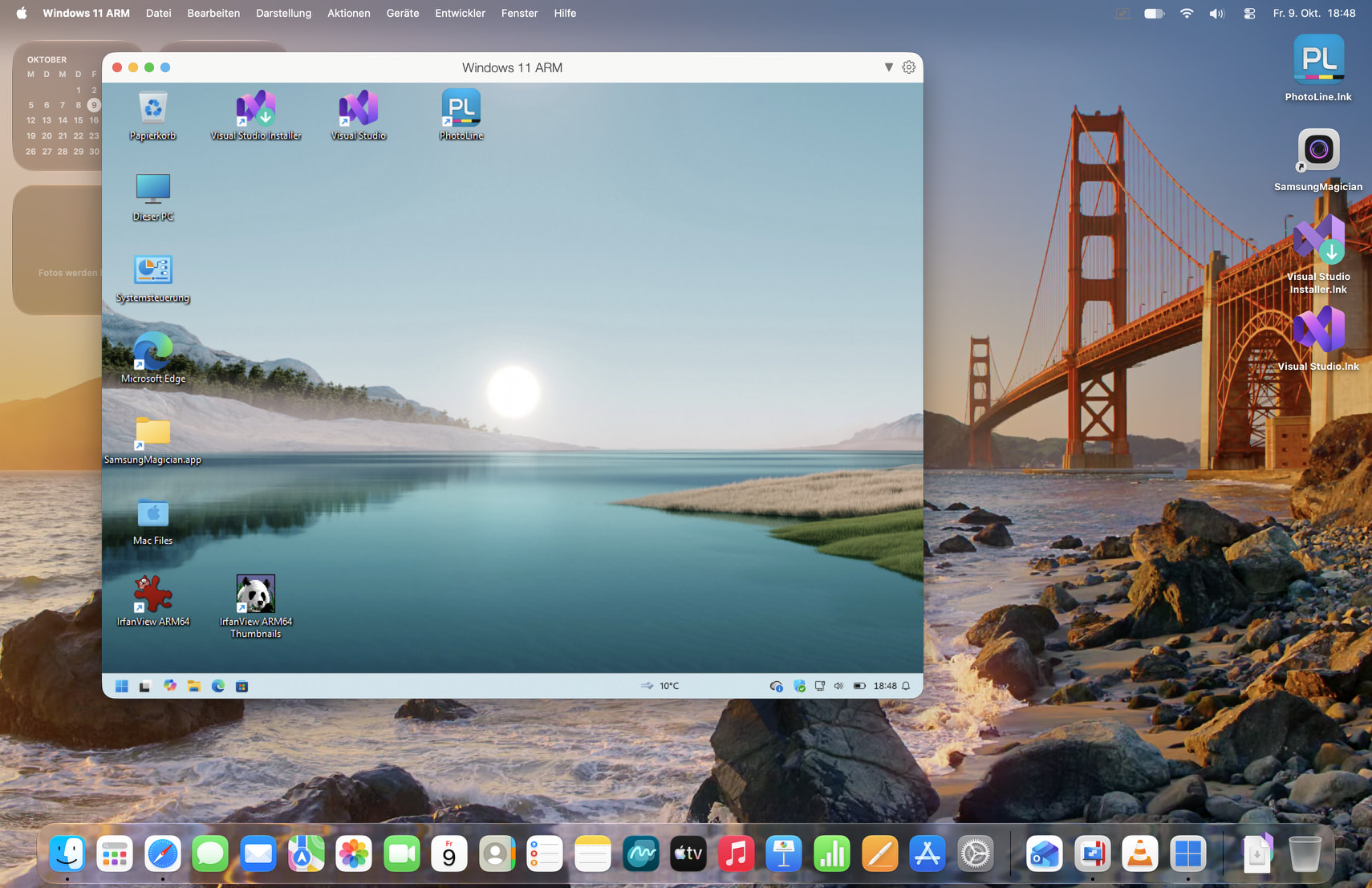
I have now enabled the speaker icon in the macOS systray (top right corner).
Can compare with the needlessly shrunk presentation in Windows, latest 26H2 version:
Regards
Guido
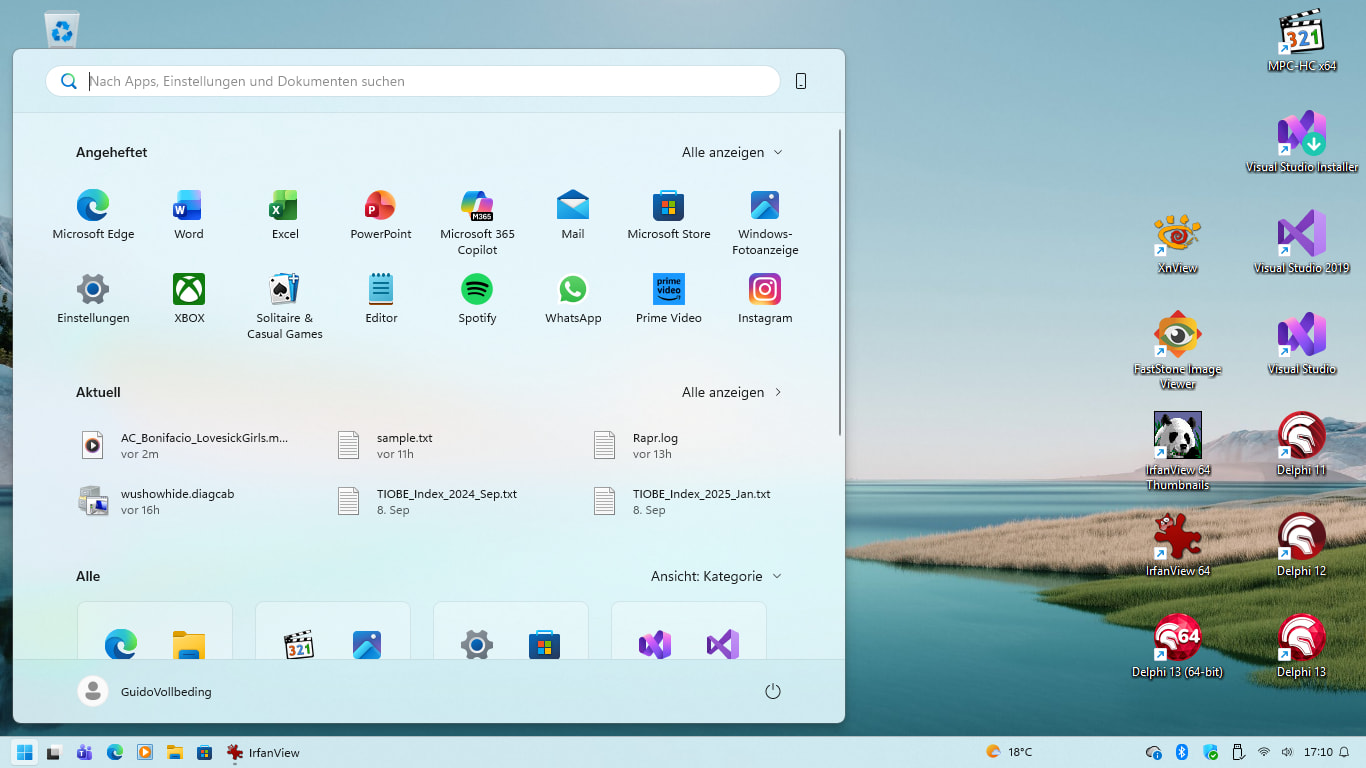
With the October 2026 Update, I see for the first time the Large Start menu size, making it more Win10 like:
Regards
Guido
1 Like
This is a functional pump-and-dump. Remove good features, then return them, then repeat it as many times as you want to be promoted.
1 Like
Perhaps there's a gain in knowledge:
You don't know what you got until you lose it.
1 Like