Many users were not happy with certain aspects of Windows 11.
Now Microsoft have taken the next step to regain confidence in the Windows platform.
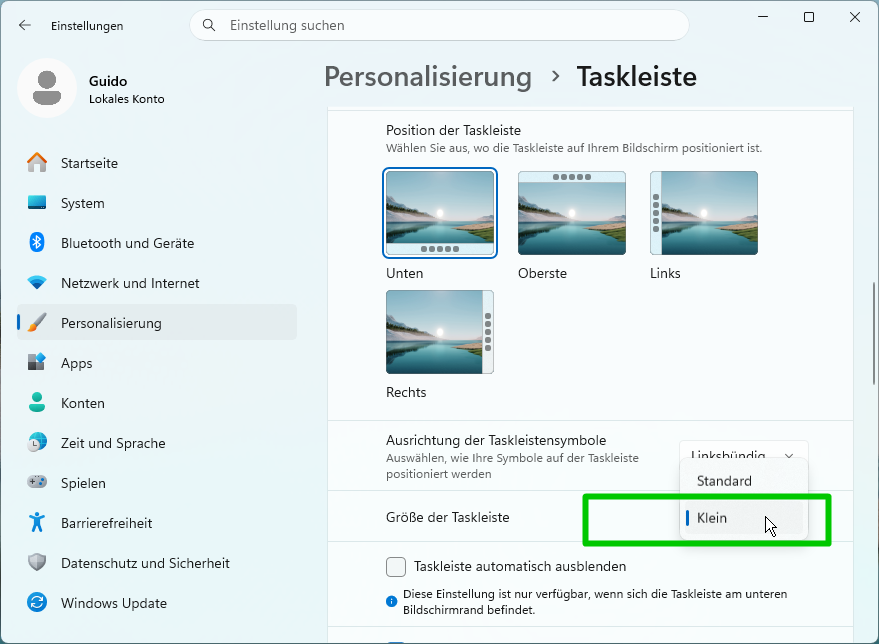
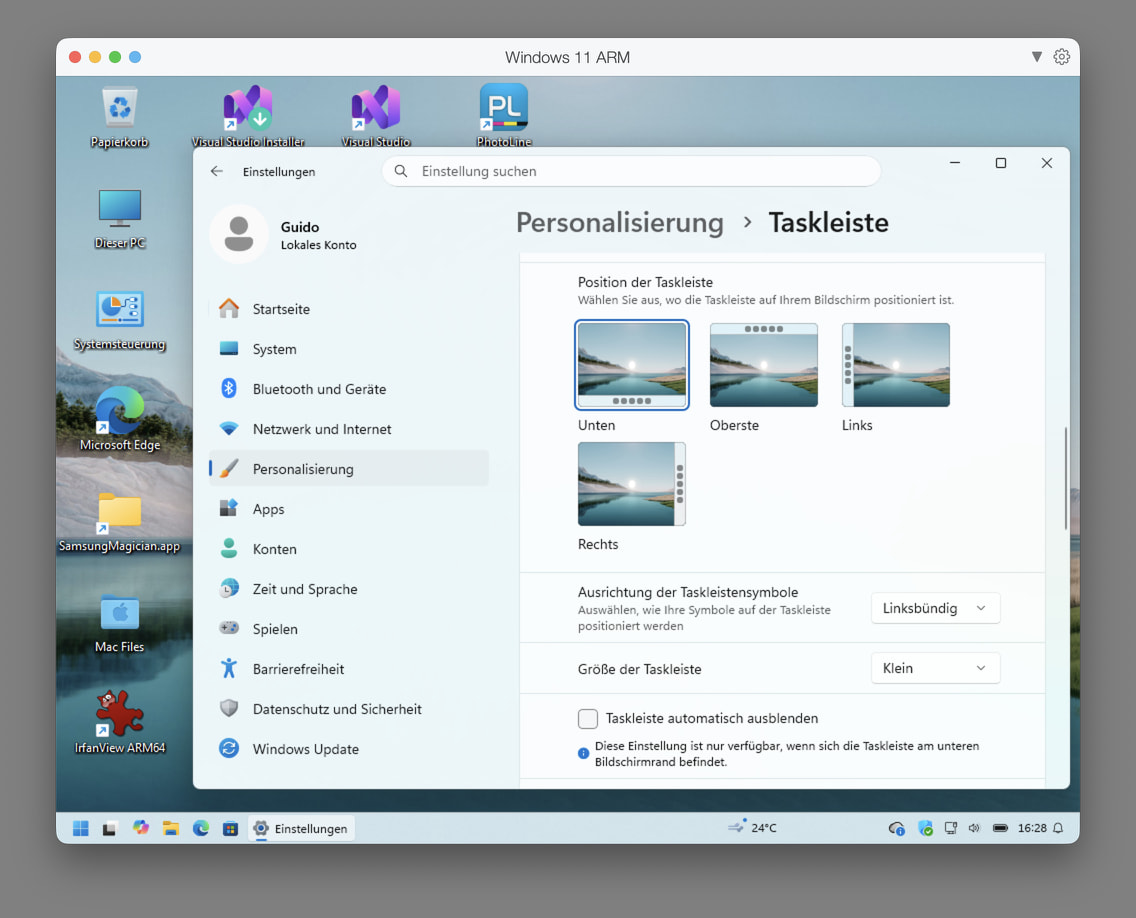
For me, the "new" Smaller taskbar feature does the trick.
Your mileage may vary.
Amazing that it took them 5 years to restore a feature in Windows 11 which I am actually using in Windows XP, 7, and 10.
Anyway, the timing is perfect, eventually providing a usable Windows 11 with the end of the Windows 10 ESU (Extended Security Updates) program.
They're a decade late and still short of basic functionality.
They started with the win 8 start menu. 10 wasn't much better.
I have been using https://startisback.com/ for some years now. I'll never use the M$ start menu again. It's $3 or $4. One licence for both win 10 and 11.
Get nostislic with a win 7 style start menu and taskbar. Or mix and match with its many customization options.
Taskbar is crucial because it's always visible (if not all hidden).
Start menu is not always visible.
10 is OK, best so far.
11 is moving target, will see...
Agree. Mine is always visible. I need to know what's open. On a big screen with pixel shift win 10\11 bottom 2 pixel highlights is USELESS. I use start all back to fully high what apps are open.
And as for a start menu. I don't actually use either windows or start all back but flow launcher. If I did use start menu all backs is better
This can everything the start menu does and then so much more if you start going overboard with plugins
Just in case you did not discover WindHawk and the multiple plugins it offers yet. It took me quite some tinkering and custom styling, but I am quite "ok" now with the Win11 task bar. Most features from the "Win7TaskbarTweaker" are in there as well, and.. especially important a network IO-meter, which is hacked into the clock string. Win11 does not run taskbar widgets anymore and that clock-mod seems to be the only reasonable solution right now if you need a network meter always visible but not getting in the way at the same time.
EDIT: You can also move individual task bar buttons around, another important convenience feature, if multi-window applications open they windows in the wrong order.
I have installed such software 9 years ago. It is called Windows 10, and that's what I use.
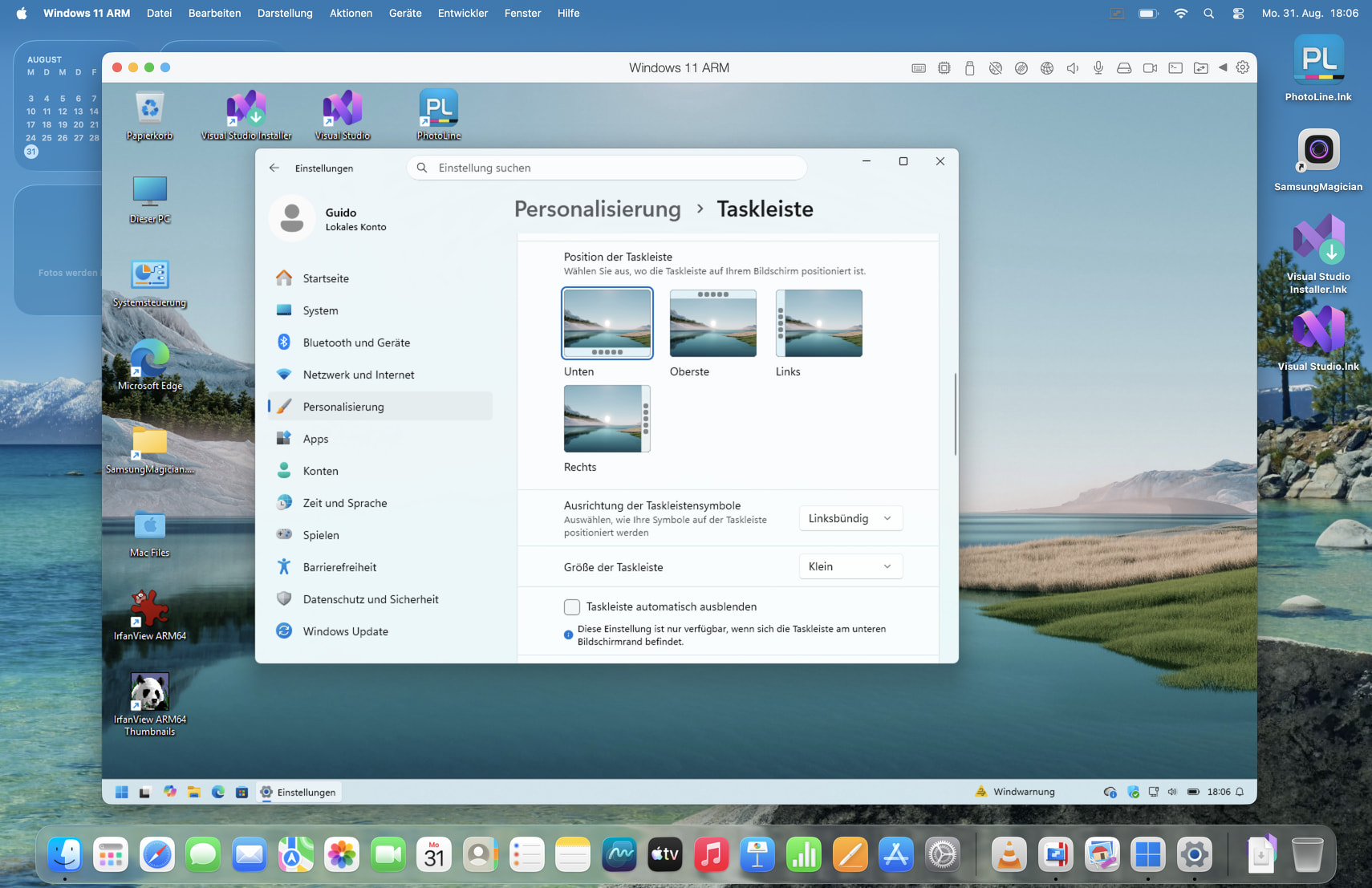
Oddly enough, the small taskbar is enabled on Windows 11 ARM running on the Parallels virtual machine on the Apple silicon MacBook, but the feature didn't reach the Windows 11 hardware device with Intel silicon where it is needed more.
No my friend. I don't recommend using windows default taskbar at all.
I advise you to install some software that would provide you with much better, more customizable taskbar.
Talk to your AI agent, he will recommend some good ones to you.
Personally, I use Start11 software. I think it is great.
Also, you could simply ditch taskbar all together,
Use windows Powertoyes, It has a Command Platte Module,
It will perform all your taskbar needs, plus it is free, plus it is from windows.
Catch you later.
Sorry I don't follow you. You Said this is "on mac". but the screen shot you shared is from a PC. Specifically A very new updated from Windows 11, extremely fresh update. Which allows the users to move the taskbar around.