I'm experiencing a persistent context menu issue specifically with PDF files in Directory Opus. Instead of the standard "Open" action, DOpus forces random incorrect default actions (bolded), and the standard "Open with" option is entirely missing.
Here is the exact behavior (see screenshots):
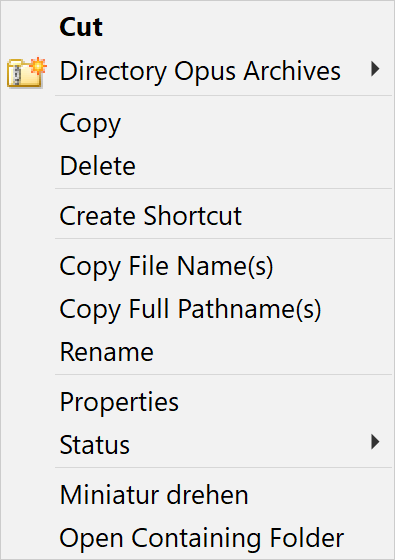
Standard Right-Click: "Cut" is set as the default (bold) action.
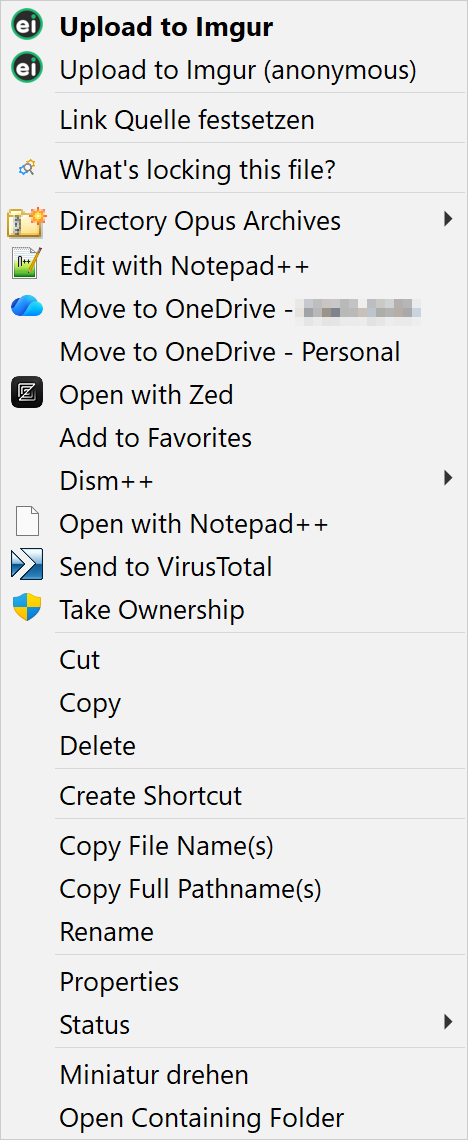
Shift + Right-Click (Extended): A third-party shell extension ("Upload to Imgur") is set as the default (bold) action.
In both cases, the standard Windows "Open with" dialogue is nowhere to be found in the context menu.
This issue is isolated to Directory Opus. In standard Windows Explorer, everything works: PDFs open with the default editor (PDF-XChange) and the "Open with" menu is present.
I have already deleted the specific DOpus file type override for .pdf under Settings -> File Types to force a fallback to the Windows default, but the menu remains broken in DOpus.
I have also done a complete reset of DOpus' settings to default. Even then, the same behavior was present.
How can I completely clear this behavior in DOpus and restore the native Windows context menu for PDFs, so that "Open" is the default action and "Open with" returns?
Have you turned on Preferences / Miscellaneous / Shell Extensions / Hide Windows & third-party items on file context menus (Shift overrides)?
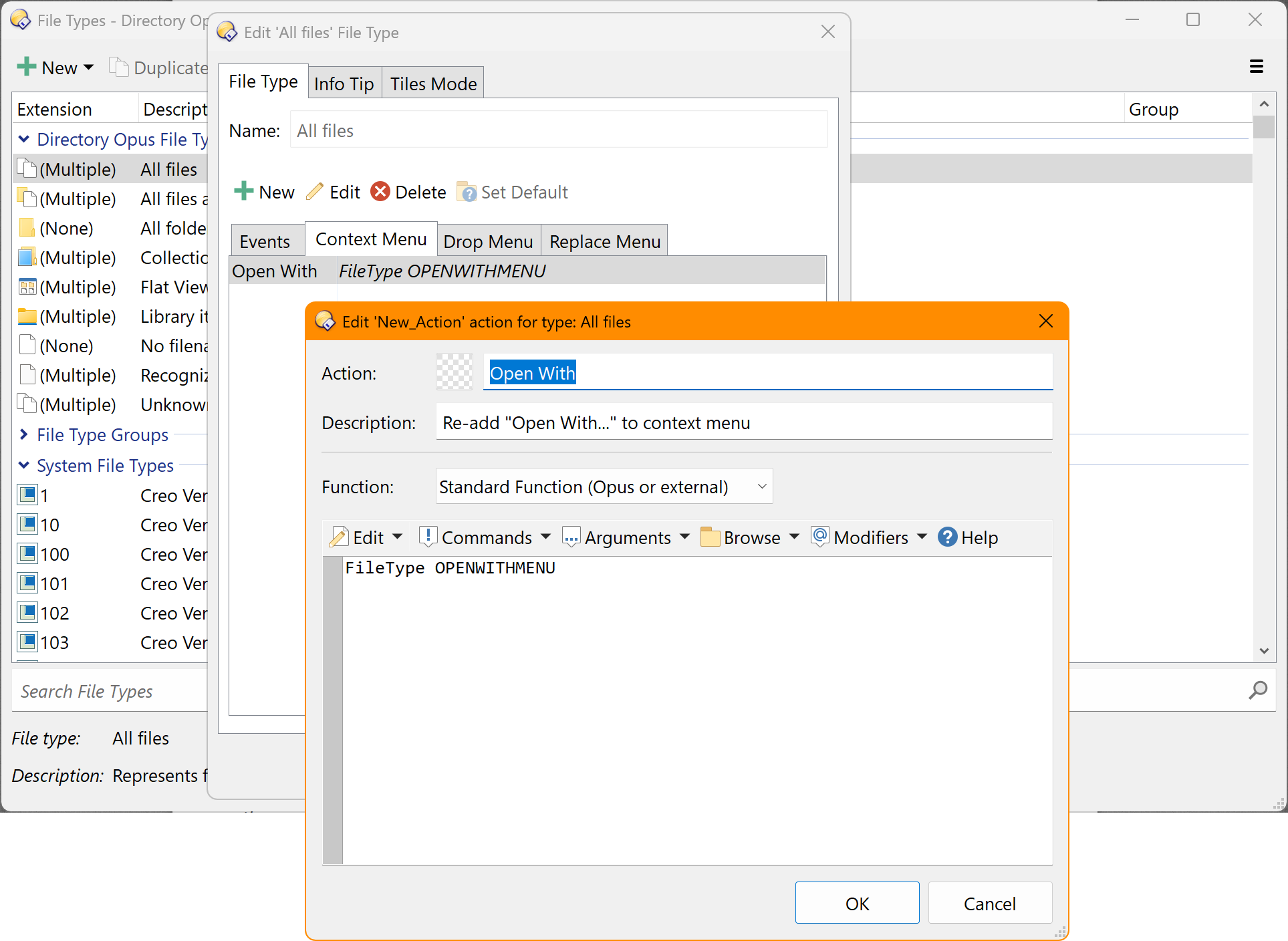
That will hide the Open With item unless you hold Shift when opening the menu, or explicitly add an item which runs FileType OPENWITHMENU to (e.g.) the All Files context menu under Settings > File Types.
Sorry for missing that. I actually searched the thread for "Explorer" and Chrome said there were no instances of the word, despite it being right there. Ctrl-F in Chrome seems completely broken these days.
Have you tried adding FileType OPENWITHMENU to the All Files context menu? That should force Opus to show it.