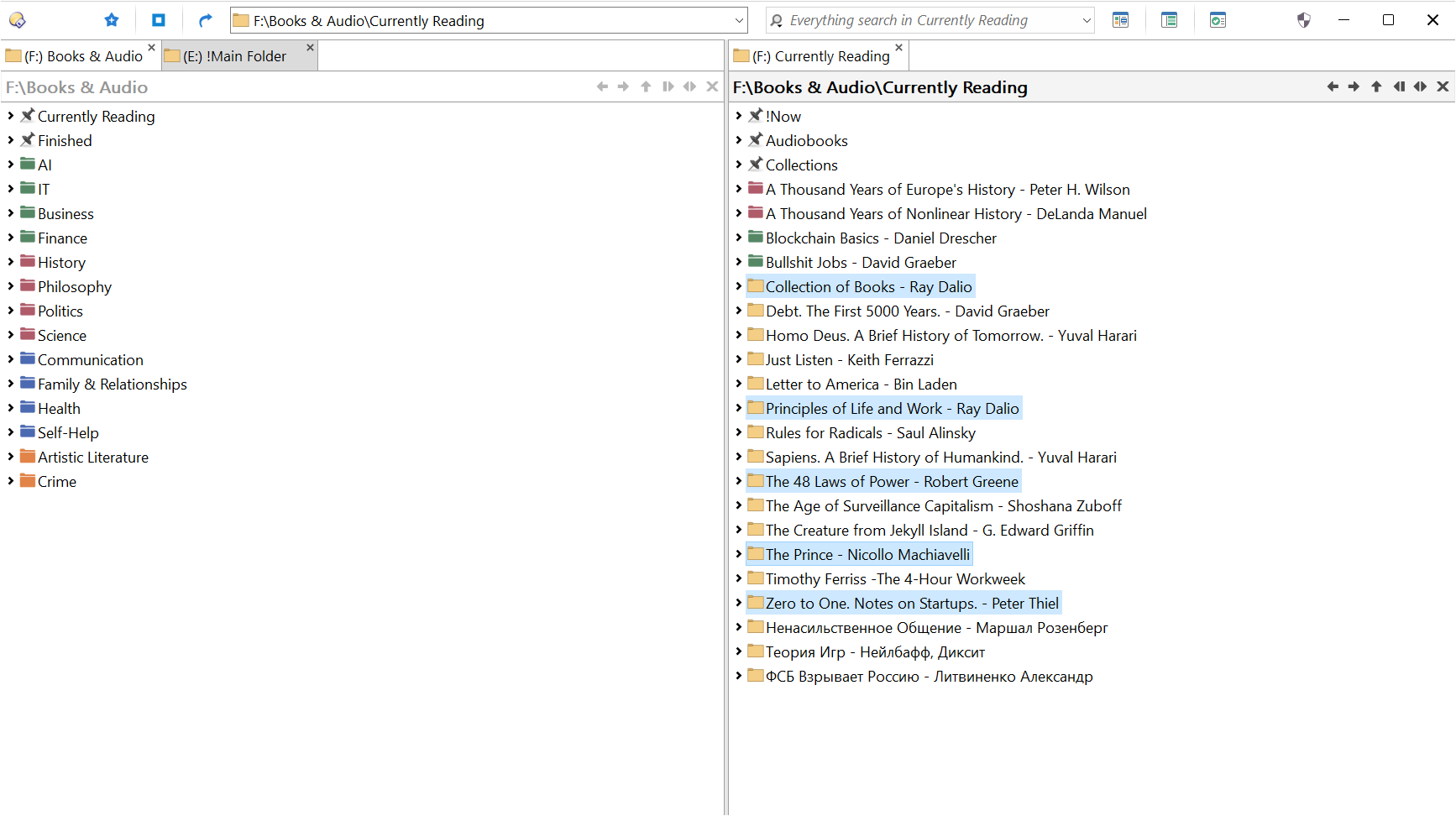
While organizing my book collection I realized that I would like to change the icons of my "Currently Reading" folders. The proccess of changing one icon takes too many clicks and I would like to have a button that batch changes the icons for the selected folders. You can see what I mean in the screenshot, in the right lister.
You could use a script like the one below that creates ".xxxxx" files in every selected folder (for your case, it might be ".currentlyReading".
CreateDotFile.opusscriptinstall (9.0 KB)
And then setup filter-based labels to color icons (or even the folder name or background).
The filter would look like:
foldercontent match (
	name match .currentlyReading nowild
)
You'd have to manually remove the ".currentlyReading" file to get rid of the label (or make a script to do that for you based on a selection of folders).
EDIT: If you really want custom icons, here's a button that converts image to icon and creates the desktop.ini file to use that icon as the folder icon (requires to have ImageMagick and modify path to suit your installation):
<?xml version="1.0"?>
<button backcol="none" display="both" label_pos="right" textcol="none">
<label>Convert to Ico && Use as Folder Icon</label>
<hotkeys>
<chord>
<key>ctrl+shift+R</key>
<key>F</key>
</chord>
</hotkeys>
<icon1>#Windows Folder</icon1>
<function type="batch">
<instruction>@runmode hide</instruction>
<instruction />
<instruction>"C:\Program Files\ImageMagick-7.0.11-Q16-HDRI\convert.exe" -background transparent {file$} -define icon:auto-resize=16,24,32,48,64,72,96,128,256 {file$|noext}.ico</instruction>
<instruction />
<instruction>ECHO [.ShellClassInfo] > .\desktop.in</instruction>
<instruction>ECHO IconResource={file$|ext=ico},0 >> .\desktop.in</instruction>
<instruction>move .\desktop.in .\desktop.ini</instruction>
<instruction>attrib +S +H .\desktop.ini</instruction>
<instruction>attrib +S +H +R {file$|ext=ico}</instruction>
<instruction>attrib +R .</instruction>
</function>
</button>
Convert to Ico & Use as Folder Icon.dcf (1003 Bytes)
I totally forgot about the labels. They work well enough for this task. I assigned sequential shortcuts. Alt+L, G for green folder, Alt+L, R for Red and so on... Bassically just a super-simple categorizing system using colored folders. Having my collection organized like this motivates me to read them more.