I use Unicode bidirectional control characters to correctly display mixed RTL (Arabic) and LTR (English) text.
-
RLM/LRM characters work correctly everywhere in DOpus.
-
The newer isolate controls (LRI/RLI/FSI/PDI) display as little boxes and don't work. (They also don't work in File Explorer and voidtools Everything.)
-
The embedding controls (RLE/LRE/PDF):
- File Explorer: Filenames display correctly.
- voidtools Everything: Filenames and cell contents (e.g., the Description column) display correctly.

- DOpus dialogs (e.g., Set Description and Create Folder): Display correctly.
- DOpus file display: Filenames and cell contents do not display correctly.

- DOpus Metadata pane and inline rename mode: Display correctly only when the text cursor is placed in the field.
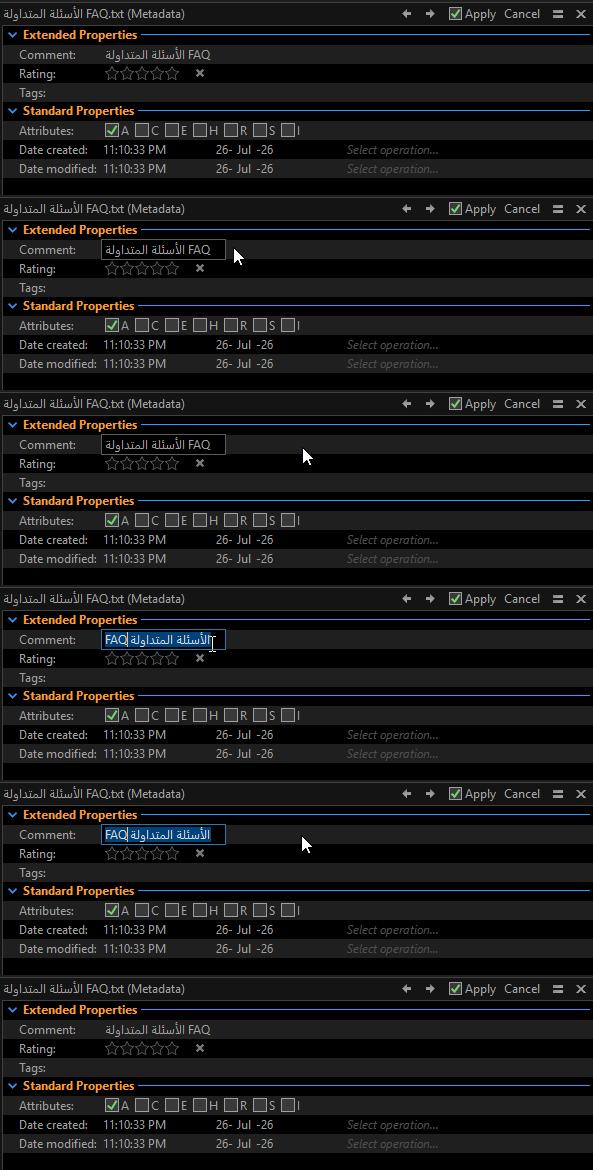
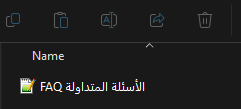
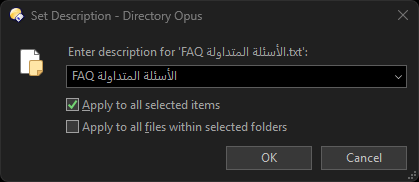
Example
- Without embedding controls:
الأسئلة المتداولة FAQ
- With embedding controls (this is the intended appearance; RLE is placed at the beginning and PDF at the end):
<U+202B>الأسئلة المتداولة FAQ<U+202C>
Shown in Notepad++:

Is it possible for text containing embedding controls (RLE/LRE/PDF) to display correctly, as it does in File Explorer and voidtools Everything?