It is possible to select all files in expanded with arrow folder in lister only ( like on Picture 2) instead of selecting all folders and files in current lister (Picture 1). Command or button? CTRL+A selects everttyhing, so for expanded folder I have to SHIFT+Select, which is boring sometimes if there are a lot of files/subfolders.
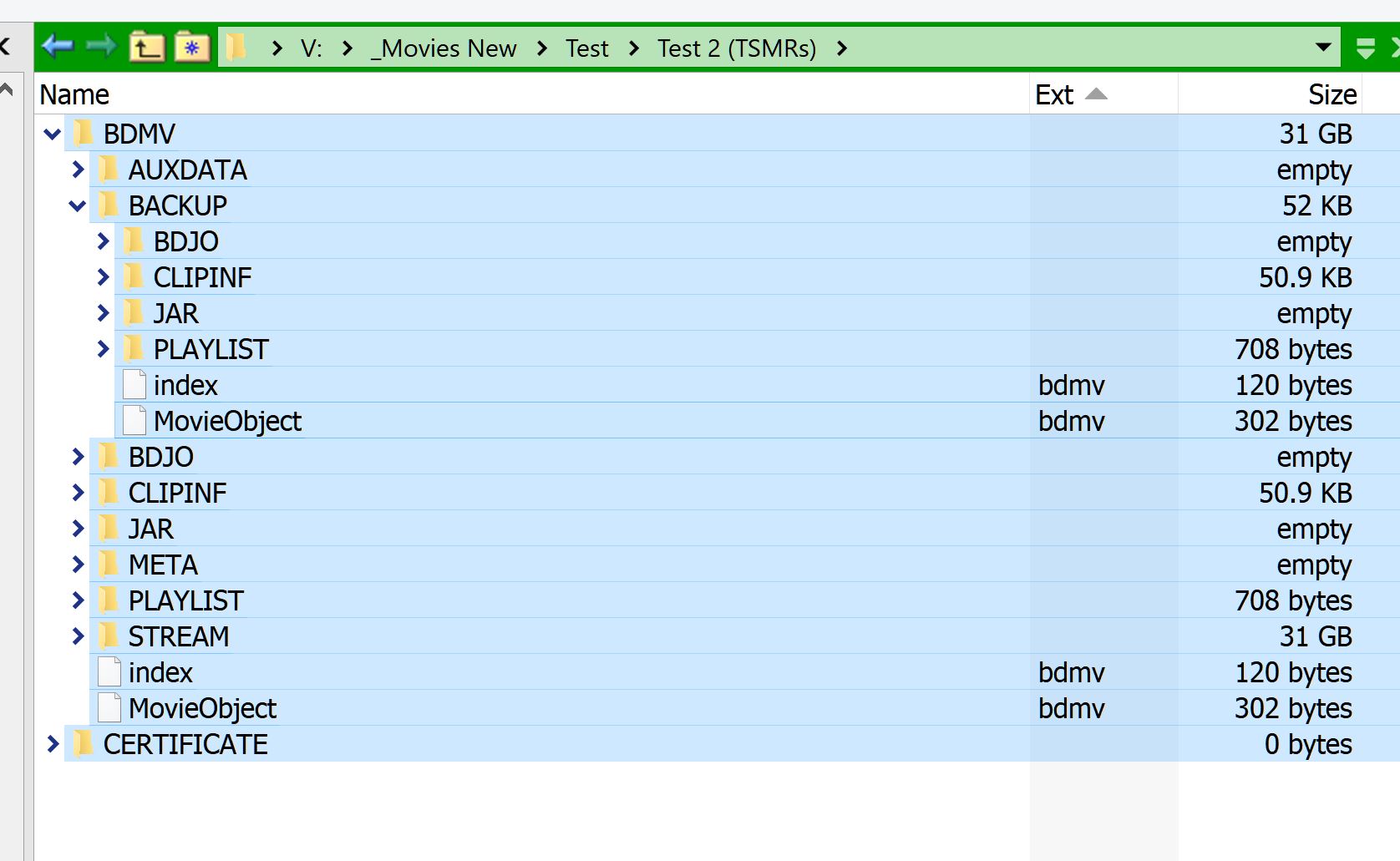
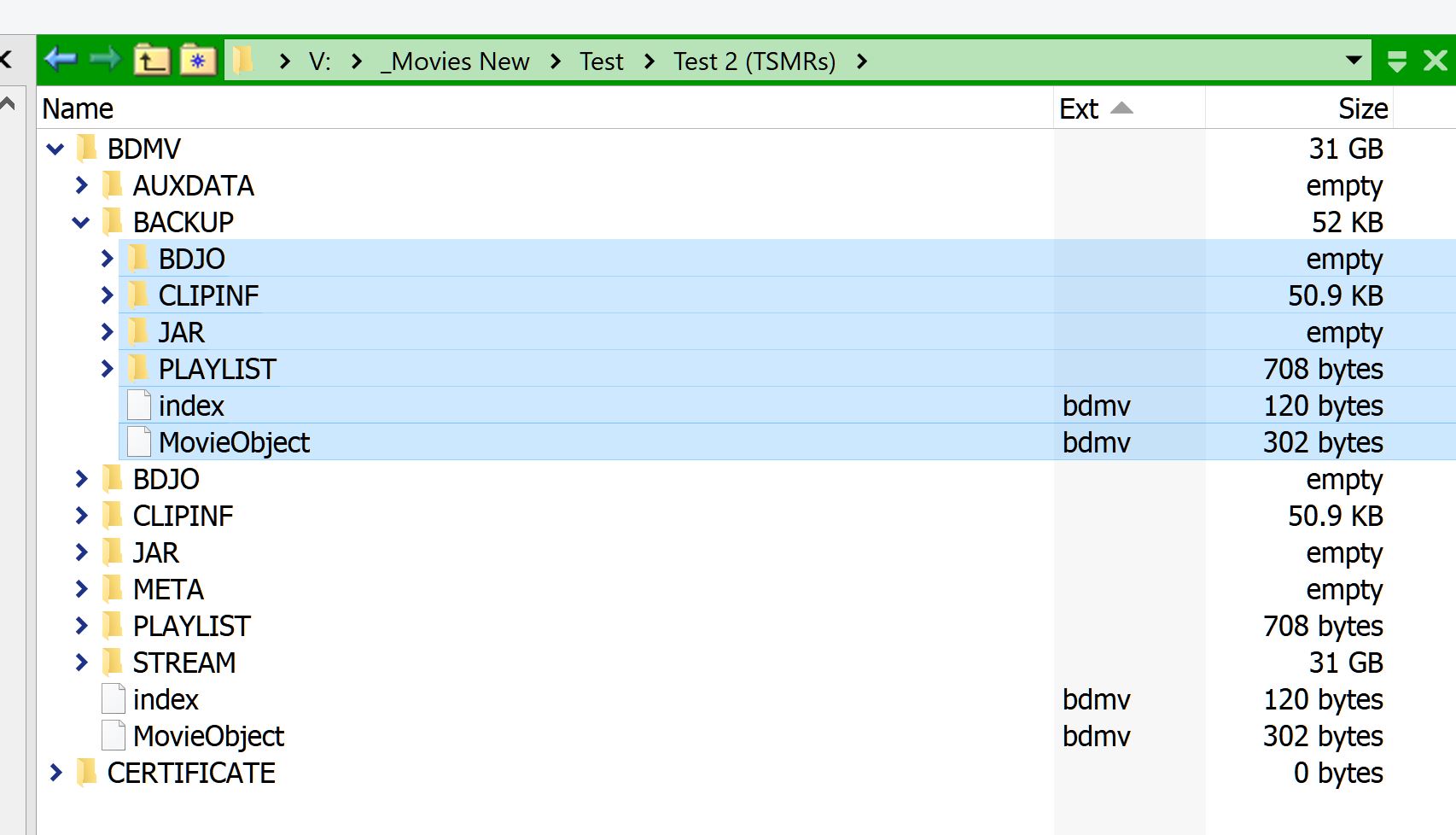
For simplicity, you could use something like this in a button to select all the nested items. Though it won't work in places like collections, libraries, etc.
=return "Select DESELECTNOMATCH FILTERDEF =return Count("""+source+""")+1 < Count(fullpath);";
This other will work for the selected folder only:
=return "Select DESELECTNOMATCH FILTERDEF =return isParent("""+selpath+""",fullpath) && Count("""+selpath+""")<Count(fullpath);";
Also, check out this script add-in, once installed, you could use something like this to expand the selected folders and select all their contents in one go.
ExpandFolders EXPAND=top SELECT
For something more specific, you'd need to use scripting, which basically lets you do exactly what you want.
All these work fantastic, especially with assigned hotkeys. Thank you very much!
In reality this does work within Libraries. 
This is kind of funny as the default Directory Opus 13 Menu toolbar includes a command to do just this, but it doesn't work within Libraries even commenting out the modifiers.
Edit->Select Other -> Select Expanded Folder Items
I added yours as Select All Nested and Select Nested of Selected.
Thanks !
David,
If I understand you correctly (I probably don’t) there’s a command to select nested items.
What command selects nested items?
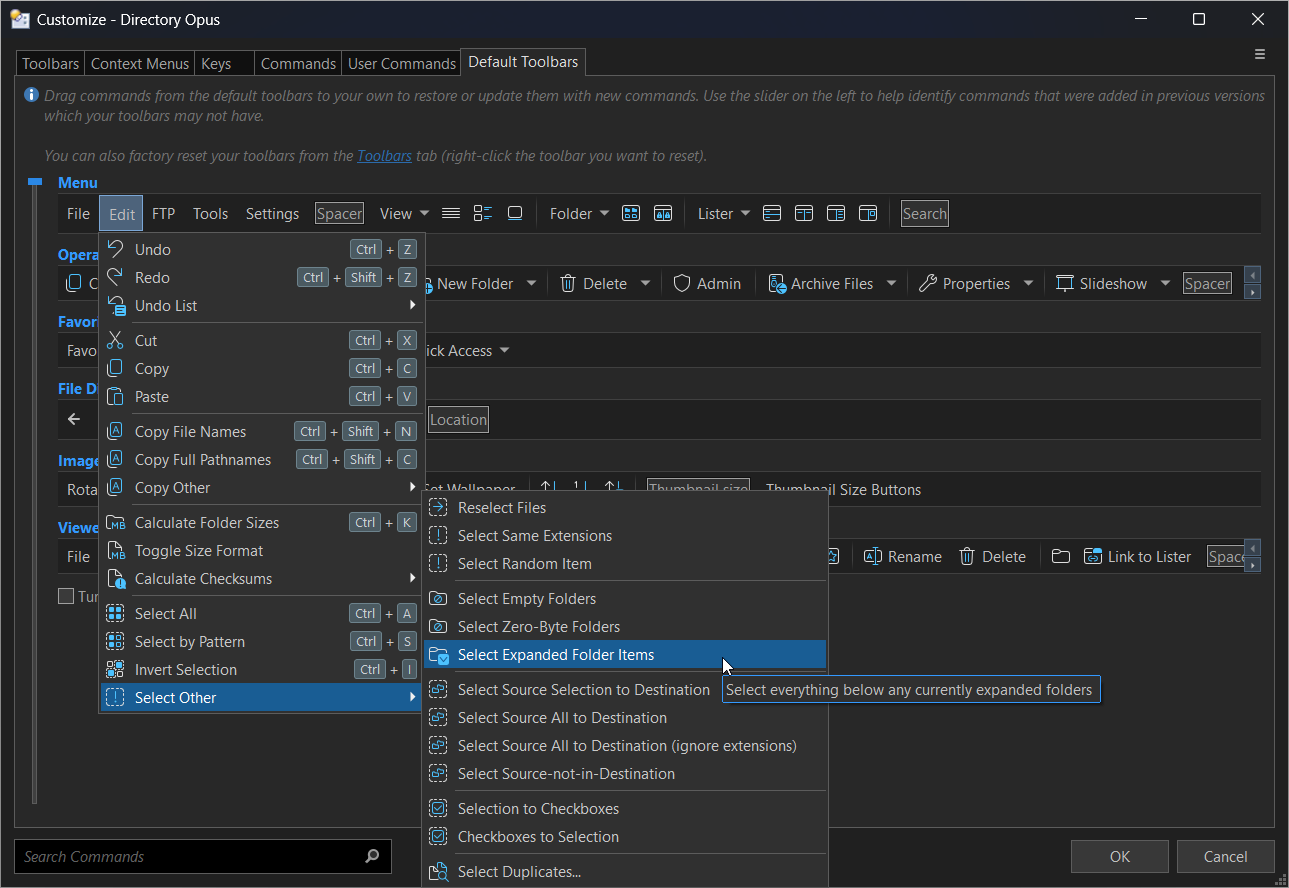
Thank you very much, but not what I need.
I am trying to figure out how to quickly select only the 2nd level folders, or 3rd level folders etc. when folders are expanded.