Generally clicking collapse/expand icon in Folder Tree doesn't impact File Display. But when child branch folders are chosen and shown in File display, clicking on collapse/expand icon of any parent folder of the branch in Folder Tree change the situation on File Display, rolling back to the parent folder. I would understand that behavior for clicking on the folder parent name in Folder tree, but not icon IMHO. I have tried to disable and played with all the settings in Folder Tree - Expand/Collapse menu, but nothing helped.
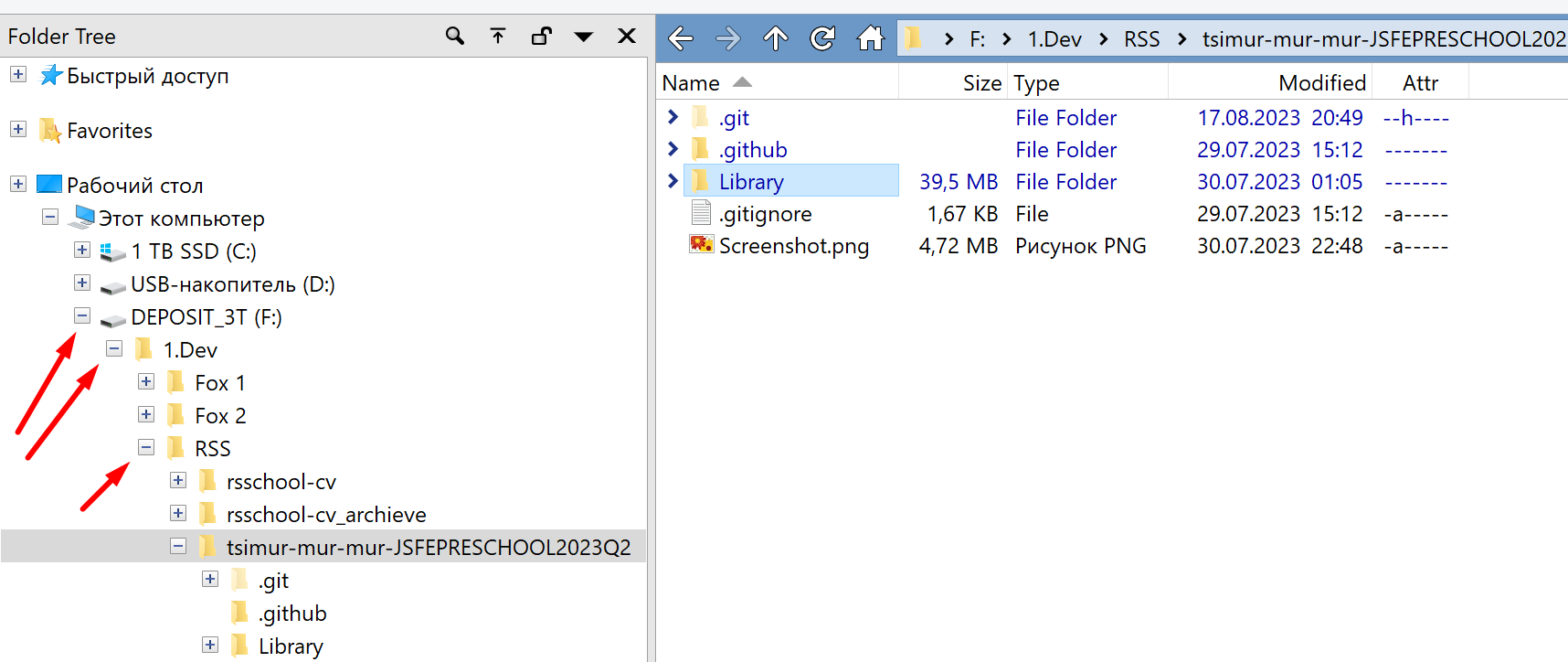
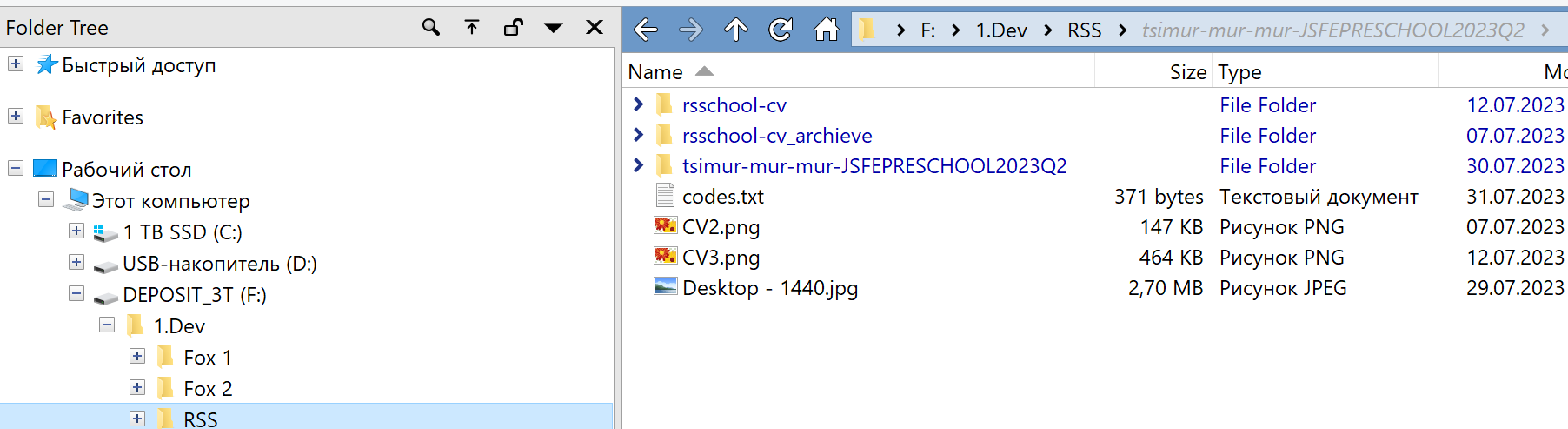
If the branch you are in is collapsed, the folder you were in can no longer be selected, and something else has to be (the level you collapsed, since it's the nearest visible folder to where you were). With the tree and file display tied together, if the selection in the tree changes, the file display changes folders.
That's normal behavior for a tree control, or at least used to be.
(File Explorer does something different, selecting the branch but not changing the current folder. But File Explorer's tree and file display are very de-coupled these days, and it has deviated from the Windows standards and its own previous behavior over the years. It also doesn't expand the tree when you go into sub-folders. Its tree is something closer to a Favorites or navigation pane than a tree that tracks where you currently are. Opus has some options to recreate some of the behaviors of File Explorer's tree, but probably not all.)