Keyboard Delete Key not working

Hello, I searched and found 3 threads with a similar issue, but no clear solution.

This is a new install in a ThinkPad E16 Gen 1 running Windows 11 Pro fully updated. Directory Opus is up to date as well.

The keyboard delete key does not work, I can delete by using right-click -> delete. The delete key works in File Explorer and other applications.

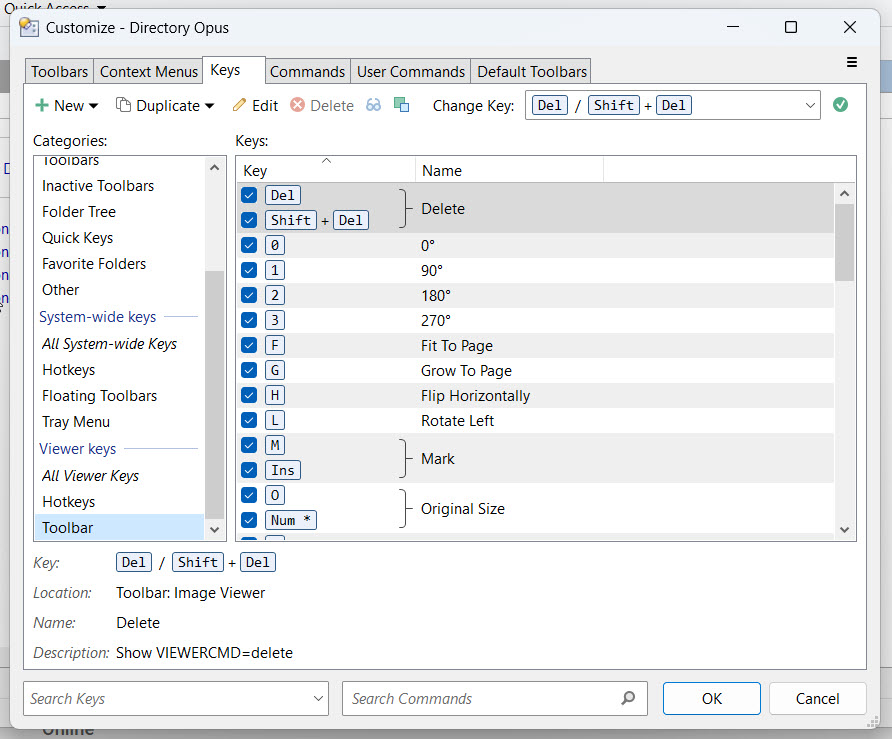
I looked at a thread that mentions hotkeys, I looked in my setup and see one setup as displayed in the attached image.

Is there anything I can look at to try to resolve this issue? This is the first time I have run into this in any computer.

I will greatly appreciate your feedback.

Your screenshot shows the image viewer’s delete key, not the main one for file displays.

Please link your account.

Thank you. I was able to resolve the issue by uninstalling the program, clearing up any related folders and registry entries and installing from scratch.

The delete key is now working.

If the toolbar the Delete button is on had the button removed, or the whole toolbar was turned off, that would explain what you saw before.

(There is an option for each toolbar to enable its hotkeys even when it's not open, but if that's off for a toolbar that's also no longer present in the window, then the hotkeys from that toolbar won't do anything.)