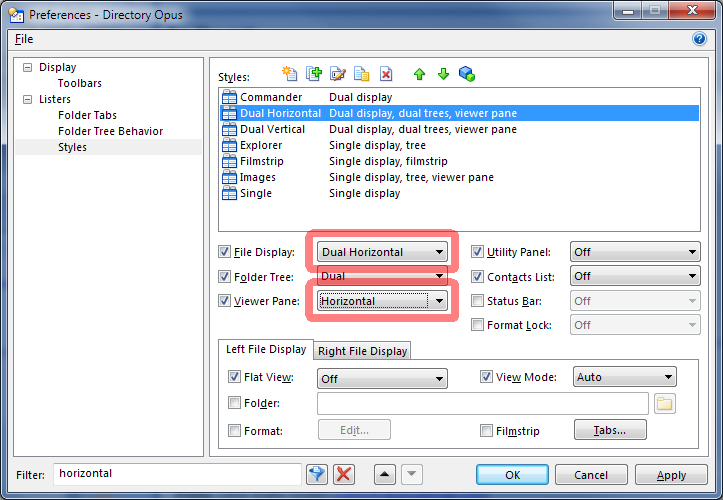
When I check the horizontal view, the lister gives me a vertical (side by side) view with the viewer pane below. When I shut the viewer pane off, I get the vertical view
Any suggestions on how I can make this horizontal.
I like that format, especially when working from two drives and copying files.
I usually use the tabs up above (which say Explorer, Dual Vertical, etc.,) to toggle. For some reason they don't toggle to horizontal. But these buttons you just pointed do. So problem solved. Thank you!