After 20 years with Total Commander, after trying quite a few other Fms, I'm finally making the jump to Directory Opus. Loving it so far, but I've hit two issues that I can't settle on my own.
TL;DR:
Synology Drive Client injects its columns (Status, Availability) into synced folders. I want them gone globally.
Saving a folder format to fix #1 creates a new problem: the saved sort order overrides both panels, so I lose the ability to browse the same folder with different sorting in left vs. right panel.
The full picture:
I use Details view exclusively with a simple set of columns (Name, Size, Date Modified – the TC classics). Synology Drive Client syncs several folders and forces its own columns into them. Annoying, but manageable – I figured I'd just save a folder format for those paths with my preferred columns and sort order.
That fixed the columns. But now when I navigate to, say, AppData\Roaming from the right panel — where I'm browsing C:\ sorted by Name – it snaps to the saved format (sorted by Date Modified) instead of inheriting the parent folder's sort. In Total Commander this was never an issue because there were no per-folder formats; each panel just kept its own sort.
What I'm looking for:
A way to block Synology's shell columns globally (without per-folder overrides), OR
A way to make folder formats panel-specific, OR
Whatever the "DOpus way" is that I'm clearly not seeing yet
I'm a complete DOpus newbie, so I might be overthinking this. Any pointers would be hugely appreciated – I really want this migration to stick!
Regarding your first point, I’m not entirely sure what you mean by "synced folders"—it would be great if you could provide some screenshots for context.
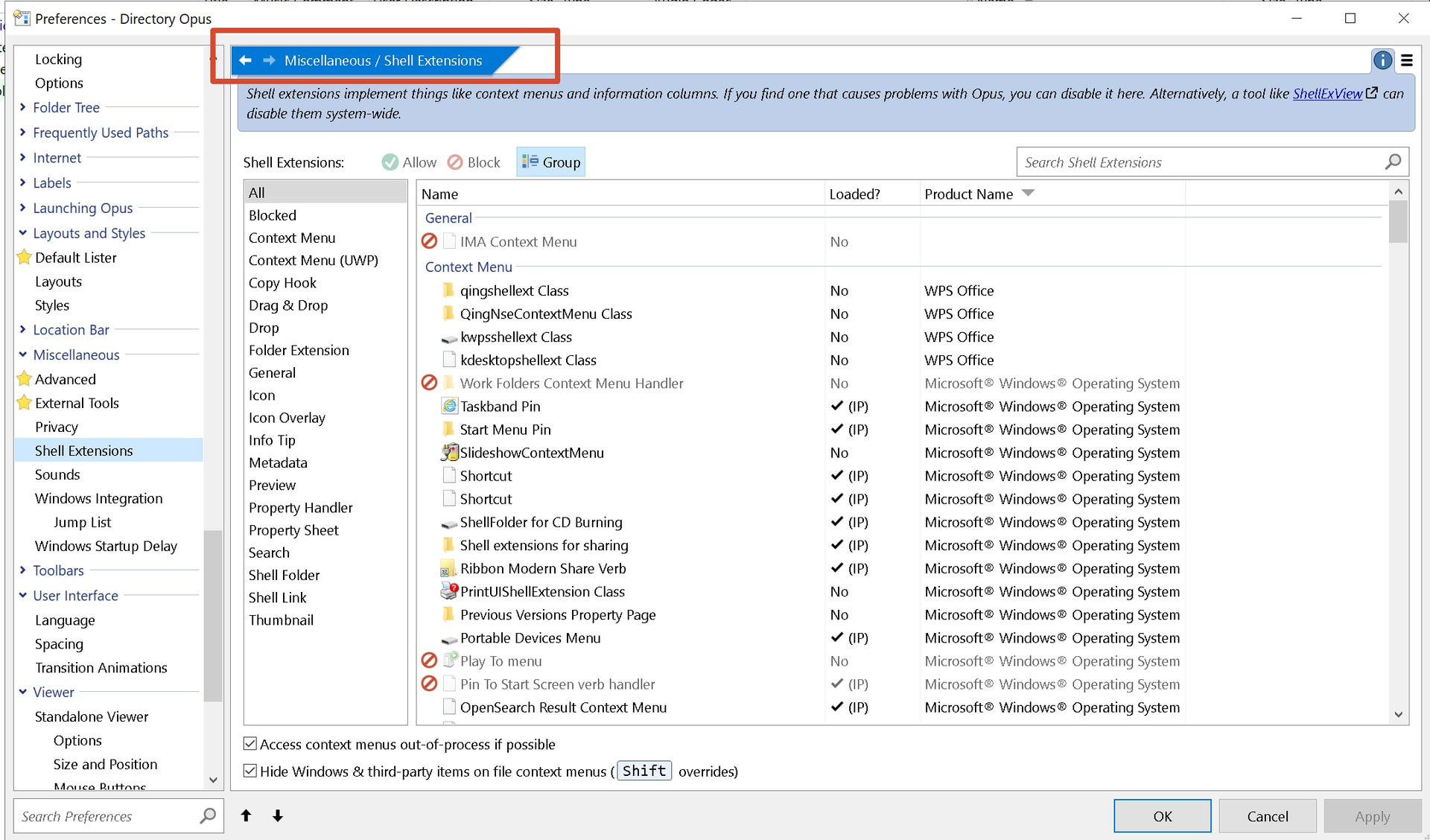
If you want to disable a specific third-party shell extension, you can go to Preferences > Miscellaneous > Shell Extensions and disable it there. However, in my experience, disabling shell extensions is usually done to clean up unwanted context menu items; I haven't personally encountered one that force-adds its own columns.
I don't quite get this part either.
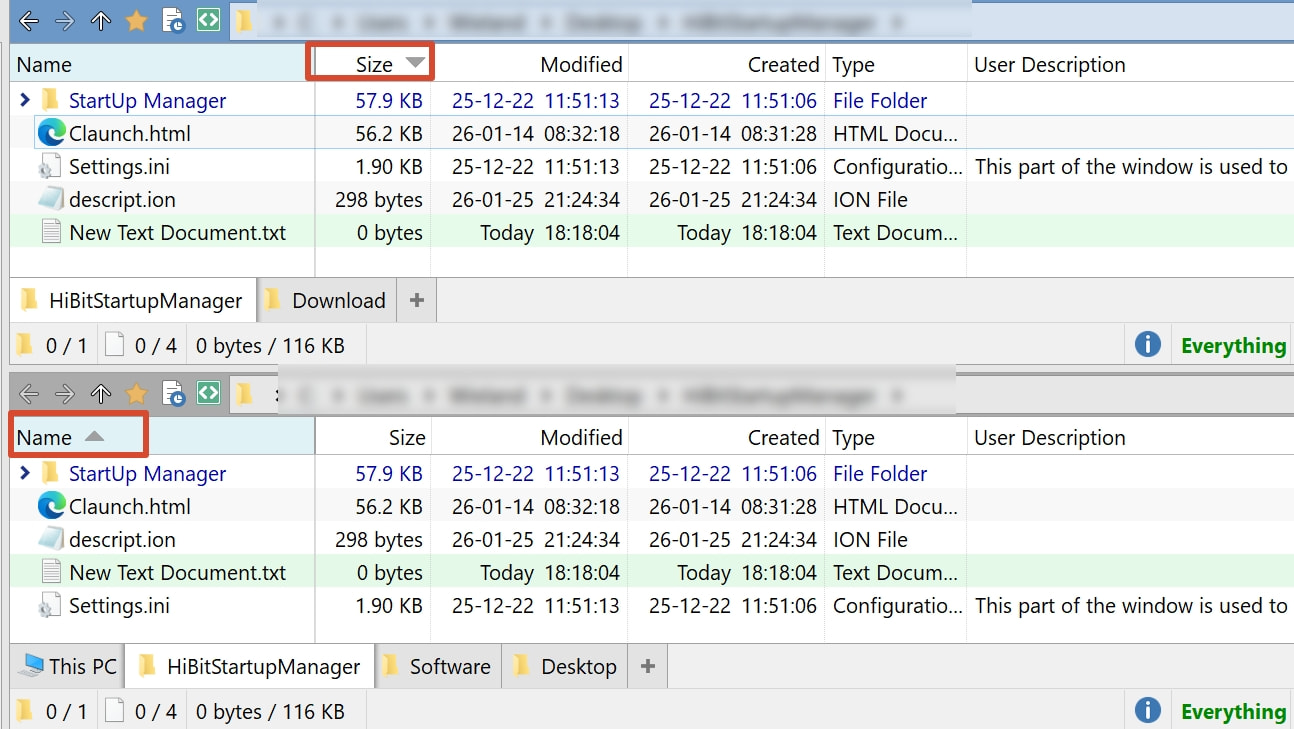
A saved folder format is just a default; You can still modify it manually,. This shouldn't stop you from using different sort orders in dual displays. (As shown below, even with a saved format, I have one pane sorted by Name and the other by Size.)
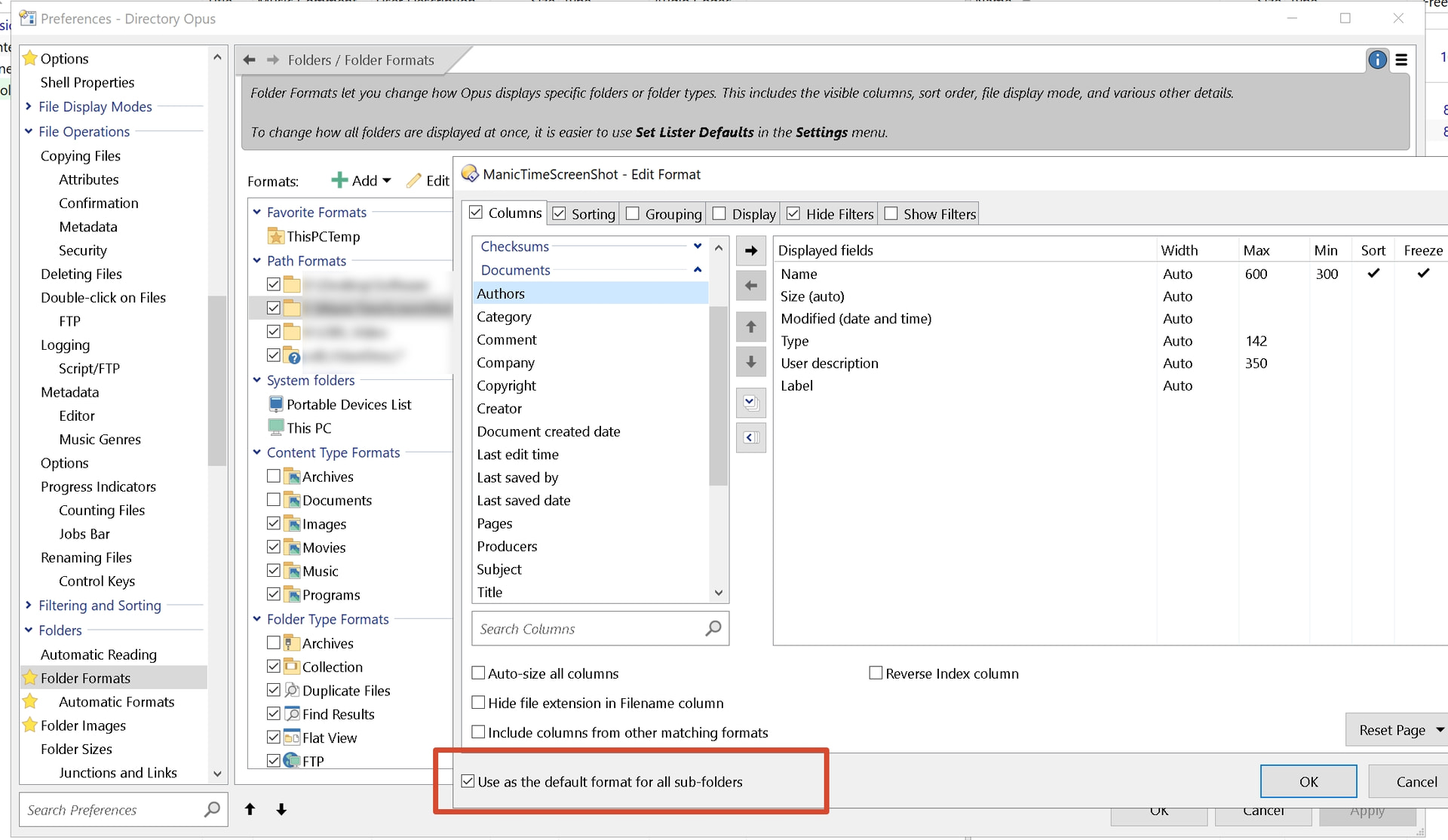
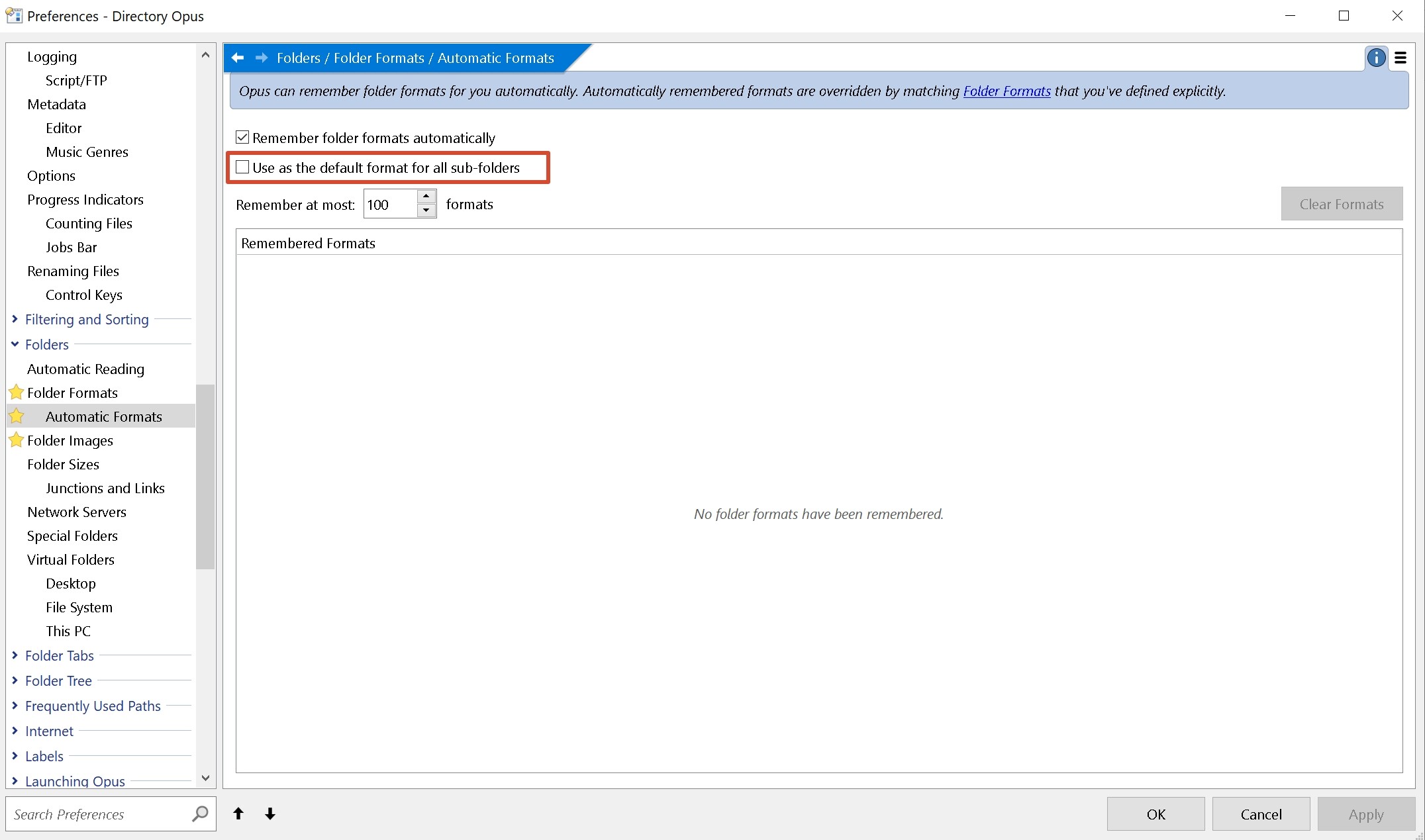
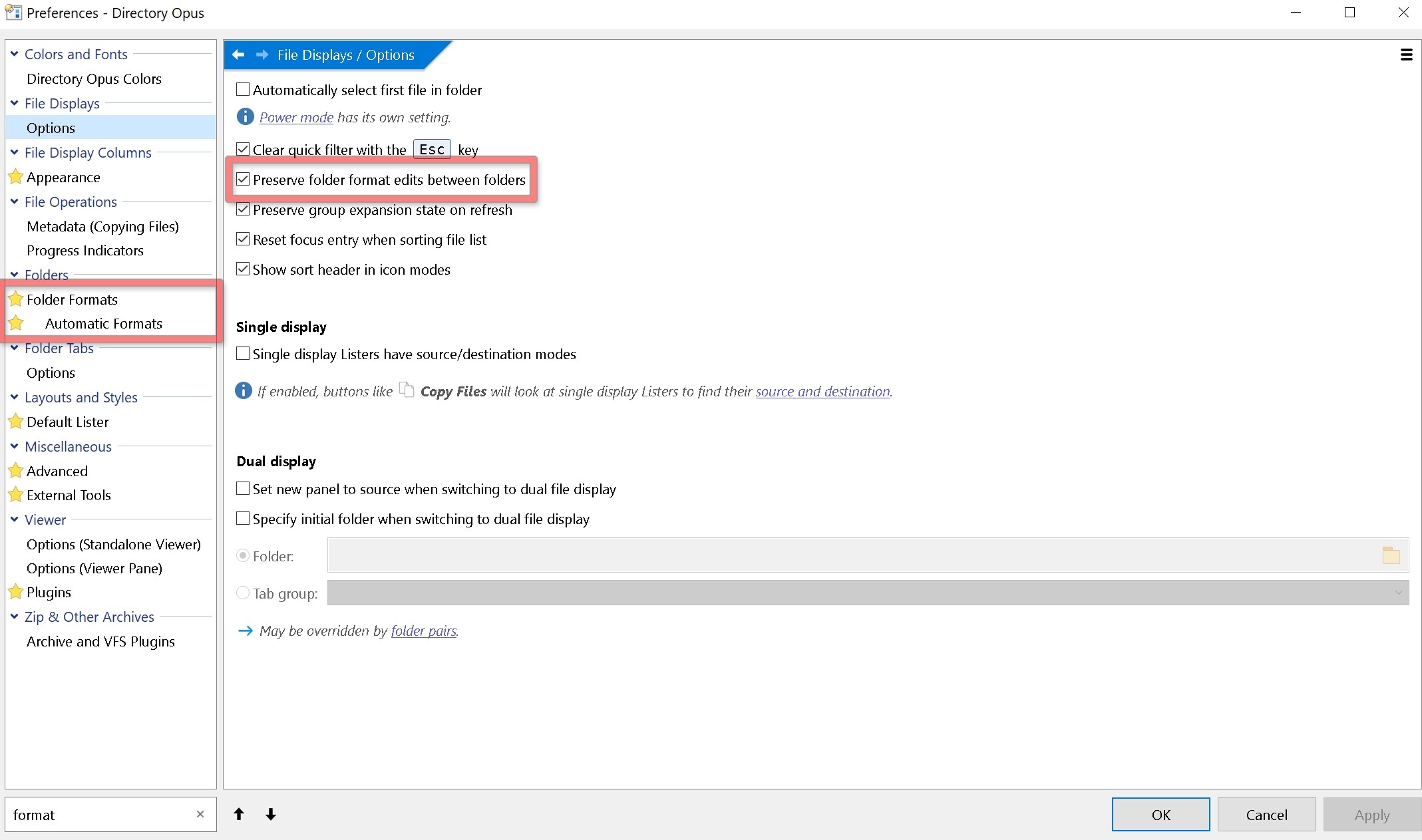
Use as the default format for all sub-folders: This ensures that any adjustments made to a parent folder’s format are automatically applied to its sub-folders.
(If you've already manually saved a format for a specific folder.)
Preserve folder format edits between folders: According to the manual, "Normally when you modify the folder format in a file display and then change folder, the modified format is preserved (unless the new folder has its own saved format that overrides). If you turn this option off, ad-hoc changes are not preserved and the format will reset every time you change folder."
They're probably being added to the general Cloud Storage folder format (under Preferences / Folders / Folder Formats, in the Folder Type Formats category).
When saving a default format, the Cloud Storage format will usually be the same thing, plus those two extra columns. You can stop it adding them by changing Preferences / Miscellaneous / Advanced: [Information Display] deffmt_cloud_availability and deffmt_cloud_status, then removing the unwanted columns from the Cloud Storage folder format.
Alternatively, telling Opus to treat the Synology folder as normal instead of Cloud Storage is another option, which can be done under Preferences / Folders / Special Folders.
Thank you both, guys, for the quick and detailed replies!
I wasn't really expecting help this fast!
There are so many settings in DOpus that as a newbie I got completely lost, but I'm making progress now
Here's where I stand:
Synology columns - SOLVED. I had a saved path format for my Synology Drive sync root folder. I deleted it from Preferences -> Folders -> Folder Formats -> Path Formats, and that fixed quite a few issues at once - the issues I wasn't even able to describe in my first post - I ended up with in a total mess
Turns out that one saved format was the source of most of my confusion.
One remaining problem:
When I save a folder format in the left panel (e.g. sorted by date modified for a specific folder), that sort order is also applied when I open the same folder in the right panel. But in the right panel I want it to always open sorted by name (i.e. inherit the sort I'm already using in that panel, not snap to the saved format).
Is there a way to make saved folder formats apply only as a default for the first time, without overriding the current panel's sort order when navigating into that folder?
The format lock lets you do that, and is per-side by default. Right-click the (i) icon on the status bar to access it. If you save the default lister, or a layout, the state of the lock will be remembered as part of the default or layout.
Thank you!
Now I don't see a reason not to migrate. Amazing! I remember I did try DO a while ago (must be a pretty long while), but something's changed for the much better!