Mountain Duck 5 supports mounting all cloud storage as local in the same way as OneDrive, but currently DOPUS can't show it in the cloud storage, nor can it show sync status.
If it's not auto-detected as cloud storage, you may be able to add it under Preferences / Folders / Special Folders.
1 Like
Thanks for the reply, after rebooting the system, it now seems to display properly! Including the synchronization status.
1 Like
I'm still finding some issues, Mountain Duck's folder already shows the sync status but it seems incorrect, and there is no option to keep it local like there is with OneDrive. These problems do not occur in explorer.
DOPUS version: 13.17.9 beta
As far as I know, we just display the status that their shell extension specifies. I don't know why it would work differently in one program vs another.
It's really quite strange, OneDrive works fine, but Mountain Duck can't display these special options.
Is it actually shown as cloud storage in Preferences / Folders / Special Folders ?
No, I need to manually activate the cloud storage flag.
If you do that the cloud-related context menu items should appear.
But it didn't actually happen.
We've made some changes in the next beta which should improve things.
2 Likes
Is there a way to achieve the same experience with Integrated Storage in Mountain Duck 5 as in older versions?
Here comparison:
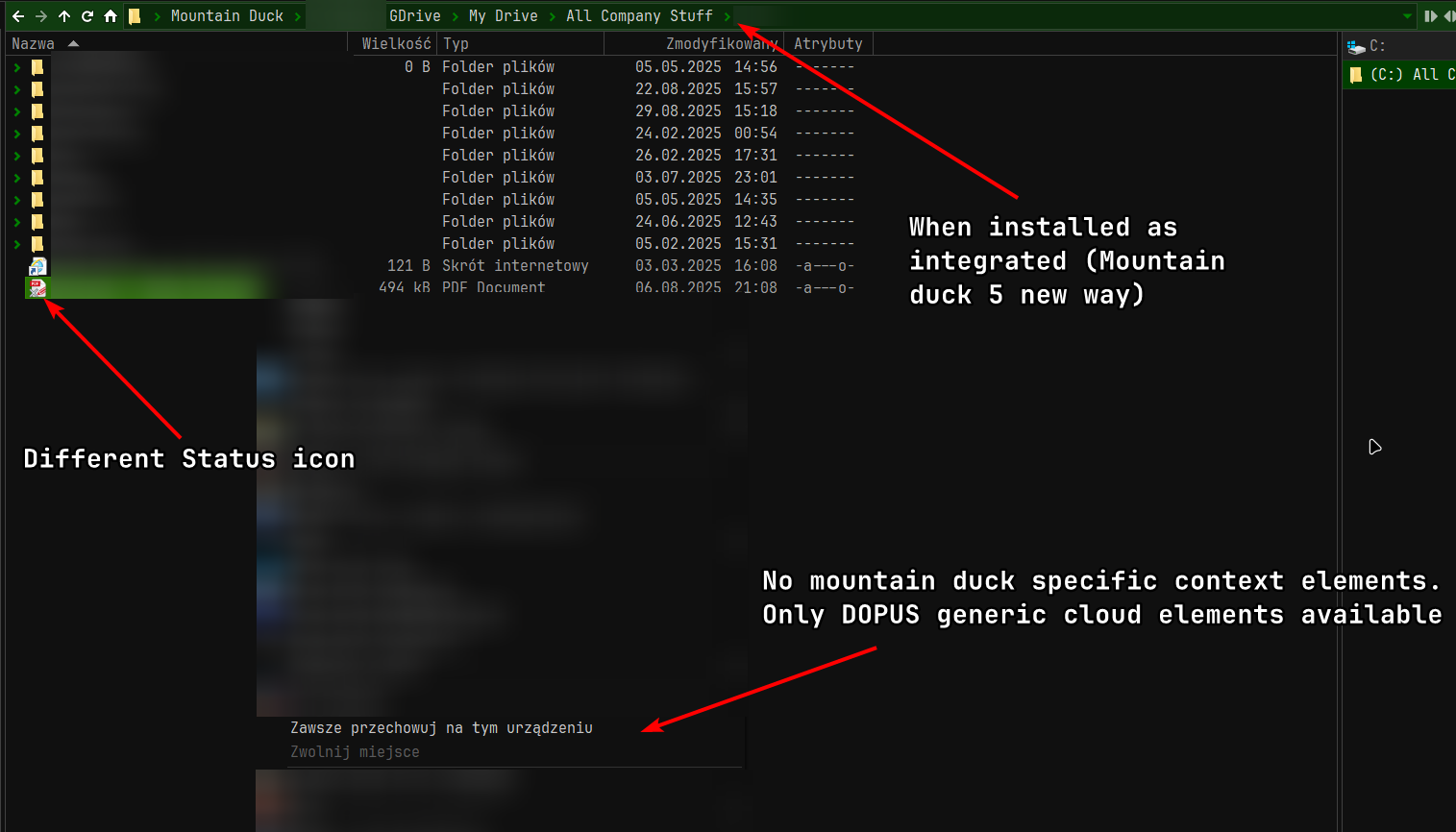
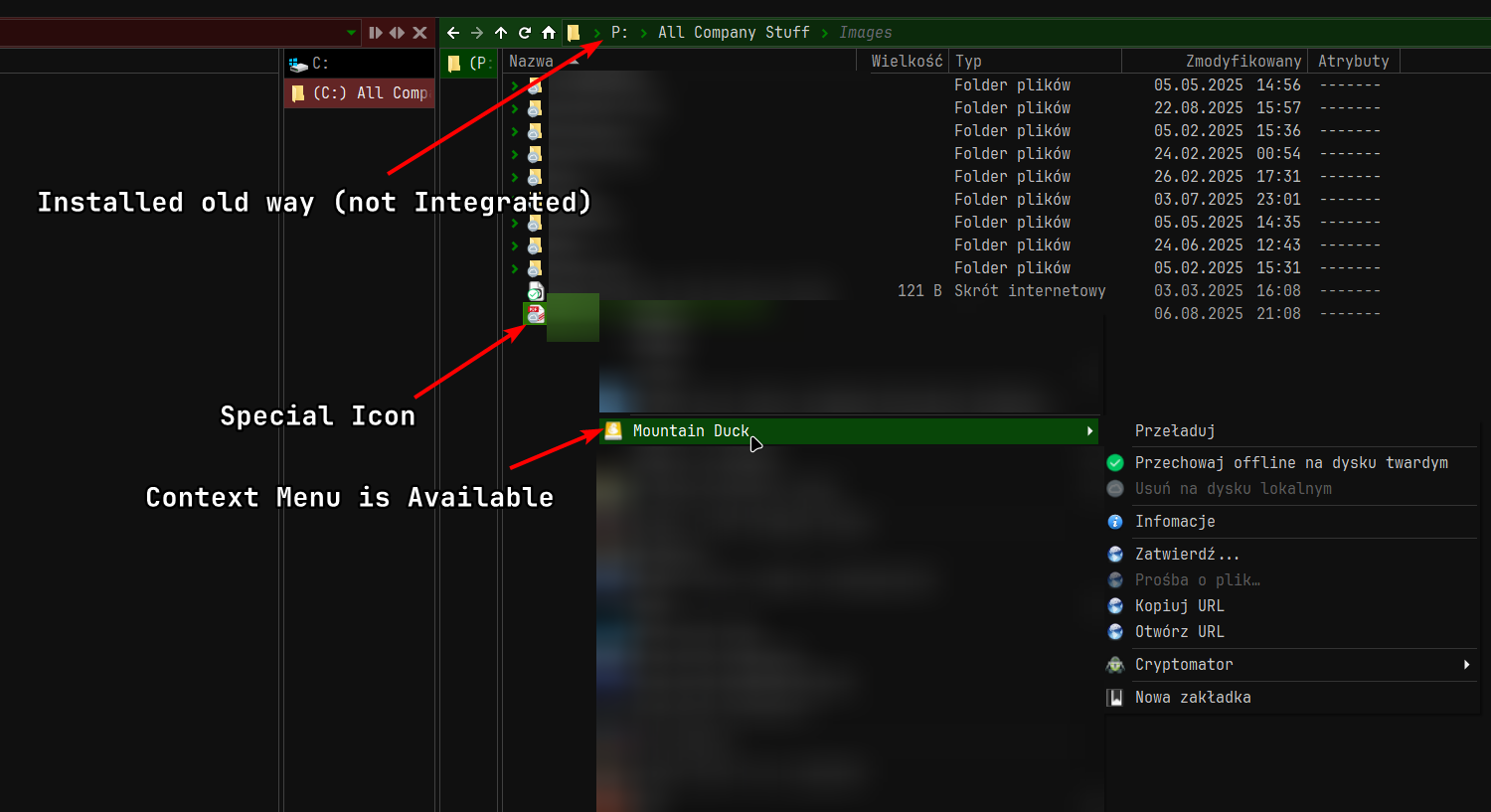
When using Explorer.exe, the Mountain Duck context menu is available for both installation methods.
The most important element I need is a way to copy the URL of a file that is only available through the Context Menu.
Dopus Version:13.18.6beta
1 Like
Same here. Dopus version: 13.21. Hope for a solution/workaround.