I’m trying to make a button that will move (send) items to the tab that’s currently at the left or right of the focused one. I can’t seem to get it. Is there no way to do this?
There is, as I've done it in a small script.
Unfortunately I'm not at home for a week or so, and won't be able to share the button until then.
Sorry about that.
Ok I’ll wait.
You would think Copy Move LEFT would do it.
This three button button might be what you are looking for.
Move Selected Items in the Current Tab to a Tab on Either Side.dcf (1.6 KB)
Here is the code:
<?xml version="1.0"?>
<button 3dborders="no" backcol="none" display="label" icon_size="large" label_pos="right" separate="yes" textcol="none" type="three_button">
	<label>Move Selected Items in the Current Tab to a Tab on Either Side</label>
	<icon1>#DOpus10XP:move</icon1>
	<button 3dborders="no" backcol="none" display="label" icon_size="large" label_pos="right" textcol="none">
		<label>the Tab to Its Left</label>
		<icon1>#DOpus10XP:move</icon1>
		<function type="normal">
			<instruction>Go TABSELECT -1</instruction>
			<instruction>Go TABDUPLICATE=dual,full</instruction>
			<instruction>Set FOCUS=Toggle</instruction>
			<instruction>@sync:/home\dopusrt.exe /cmd Go TABSELECT=last</instruction>
			<instruction>@sync:/home\dopusrt.exe /cmd Set FOCUS=Toggle</instruction>
			<instruction>@sync:/home\dopusrt.exe /cmd Go TABSELECT=prev</instruction>
			<instruction>@sync:/home\dopusrt.exe /cmd Copy MOVE</instruction>
		</function>
	</button>
	<button 3dborders="no" backcol="none" display="label" icon_size="large" label_pos="right" textcol="none">
		<label>the Tab to Its Right</label>
		<icon1>#DOpus10XP:move</icon1>
		<function type="normal">
			<instruction>Go TABSELECT +1</instruction>
			<instruction>Go TABDUPLICATE=dual,full</instruction>
			<instruction>Set FOCUS=Toggle</instruction>
			<instruction>@sync:/home\dopusrt.exe /cmd Go TABSELECT=last</instruction>
			<instruction>@sync:/home\dopusrt.exe /cmd Set FOCUS=Toggle</instruction>
			<instruction>@sync:/home\dopusrt.exe /cmd Go TABSELECT=prev</instruction>
			<instruction>@sync:/home\dopusrt.exe /cmd Copy MOVE</instruction>
		</function>
	</button>
</button>
That script duplicates the L or R tab in the destination lister then does nothing.
Sorry, what I’m doing is using tabs with the horizontal layout.
I like to open subfolders, keeping the parent open. Sometimes I like to move the files to the subfolders dragging and dropping but a cluster of buttons would be good too.
That would copy to the left hand side of a dual file display. It wouldn’t involve tabs. But I don’t think it’s a valid argument for the Copy command, as it’s not in the manual.
“You would think” = “It should be”. Not that it is but it should be.
We can move up/down ; source/destination, but sending between tabs seems to be missing.
Actually might be neat if we would freeze the folder tree at the parent location then modifier + click one of the folders to pin it as a landing zone for an omni move command. Or whatever other method to identify a pinned folder target. Then we create a modifier + click on “all files” type and that would send any clicked file to only that folder.
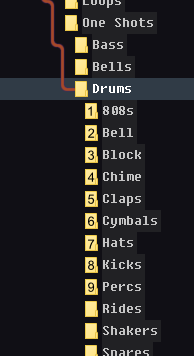
Or if we could get a dynamic numbered mode on the folder tree that would be neat too. It would show numbers on the folders. Alt + # to move selection to the corresponding folder. Shift + Alt + # Copy to instead.
It's not exactly missing. You can do it using scripting, which lets you target any folder or tab when moving files, if you want to do something unusual like this.
It's not a built-in argument because, frankly, it's not a request that has come up often, if at all before. I doubt many people keep their tabs ordered in such a specific way that it would make sense to have a button that moves things into an adjacent tab. Triggering it by mistake would be confusing as you wouldn't know where the files went.
You can already select the source/dest tabs on the left and right and do the copy between them, or drag between tabs (including background tabs), or copy & paste between tabs, etc. all of which are already possible, built-in and quick to perform using a couple of mouse clicks or keys. And scripting allows you to invent new ways for things to work if you want behavior that isn't built-in or provided by simple commands/args.
From what I read, it seems I overlooked original post. My button is not doing that, though as said by Leo, it surely can be done via scripting.
That's possible with
Go PATH={sourcepath} FOLDERCONTENT=nofiles,move
I actually spent a couple hours trying to vibe code a script for this. And a script to clear the windows recents files (which is why I was asking about targeting specific tabs). Both were failures. I’m at about 2/6 successful AI chatbot attempts. I learned a bunch of random computer things in the process though.
Oh wow that’s cool!  thanks for that.
We'll add a way to do this using the evaluator in the next update, e.g.
Copy TO "{=TabPath(tabindex+1)=}"
would copy selected files to the tab to the right of the current one.
Decent!