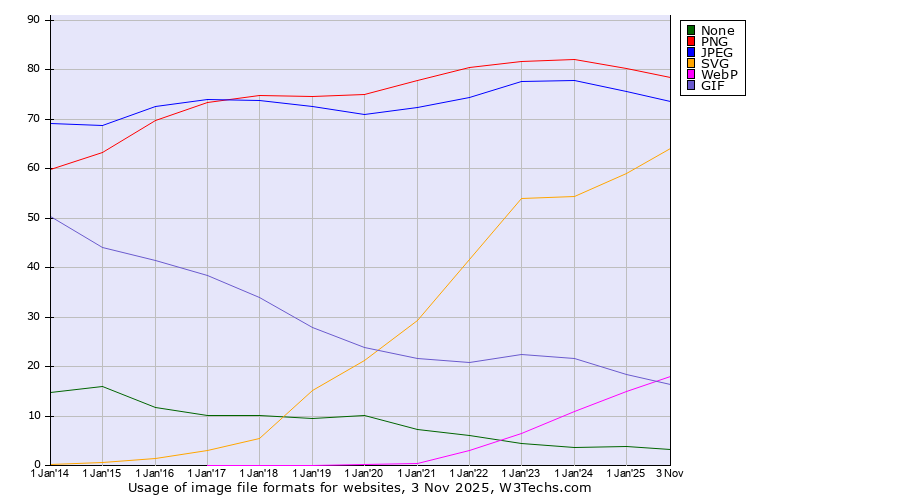
I would like to request a new feature to improve the handling of HEIC/HEIF image files in Directory Opus.
Currently, the built-in Image ROTATE command does not work on HEIC files. The common workaround is to use an external tool like ExifTool to modify the image's Quicktime:Rotation metadata tag. While this method works, it relies on external software and adds extra steps to what should be a simple workflow.
It would be a significant improvement if Directory Opus could perform this rotation natively.
Proposed Functionality:
Update the Image ROTATE command to support HEIC/HEIF files.
Instead of re-encoding the image data, the command should simply modify the EXIF/metadata rotation tags (EXIF:Orientation, Quicktime:Rotation). This would ensure the rotation is lossless and instantaneous.
The viewer and thumbnails should automatically read this tag and display the image with the correct orientation.
This feature would align Directory Opus's powerful image handling capabilities with modern image formats and provide a seamless experience for users who work with photos from devices that use HEIC.
Thank you for considering this request. I believe it would be a valuable addition for many users.
I don’t want to go off-topic, but I don’t think my post was an “excessively long and detailed feature request". Maybe that’s just a matter of perspective. Since English isn’t my native language, I used AI to polish the grammar and style so it would be more readable for everyone. I don’t see how that could harm the forum in any way. I carefully reviewed the text multiple times before posting, and everything reflects what I would write myself.
My feature request still stands — I believe supporting native rotation of HEIC/HEIF, the best output format used by most modern phones, would be a valuable enhancement.
I also want to highlight that my request is about directly editing the image’s metadata for rotation, not creating external files (such as XMP), which some software resorts to because they cannot handle HEIC/HEIF properly. That approach is, in my opinion, a terrible workaround and should never be used.
When implementing direct metadata writing for HEIC rotation, it's vital to handle both the EXIF:Orientation and the Quicktime:Rotation tags.
The reason is that different software applications and operating systems look for orientation data in different places. Some read the standard EXIF tag, while others (particularly video-related libraries and some viewers) read the QuickTime rotation tag.
For universal compatibility, the correct implementation would be:
When a user rotates an image, the software should write the corresponding value to both EXIF:Orientation and Quicktime:Rotation.
If one of these tags doesn't already exist in the file's metadata, it should be created.
The values in both tags must be kept synchronized.
Handling both tags properly will ensure that a rotated HEIC image displays correctly everywhere, eliminating a common source of compatibility headaches.
Sure.
"Modern" means further developed of something with substance.
"Postmodern" is a state of confusion missing the substance. *)
The currently advertised "modern" image formats like HEIC/HEIF, AVIF, or "JPEG XL" are in fact postmodern phenomena.
The consequence is that they will either a) not last, or b) remain in a niche.
For example, neither of those formats seems to have the capability to perform an actual lossless rotation of the compressed image data, without relying on ancillary metadata.
This was the first feature which I contributed to JPEG more than 25 years ago.
But it wasn't the most important feature, and I don't count it among the four fundamental properties of JPEG for digital image representation.
Regards
Guido
JPEG developer
*) This is my definition of the terms, which after some research seems to capture the essence quite well.
The inspiration came from just listening to the conversation "Europa zwischen Moderne und Postmoderne | Hauke Ritz & Ulrike Guérot".
Thank you to Hauke Ritz & Ulrike Guérot, this clarified my understanding as well. Brilliant minds.
Don't use AI to translate. Google Translate does a good enough job. People will be able to understand you.
AI overcorrects and adds excessive information. It tries to write a poem rather than convey information in a very technical, concise manner.
I actually think there might be a conspiracy theory that the learning datasets of LLMs are deliberately poisoned so they produce unnaturally written text, so you can't use AI to fake human writing. AI also tends to add emojis even if you want it to generate a message for a pull request on GitHub. There is no real pull request containing emojis. Someone had to deliberately make AI do that
Thank you for the clarification, now I understand it. I also understand your perspective, even though I don't fully share the conclusion. Only time will ultimately tell whether HEIC and similar formats will succeed or fade into niche use. And even if JPEG were superior to other formats, which it is not by any means, its success would depend greatly on the decision of the major tech companies. If the major tech companies start pushing HEIC (or any other format), it will most likely succeed, regardless of how good the other formats are.
While I would also be happy to see JPEG maintain its leading position, the choice today isn’t quite as black-and-white. Both JPEG and HEIC have their own strengths and weaknesses, and JPEG is starting to show its age in terms of efficiency and feature set. If JPEG is to remain dominant in the long run, I believe it will need to evolve in these areas rather than rely solely on its legacy strengths.
JPEG on the Web is stuck at version 6, which is the development status of year 1998.
This is a reason for people to believe that it "is starting to show its age".
In the worst case this situation will remain for a long time.
But even then I am very relaxed, because I know that even in this restricted form it has still more substance than any other image format (for photos).
Windows 11 now moved to JPEG 7 (arithmetic coding), macOS is now at partial JPEG 8 (SmartScale).
So there is some progress, albeit slowly.
Directory Opus has modern JPEG 9, that's why I love it.
JPEG 10 is coming next...