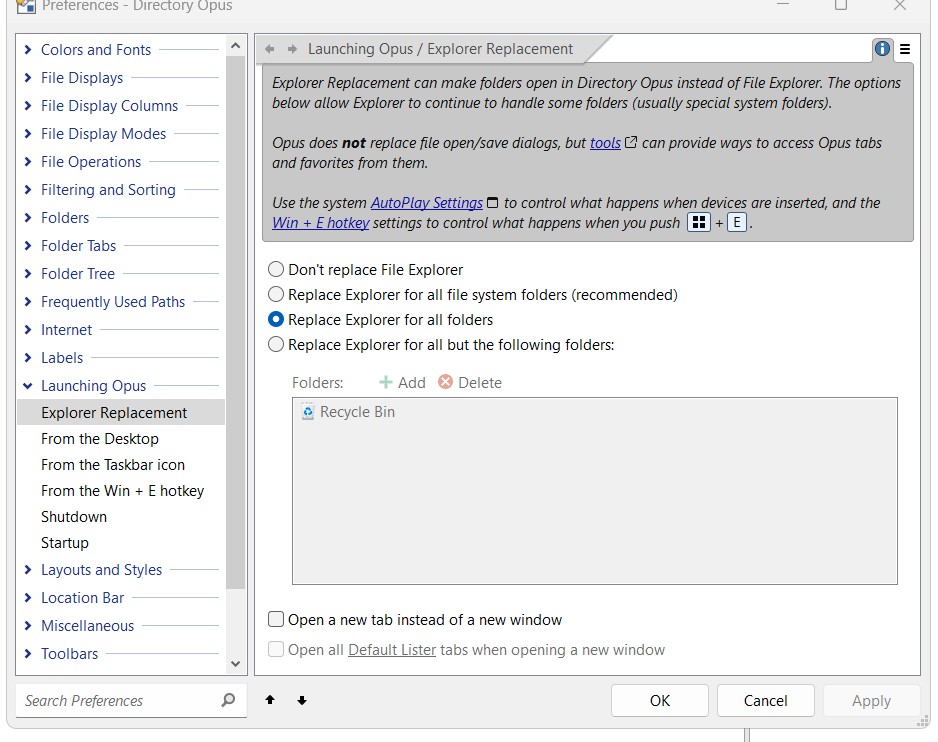
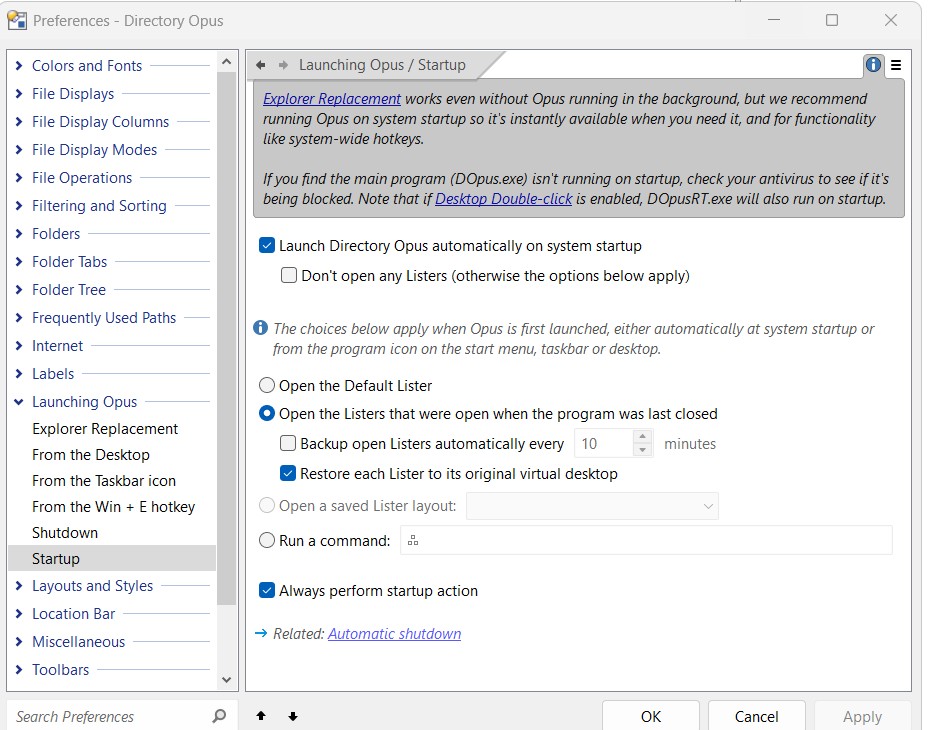
I am no able to get Directory Opus to replace any file manger. The only time it becomes active is when I directly click on the program icon. I did not set the desktop double click as the double click is already in use by the Fences program. Attached are two pictures showing my setup.
I am running the latest version of Windows 11. Is that an issue??
Not as far as we are aware.
It has been awhile since I posted needing help in making Directory Opus the default file browser for Windows 11. All answer posted thus far about this problem really deals with windows 10 and below, now Windows 11. Is there a way of having Directory Opus being the default file manager in Windows 11? Does anyone have this actually working in Windows 11??? I really like this program and need it features more in the file popup needs than just regular browsing.
Are you expecting Opus to take over the "open" and "save" file dialogs in other programs? If that's what you're referring to, it doesn't do that.