5 JANUARY 2024
Hey Team,
HAPPY NEW YEAR 2024 TO THE WHOLE TEAM.
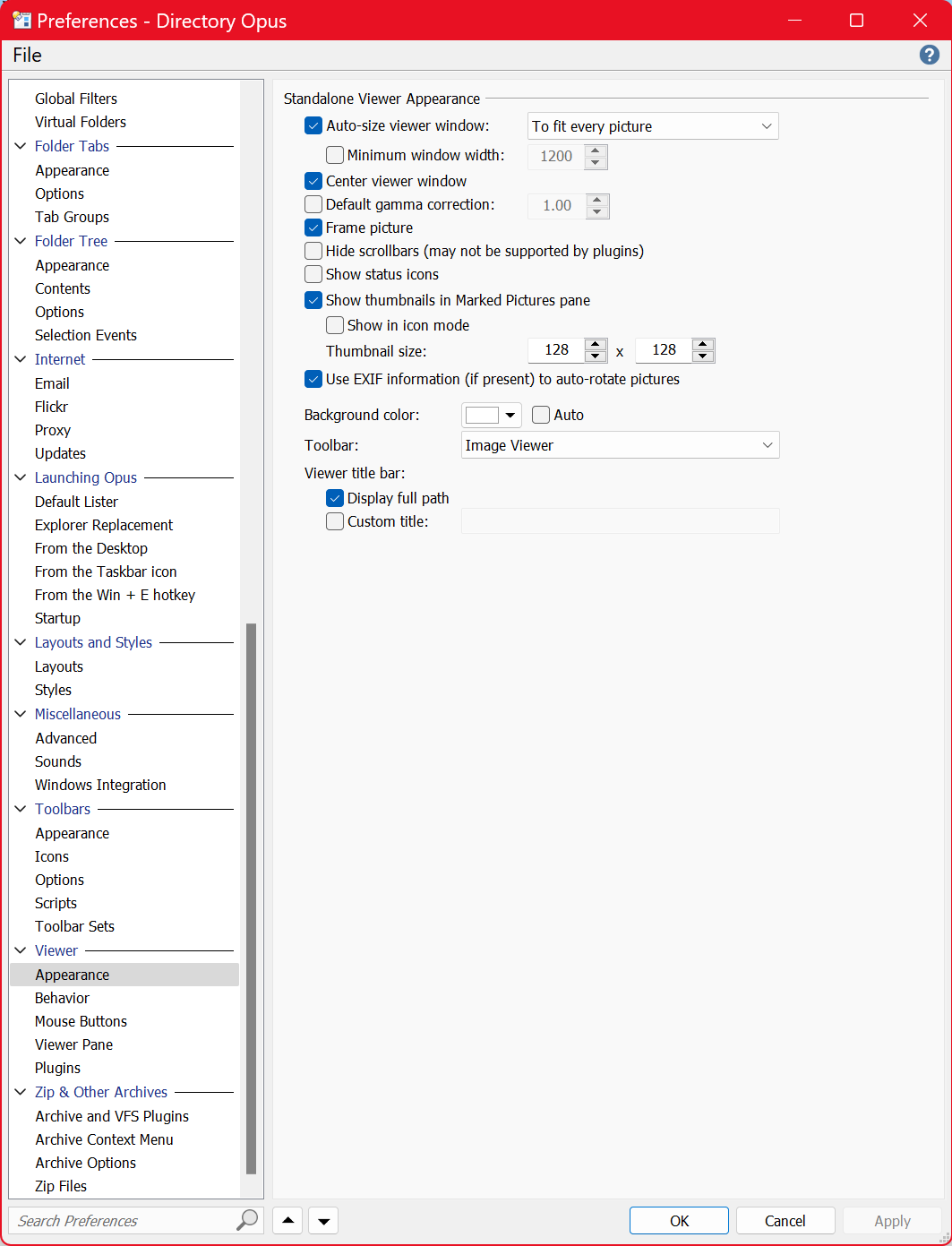
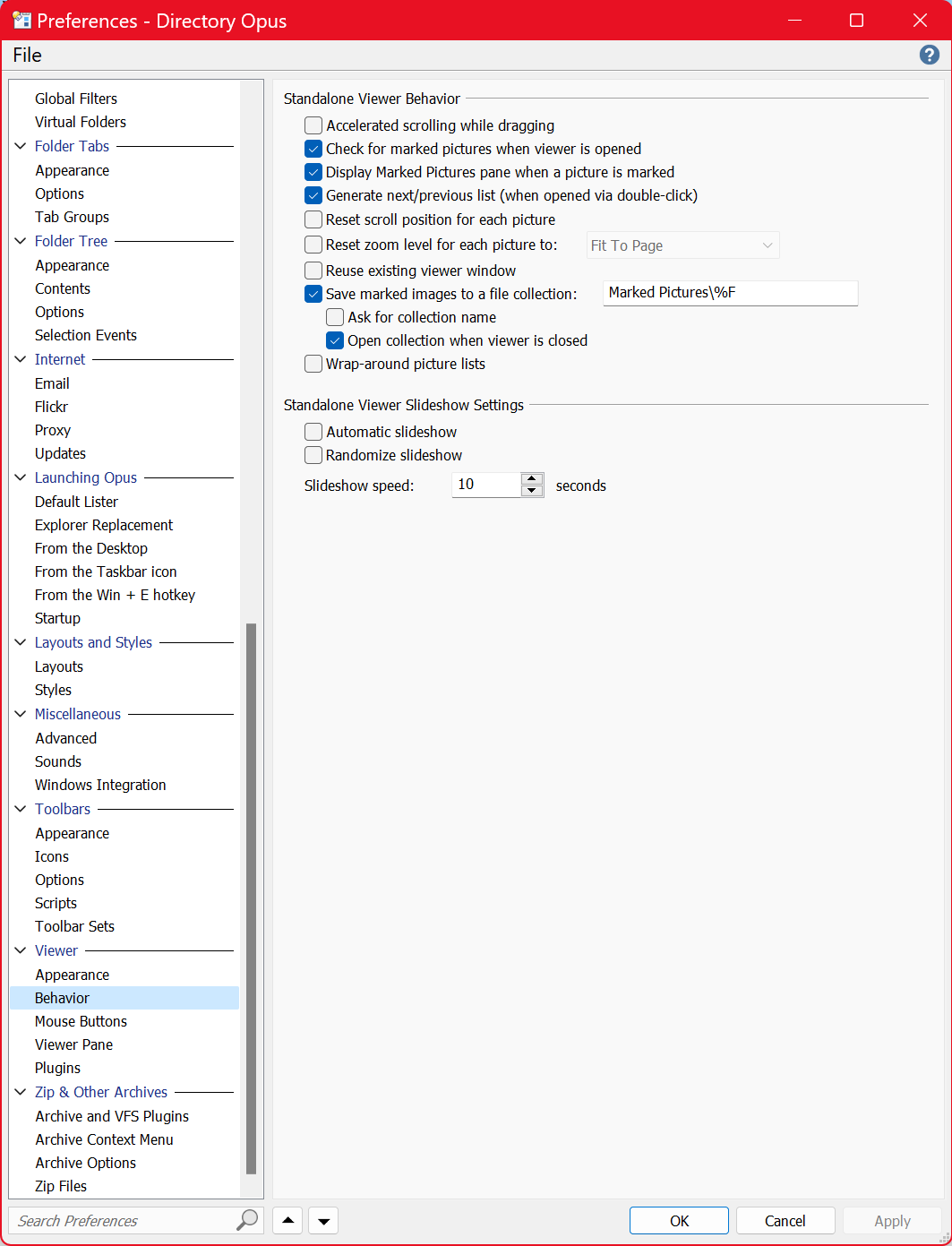
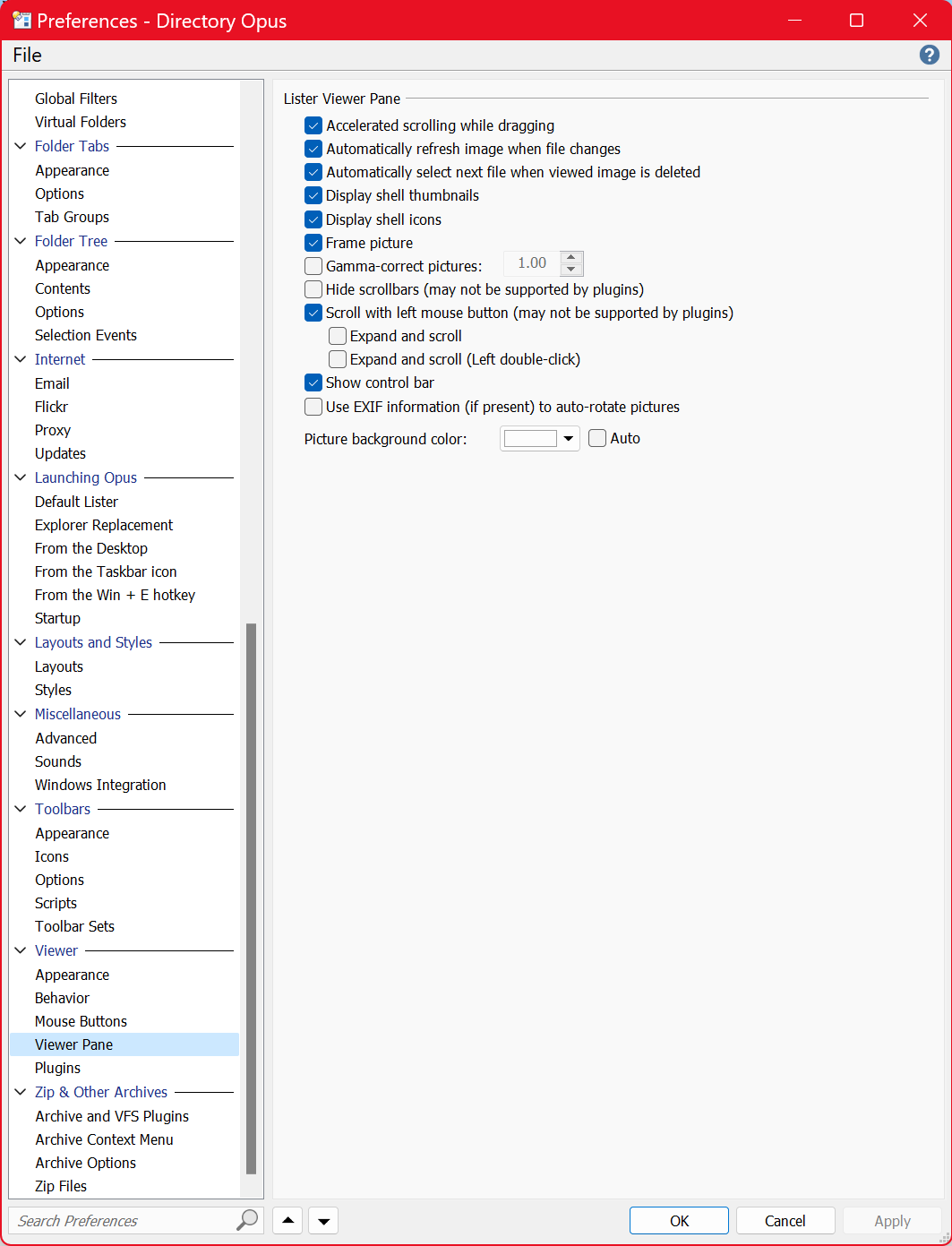
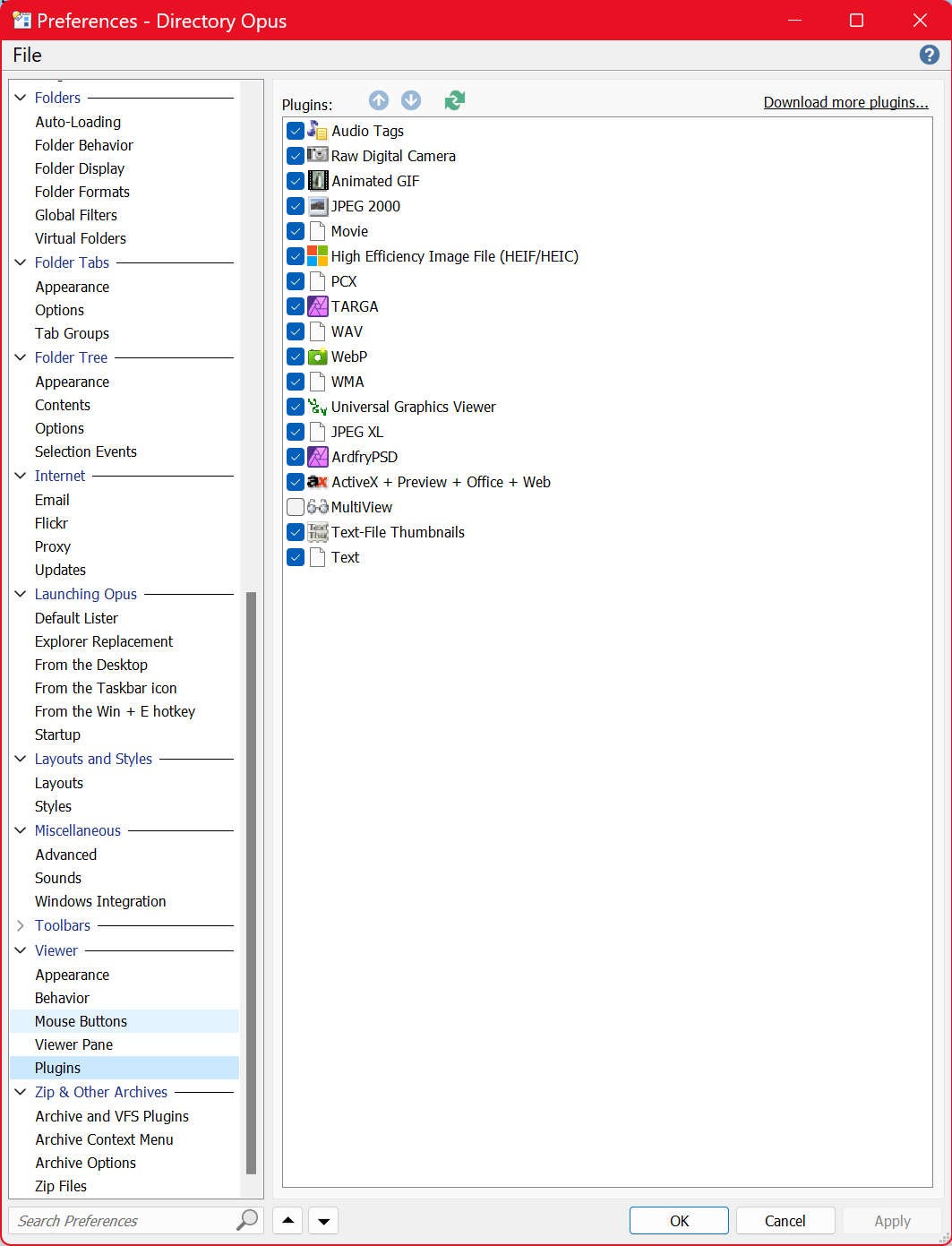
I just wanted to update you and the Members, I have finally after many months got ALL but Two of my 33 File Formats to View in Thumbnails and the Viewer Panel and just wanted to share my Dopus 12.33 Viewer Screens in case it helps anyone else.
I wish something like this was available when i was having trouble.
Screens include:- Plug Ins, Viewer, Appearance, Extended Plug Ins, and I know all this sounds very obvious, but my friendly Dopus Friends when yr a not a coder, it is Not that friendly ok.
But in saying that I will never go back to explorer I can share that with you.
HARDWARE DETAILS: WINDOWS 11, V23H2, OS BUILD: 22631.2861
Windows Feature Experience Pack 1000.22681.1000.0.
FILES: 1.45 MILLION FILES, HARD DRIVES: 5X2GB SSD DRIVES, + 2X2+2GB EXTERNAL HDD.
Intel i9 9900X CPU 10core/20thread, RTX 2080, 5X2Gb SSD Drives, 64Gb RAM,
DOPUS is without doubt the Best Directory App around, and it is by far the Fastest to Refresh thumbnails, opening, moving around it and I have over 1,450,000 Million Files spread over 5 x 2GB SSD Drives and 2 REMOVEABLE DRIVES 2DB, 4GB. I actually counted them all in case someone asked.
Plus it also Displays all my full size PDF eBooks 9500 of them and doesn't blink hardly at all, except just at start once or twice and DOPUS handles this multiple times a day every day for the last few years and it never misses a beat. I do graphic design, website, stocks, so the file system is used for 16 to 36 hrs straight and handles it no problems at all.
Thank You Dopus Geniuses, Yr Awesome, all of you!! 
Make sure you back up yr DOPUS Settings ok. It is a shame I couldn't send you my DOPUS Back Up and then you could just Load it up the Settings and you would be up and running.
If I had to use Windows Explorer, I would not live long enough for it to show up on my screen...lol
ALL FILE FOIRMATS **ARE VIEWABLE NOW. Thumb Nails and Main Viewer:
**
PDF, EPS, SVG, JPEG, PNG, AI, CS4, PSD, ICO, WEBP, (AFFINITY DESIGNER, PUBLISHER,
PHOTO), MP4, AVI, AVIF, PPT, PPTX, TXT, RTXT, CDR, SNAG IT FILES, SNAGX, TTF, OTF,
XLSX, JPEG-MEDIUM FILES, CSV, GIF, TIF, DOCX,
UNVIEWABLE CURRENTLY: NO THUMBNAILS OR IN VIEWER PANEL
(Is there a way to get these working Dopus Team?)
IDML, INDD (they are Adobe Indesign Files, if they just added some png files i could view the drafts, but i have to open every single one)
Thanks Team, I was so tempted to call you on many occasions, but just kept at it and did a lot of reading, lots of reading.
I just hope it Helps others out there in the same area and that's why i did the screenshots.
DOPUS TEAM: Would you mind just casting yr Experienced Eyes over my settings just to make sure I have them right, and I can pop back and check if that's ok and make any changes, as I do not want to touch my settings now that I have got them all viewable.
Thanks again for yr awesome dopus and all yr help.
Cheers Kev Borg (Kiwi)
SCREENSHOTS OF MY DOPUS 12.33 SETTINGS FOR OTHER TO VIEW