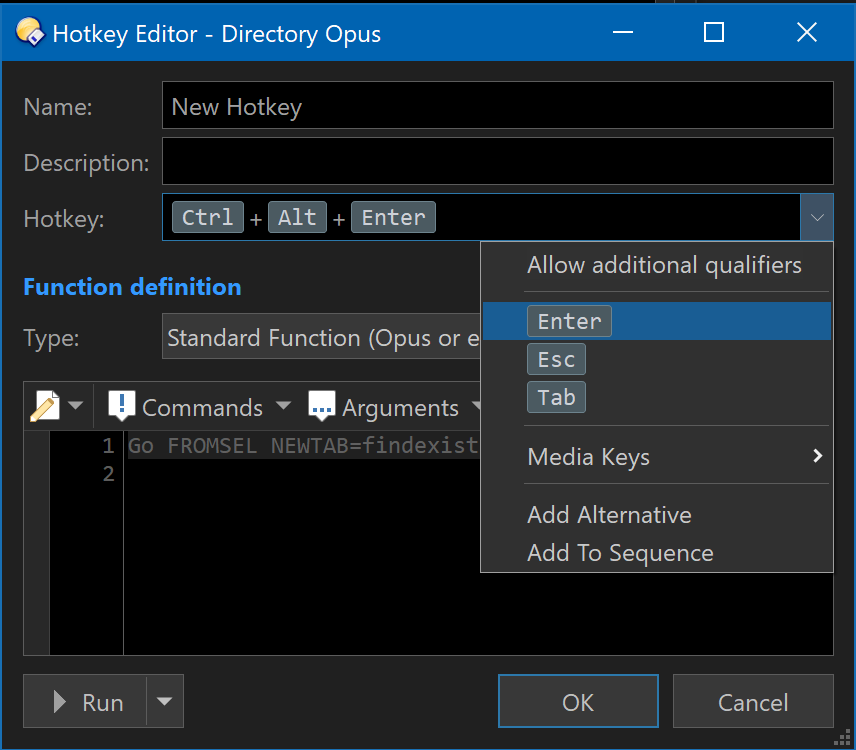
I now that with CTRL + Enter you can open the current highlighted folder in the focused tab on the other lister. But, at least for me, would be better to not mess the other lister's tab and open in a new one instead.
So, is it possible with a keyboard shortcut to open the current highlihted folder in a new folder on the opposite lister?
The Ctrl+Enter hotkey is really Ctrl+Double-click (Enter = Double-click in the file display), and can be changed via Settings - File Types - All Folders - Events.
Alternatively, if you want a different hotkey, you can bind that command to one via Settings - Customize Toolbars - Keys.
I noticed an inconsistency on at least another hotkey I wanted to let you know. As you say, Enter = Double click, so if I press ALT + Double Click it runs the go newtab command (and opens a new tab), but instead, if I press ALT + Enter it shows the selected item properties.
I think that the standard Windows hotkey (ALT + Enter) kicks in and display the properties instead. Have you noticed that?
Oh, by the way, is there a command to make the "go newtab" action open in a background folder instead (i.e. not focused) on the same lister? I'm trying to mimic what every internet browser do with CTRL + Click (open link in new background tab).
There's an explicit Alt + Enter hotkey by default, which will override the Alt + Double-click event when using the keyboard. You can edit/delete/disable it if you wish.