Opening images in Chrome

until yesterday when i opened an image file from OD the opened file would show in CHROME. this gave me x3 options

1/ holding the cursor to the left of the opened image and left clicking led to opening of the once previous file in the file list in OD.

2/ clicking on the central areaa of the image dropped back to the OD file display of all the files of that folder.

3/ and like 1/ moving the cursor to the RIGHT side of the image and left clicking showed the next image in the file display in OD

BUTTT. this no longer happens, maybe because i made some change in OD, but i dont recall doing so. no matter where i move the cursor on the image there is no cursor control, which is not what i need.

so my question to you people is what is the setting to take me back to this control over image display

with thanks

Chrome as in the web browser? It normally only displays one image at a time, as far as I can tell. (At least without installing any special browser extensions.)

Does Chrome behave the same way when opening images from File Explorer?

Are you sure it was Chrome that was opening the images?

(By the way, the program is Directory Opus, or DO, not OD.)

Chrome as in the web browser?
Google Chrome
Chrome is up to date
Version 146.0.7680.178 (Official Build) (64-bit)

It normally only displays one image at a time, as far as I can tell.
(At least without installing any special browser extensions.)

i have no extensions installed

until this issue it did display one image at one time BUT it allowed the cursor control i spoke of, which is very very useful and i use it a lot for my graphics wirk

Are you sure it was Chrome that was opening the images?
i only use chrome for image viewing.

if i want to manipulate and image i use tools with in DO , like rename, rotate etc or for graphical manipulation i use

PhotoPad Photo Editing Software, Edit Your Photos and Images Easily,
Photo Editor Software to Easily Edit Digital Images. Free Download. #1 Rated Editing Program.

(By the way, the program is Directory Opus, or DO, not OD.)strong text
:expressionless_face: :woozy_face:

so anyways back to the issue
why has this functionality disappeared as it is very very useful for my work

a useful point. if i restore a ver of DO from a week old backup the functionality is back. hooray

so something i have changed or has changed and saved in the most recent backup has caused this issue, but i didnt make and changes that i recall that could/ would cause this issue

Does Chrome behave the same way when opening images from File Explorer?

i checked using explorer and it is suffering the same problem, but i have not used explorer for ages, like 6 months so dont know it it was doing the same or working properly. oh god i hate hate program !!!

so whats causing this issue.

with thanks

What Chrome does is up to Chrome, not something Opus is involved with, unless Chrome needs the files sent to it in a particular way for that to work (but if the same also happens in File Explorer, I doubt it's that).

What Chrome does is up to Chrome. not really
scenario
1/ using DO with the current backup, the issue happens
2/ restore configuration from about x1 week back and the Issue is NOT THERE

so clearly DO is driving/ causing the issue, ie some setting in DO is telling chrome how to function

Maybe you configured something under Settings > File Types to open images in Chrome in a specific way.

Could you post a screenshot showing Chrome when it's viewing an image?

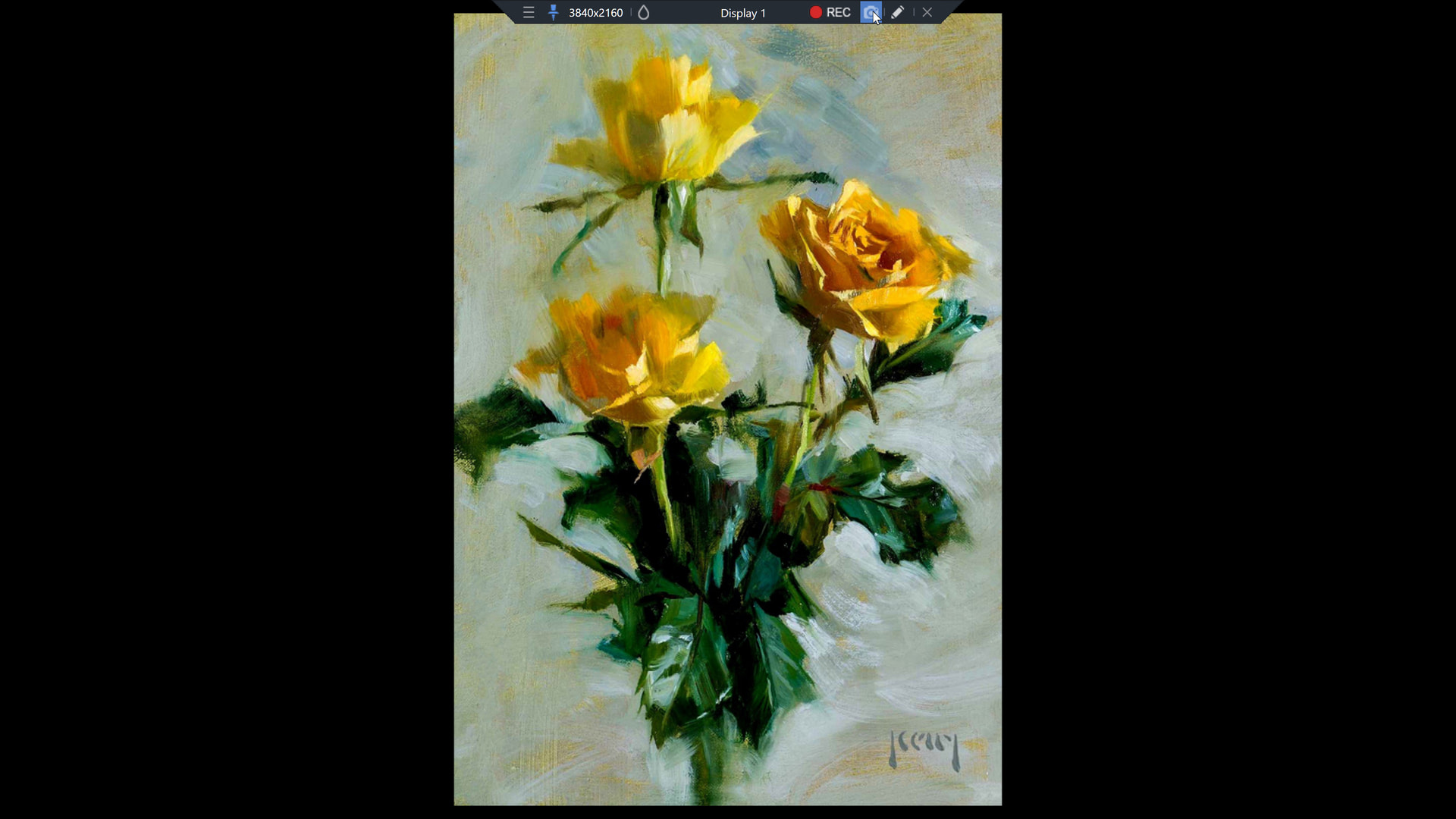
well when chrome is displaying an image it is just a full screen of the image which is, well jsut an image. but here is a snapshot of said screen, a rose

the menu bar at the top is just the tool that takes / controls this image, ie https://www.bandicam.com/, software i have purchased

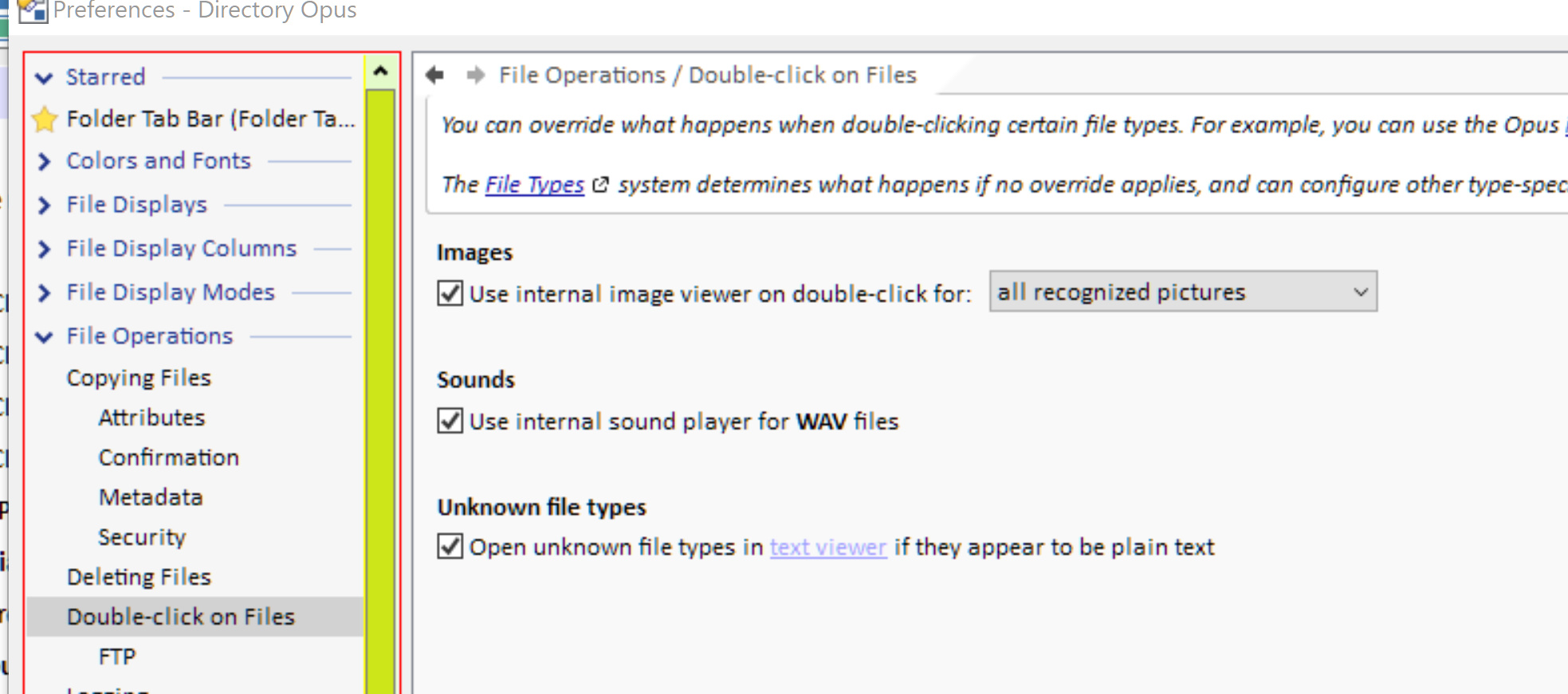
but in any cae i hae worked out the issue. again see attached pic

so yeah happy is me and thanks people
pjh

That looks like you're using Opus's image viewer, not Chrome.

What makes you think Chrome is involved here at all?

What makes you think Chrome is involved here at all?
sadly my stupid brain

in windows SETTINGS i had set chrome as the default image viewer
ipso facto i assumed chrome was the default viewer

so yeah: thats it