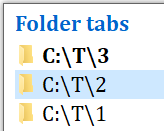
So that you could invoke this command to just sometimes see/navigate all the tabs vertically, e.g., if you have too many tabs that don't fit in the horizontal tab bar
So if my tab bar is 123
I'd like my tab switcher to show
1
2
3
regardless of my tab visit history (optionally, don't want to lose the current behavior!), instead of this
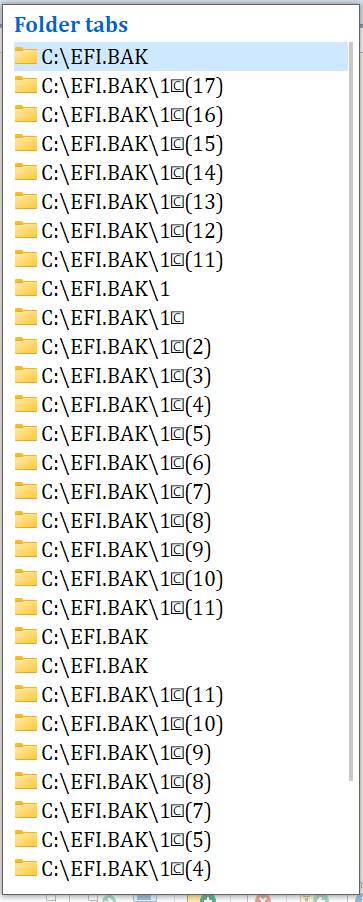
In long lists it hides the currenlty active tab is it's e.g. the last one (too low ordered) since the list is sorted from the first tab. Instead the list should "scroll" to the currently active tab
Also, how can I replicate the default functionality of repeatedly pressing the same button to progress down the list (and using "Shift" to progress up the list)?
I don't want to remove the current functionality of just pressing some command once and have the list appear without having to hold a modifier (I use it for informational purposes to get an overview of a long list of tabs without selecting anything, so it's helpful), but an extra option to allow navigation within the list so I could bind it to another key that would act just like Ctrl+Tab currently.
The bug is: I'm in a my_current_folder folder, but it's not visible in the list because I have dozens of other folders opened before it.
The list should have an option to "scroll" down to the currently active folder (not the scroll bar, my folder is in the list if you scroll down).
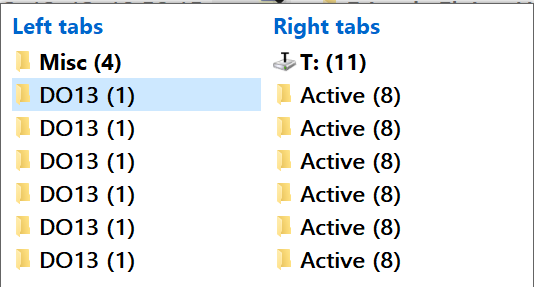
Or maybe even better - it should have an option to split into multiple columns! Then you can see all the info right away (unless you have a huge number of tabs, then you'd still need to auto-scroll to show the current folder)!
The second request is to (if I use Ctrl+J as my keybind)
dismiss this list when Ctrl is relesed
ideally, it should be configurable whether this release switches to the next folder just like Ctrl+Tab does or not - since as I mentioned above I'd sometimes use it as a keyboard-driven informational panel of all the tabs when they don't fit in the tab bar (currently doing mouse-scrolling or mousec-clicking the >> button on the tab bar, but another benefit of this command is that it appears at the most convenient center of the lister unlike >>)
move down the list (select a different tab) when you press J again while holding Ctrl
move up the list when you press Shift+J" while holding Ctrl`