I did that with AHK  .
.
AutoHotKey v2 is required to run this script.
SetScalingMethod.ahk.txt (1.8 KB)
Usage:
AutoHotkey64.exe "D:\SetScalingMethod.ahk" <Zoom in/out scaling method> [Zoom out scaling method]
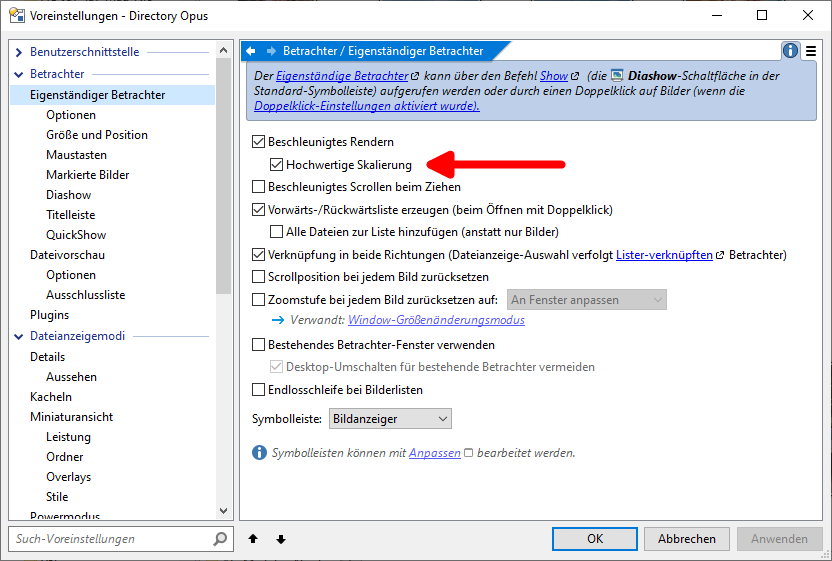
Available scaling methods (same as the values in the dropdown menu in Preferences) :
- Nearest neighbor
- Linear
- Cubic
- Linear (multi-sample)
- Anisotropic
- High quality cubic
The script accepts one or two arguments. If only one argument is provided, it will use this scaling method for both zooming in and out. Otherwise, you can specify separate scaling methods for zooming in and out.
This script relies on the currently active window being a standalone viewer window to find the image viewer child window, so when using this script, make sure the active window is the viewer window (meaning you need to click the button directly on the viewer toolbar, not "Run" in an opened command editor).
Examples:
AutoHotkey64.exe "D:\SetScalingMethod.ahk" "Nearest neighbor" // Sets both zoom in and out methods to Nearest neighbor

"D:\SetScalingMethod.ahk" "Nearest neighbor" "Cubic" // Nearest neighbor for zoom in, Cubic for zoom out
Here’s the code:
#Requires AutoHotkey v2.0
#SingleInstance Force

global InterpolationModes := Map(
	"Nearest neighbor",      0,
	"Linear",                1,
    "Cubic",                 2,
    "Linear (multi-sample)", 3,
    "Anisotropic",           4,
    "High quality cubic",    5,
)


if (A_Args.Length < 1)
{
    MsgBox("Error: Please provide the scaling method parameter.", "Error", 0x10)
    ExitApp(2)
}

try {
	modeA  := A_Args[1]
	modeB  := (A_Args.Length == 2) ? A_Args[2] : modeA
    wParam := CalcWParam(modeA, modeB)
} catch Error as err {
    MsgBox(err.Message, "Error", 0x10)
    ExitApp(2)
}

activeHWnd := WinExist("A")
if (!activeHWnd)
{
    ExitApp(3)
}

try {
    OpusPicViewerHWnd := ControlGetHwnd("dopus.viewpic1", activeHWnd)
}
catch {
    OpusPicViewerHWnd := WinExist("ahk_class dopus.viewpic ahk_parent " activeHWnd)
    if (!OpusPicViewerHWnd)
    {
        for ctrlHwnd in WinGetControlsHwnd(activeHWnd)
        {
            if (WinGetClass(ctrlHwnd) == "dopus.viewpic")
            {
                OpusPicViewerHWnd := ctrlHwnd
                break
            }
        }
    }
}

if (!OpusPicViewerHWnd)
{
    ExitApp(3)
}


WM_APP := 0x8000
msg := WM_APP + 3914

result := SendMessage(msg, wParam, 0, OpusPicViewerHWnd)
if(result == 1)
{
	ExitApp(0)
}
ExitApp(1)

CalcWParam(modeZoomIn, modeZoomOut)
{
    modeZoomIn  := Trim(modeZoomIn)
    modeZoomOut := Trim(modeZoomOut)

    if (!InterpolationModes.Has(modeZoomIn) || !InterpolationModes.Has(modeZoomOut))
	{
        throw Error("Unknown scaling method")
    }

    codeZoomIn  := InterpolationModes[modeZoomIn]
    codeZoomOut := InterpolationModes[modeZoomOut]
    wParam := (codeZoomOut << 12) + (codeZoomIn << 8) + 0x01
    return wParam
}
 +1
+1