My preview on PDF looks like this on my first monitor :
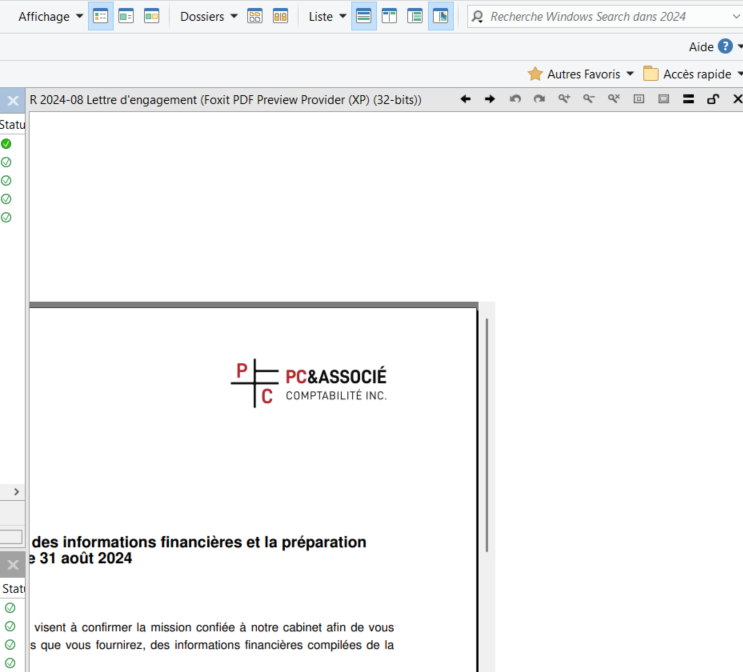
And looks like this on my second monitor :
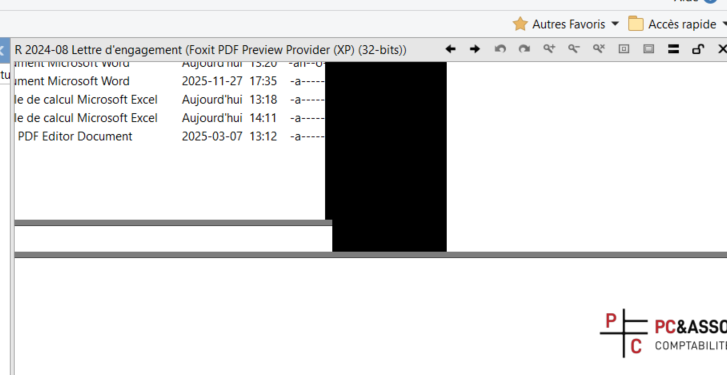
Can you tell me how to fix that plz ?
My preview on PDF looks like this on my first monitor :
And looks like this on my second monitor :
Can you tell me how to fix that plz ?
Try a different PDF viewer. It isn't part of Opus; Opus just uses the one that's installed.
i deleted Foxit PDF Editor and reinstall it. I have multiple computers with Directory Opus and Foxit and they all works well... I dont understand... Do you have any other solutions for me ?
Same version on the computer that doesn't work as the one on the computers that do work?
I had the same problem. I don't recall how I resolved it but it can be resolved by fiddling with the settings. I didn't need to uninstall Foxit. I know that for awhile I made Sumatra as my default pdf program and then just changed what doubling clicking on pdf files does in dopus (open Foxit), but I settled on a more elegant solution which I don't recall.