yes, fcoder's 2pdf do it as well.
thank u
The PDFtk merge button has worked for years, but it's no longer working for me. Is it working for anyone else? PDFtk is working just fine in powershell so it's not PDFtk.
From a quick test, yes.
This is what the command line says when run from dopus, when i run pdftk in powershell i don't have any issues with it.
Creating Output ...
Adding page 1 X0X from 1541 - ship form - Copy.pdf
Unhandled Java Exception in create_output():
java.lang.ClassCastException: pdftk.com.lowagie.text.pdf.PdfString cannot be cast to pdftk.com.lowagie.text.pdf.PdfName
at 0x0059a84e (Unknown Source)
at 0x0059ad42 (Unknown Source)
at 0x005e9bd4 (Unknown Source)
at 0x005ba4a4 (Unknown Source)
at 0x005b2044 (Unknown Source)
at 0x0059231e (Unknown Source)
at 0x004a1475 (Unknown Source)
at 0x004a1bbc (Unknown Source)
at 0x004a1a75 (Unknown Source)
at 0x004a1c44 (Unknown Source)
at 0x004a15b6 (Unknown Source)
at 0x004a1bbc (Unknown Source)
at 0x004a1800 (Unknown Source)
at 0x004a21d0 (Unknown Source)
at 0x00412402 (Unknown Source)
Could the .pdf be corrupted?
It opens? But I do think it might be something with the files because I tried merge on an older file group from early november and they are still working.
None of Opus is written in Java, so that crash is coming from the pdftk program.
If it works in PowerShell but not when run from Opus, check that you're running exactly the same command line in both. Also note that, by default, Opus sets the current directory to C:\Windows\System32 (or equivalent) when running external tools. That can be overridden, but trying it as the CD when running from PowerShell will tell you if that's the issue or not.
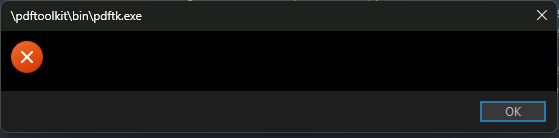
This is what I get after entering the output merged file name into the dialog box
When I try to merge multiple selected PDFs
Can someone help?
I haven't paid for PDFTK
It's probably saying the pdftk.exe executable cannot be found at the specified path on your system.
If you install the current beta, or turn off Dark Mode, the text in that dialog will be readable again. (It's due to a recent change in Windows 11.)
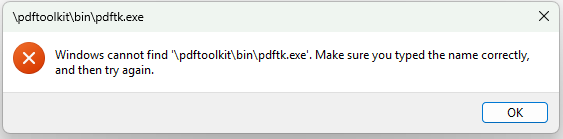
That means you haven't done this part of the instructions in the first post:
The menu button expects a
/pdftoolkitDO alias that points to your PDF Toolkit installation folder. Make sure the required executables are contained within abindirectory (/pdftoolkit/bin/pdftk.exeis the actual path used).
You can make the alias from Preferences / Frequently Used Paths / Folder Aliases.
1 Like